Review Studio With Green Screen Rooms
⚪ Last updated 2012⚠️ Install Order · 3 steps
Install in this order, then this mod last — most mods fail to load without their framework and dependencies in place.
Preview
🔍 Analysis
- 👍 4.8% endorsement rate — high engagement, a strong quality signal
- 🏆 #1 of 69 Miscellaneous mods in this game by downloads
📋 About This Mod
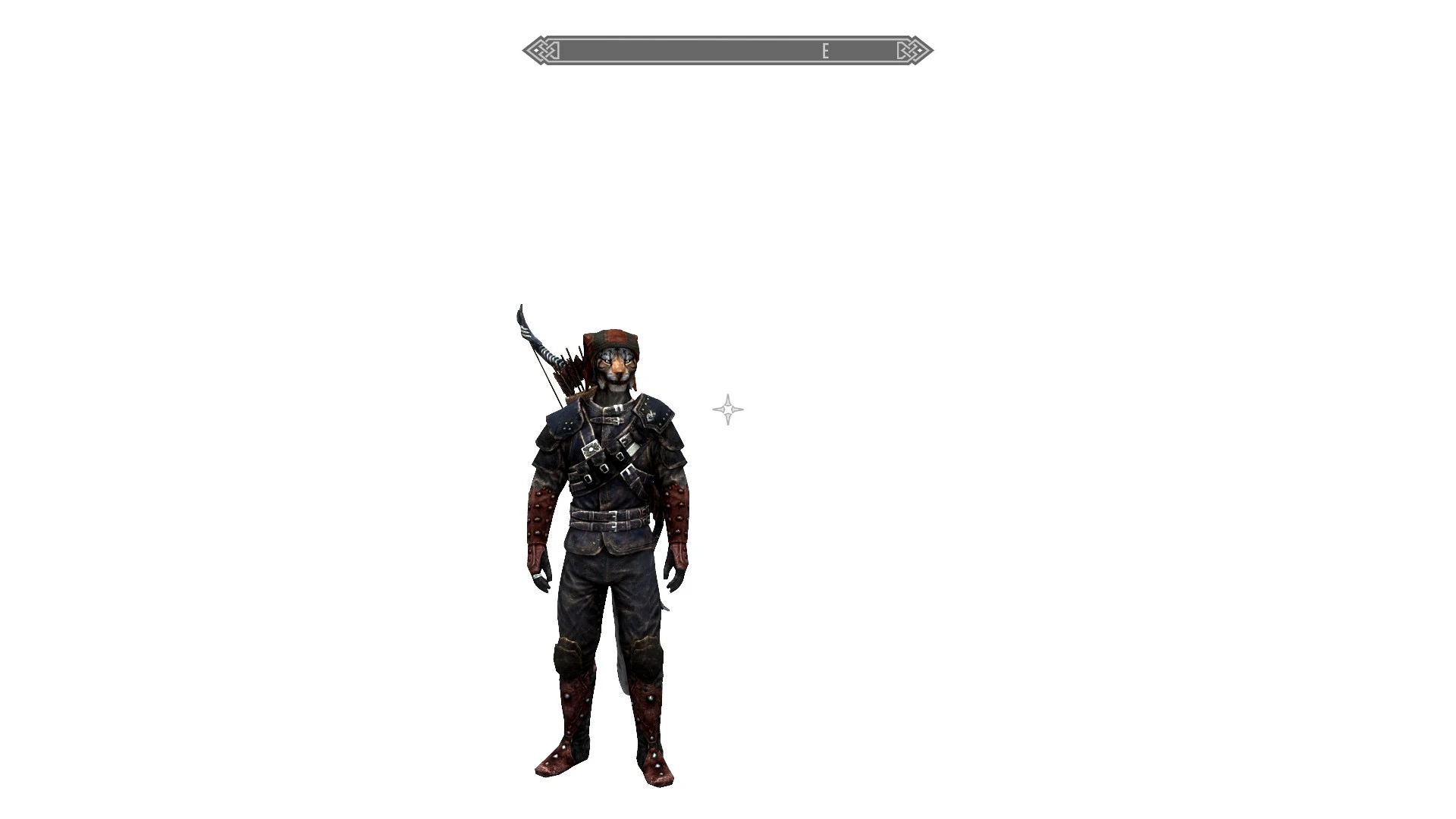
u8FpH1Uu5Ro The Review Studio mod for Skyrim is meant for use by video creators when reviewing armor and weapon mods. It can also be a useful tool for modders and any one else who likes to create movies and screenshots. It provides a clean, empty space without distractions in which to film. Features Review Studio contains eight unique cells, named Studio1, Studio2, Studio3, Studio4 StudioBigWhite, StudioBigGreen, StudioBigBlue, and StudioBigBlack. To access the studios uses console command \"CoC Studio1\", \"CoC Studio2\", \"CoC Studio3\", \"CoC Studio4\", \"CoC StudioBigWhite\", \"CoC StudioBigGreen\", \"CoC StudioBigBlue\", or \"CoC StudioBigBlack\" There are now also trap doors hidden behind Olava the Feeble\'s house in Whiterun that lead to the Studios. Studio1 is a empty white room Studio2 is an empty green room Studio3 is an empty blue room Studio4 is an empty black room StudioBigWhite in a massive empty white room with invisible walls and floor. StudioBigGreen in a massive empty green room with invisible walls and floor. StudioBigBlue in a massive empty blue room with invisible walls and floor. StudioBigBlack is a massive empty black room with invisible walls and floor. Media Review Studio has been featured on the Skyrim Mods Series: #26. This review includes a basic tutorial for the studio. Watch below! nFaGHCvnlMo Installation Information To install Review Studio use the Nexus Mod Manager or... To install Review Studio first unzip the . 7zip file. Next place the Review Studio.esp into the /Data folder of your Skyrim Directory. Then Navigate to the same directories for the meshes (.nif) and textures (.dds) in your Data folder as you see in the extracted files (/Data/meshes/markers and /Data/textures respectively) and paste the new .nifs and .dds files in those locations. Package Info Review Studio contains one Bethesda plugin data file named Review Studio.esp Review Studio contains three unique static mesh named whiteplane01.nif, greenplane01.nif, and blueplane.nif Review Studio also contains two unique textures bluescreenfloor.dds and greenscreenfloor.dds Version Additions 1. 1 - Added two unique light references to reduce the chance of other mods effecting the lighting in the studio 2. 0 Added two more rooms (Studio3 and Studio4) and two new textures (bluescreenfloor.dds and greenscreenfloor.dds) and made a few more adjustments to light to prevent conflicts with other mods. 3. 0 - Added three more giant rooms with invisible walls/floor and improved ambiant lighting for filming on a large scale. Added the ability to map travel out of all studios. Removed black rooms until camera issues are resolved. 4. 0 - Fixed an
Review Studio is a Skyrim mod that provides a clean, empty space for video creators to film armor and weapon mod showcases. It offers a distraction-free environment, making it ideal for review videos. With 1,405 endorsements and 29,000 downloads, it has proven useful for the modding community.
✨ Key Features
📊 Pros & Cons
✅ Pros
- Community-approved with 1,405 endorsements and 29,000 downloads.
- Purpose-built for content creators—no more hunting for a clean backdrop.
- Simple concept that does exactly what it promises: a distraction-free studio.
⚠️ Cons
- Last updated in 2012—may have compatibility issues with current Skyrim versions.
- Only useful for video creators; if you don't make mod showcases, this is pointless.
For Skyrim video creators who want a clean, professional backdrop for their armor and weapon mod showcases. If you're a mod reviewer or YouTuber, this saves you time. Skip if you're just playing the game—this is purely a filming tool.
💡 Beginner Tips
- Place the files in your Skyrim Data folder and enable the mod in your launcher.
- Use the console command 'coc ReviewStudio' to teleport to the studio.
- If you're using a mod manager, let it handle the installation to avoid conflicts.
📊 Mod Details
- Game
- Skyrim LE Mods
- Author
- KahjiitRaj
- Version
- 4.0
- Downloads
- 29,000
- Endorsements
- 1,405
- Category
- Miscellaneous
- Created
- 3/1/2012
- Updated
- 3/20/2012
🔧 How to Install Skyrim LE Mods
Download from Nexus.
📖 Full step-by-step install guide for Skyrim LE →
Visit the official mod page for specific installation instructions for this mod.
🎮 Need cheat codes or console commands? Check ur gaming wiki for Skyrim LE commands, item IDs, and more.
Keep browsing — more Skyrim LE mods await