Opethfeldt ENB
⚪ Last updated 2013⚠️ Install Order · 4 steps
Install in this order, then this mod last — most mods fail to load without their framework and dependencies in place.
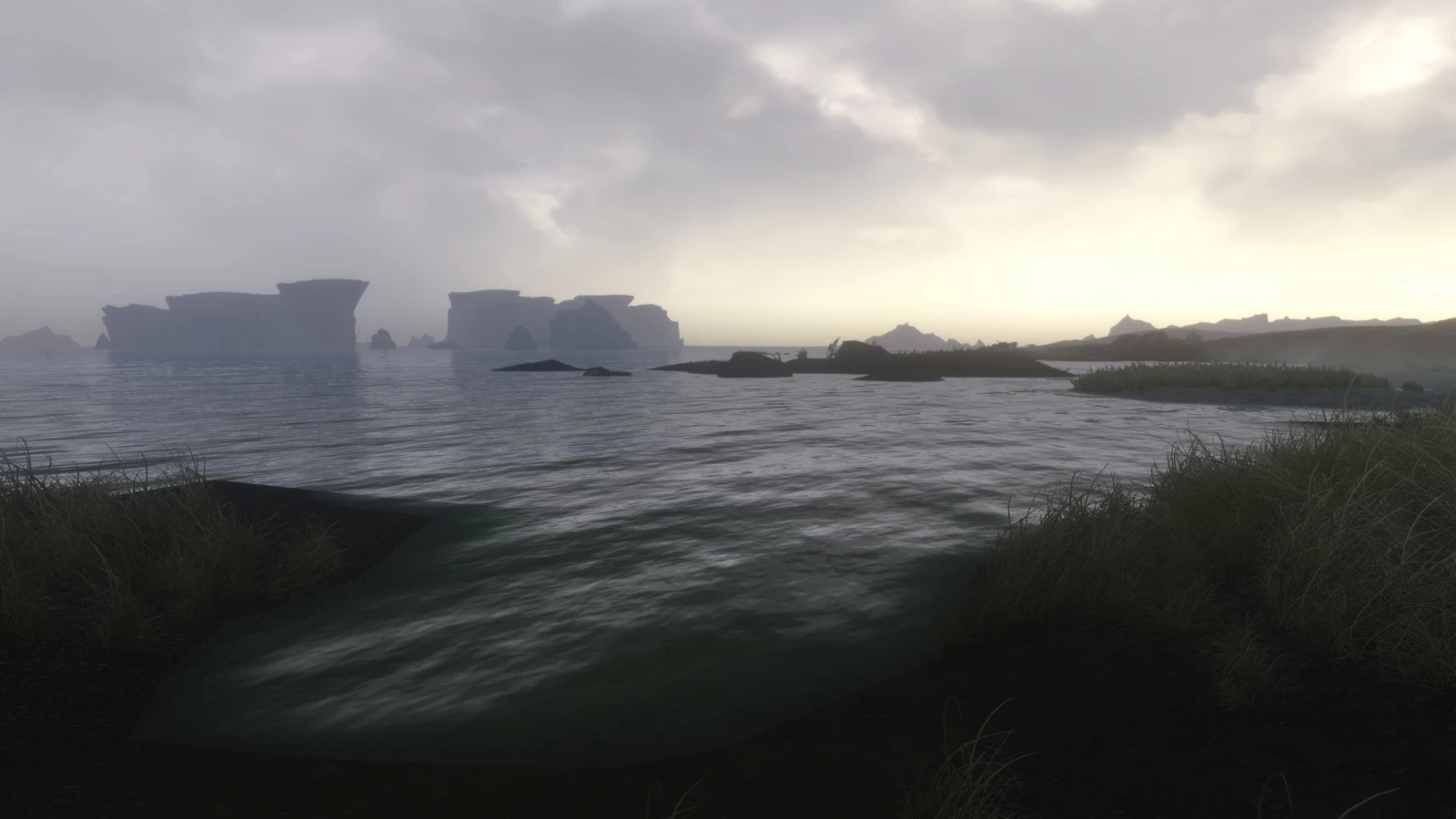
Preview
🔍 Analysis
- 👍 3.5% endorsement rate — high engagement, a strong quality signal
- 🏆 #44 of 94 Visuals and Graphics mods in this game by downloads
📋 About This Mod
Opethfeldt 7 beta
CROSSFIREX users, check this link: http://steamcommunity.com/app/72850/discussions/0/846958724781912070/, Basically you have to use GW2.exe profile to make this ENB work correctly. (Thanks to CaptainStuhben for he info).
INSTALLATION: ============= (See the video Tutorial below)
0. DELETE any leftover from other ENB presets, like the EFFECT. TXT AND the ENBseries folder, both located inside the skyrim folder. I recommend to disable any other Grapical mod: CoT, RLFX, etc. This config is meant to be used with Vanilla game and my weather ESP included only, I won't support any other weather mod, but if you insist, just make sure to keep opeth_weather.esp at the end of the load order.
1. Copy all the files to your Skyrim directory (where TESV.exe is located), click yes if asked to overwrite.
2. Get the d3d9.dll and enbhost.exe from ENB v0. 236 HERE (only the d3d9.dll and enbhost.exe from "WrapperVersion" folder are needed)
3. Download ENB Helper, which is indispensable for this config and it's weather feature: ENB helper. Put enbhelper.dll inside the "Enbseries" folder
4. Install Mindflux's Skyrim Particle Patch
5. Run the game launcher (SkyrimLauncher.exe), enable the Opeth_Weather.esp and Opeth_torch if you prefer a brighter torch fire.
6. Edit the next lines inside "SkyrimPrefs.ini" located in "C:Users*******DocumentsMy GamesSkyrim" to look like this:
iMultiSample=0 < ----AA needs to be disabled or some effects won't be available. iBlurDeferredShadowMask=1 fGamma=1. 0000 bFloatPointRenderTarget=1 bTreesReceiveShadows=1 bDrawLandShadows=1 bShadowsOnGrass=1
7. Make sure to disable Antialiasing and Anisotropic Filtering in your graphics card's Control Panel too.
9. To enable the ingame GUI, press Shift+PageDown, to modify the current weather activate "show weather window"
Video Tutorial (by RussellCrowe4021):
d31iv3dg2ok
French version: https://www.youtube.com/watch?v=J4BJO_7KFUE
/////////////////////////////////////////////////////////////////////////////////////////////////////////////////////////////////// Notes and Troubleshooting ========================= - Optimization guide made by raf1981 - ENBoost features are already included in ENBseries. - Disable Temporal AA if you have a ghosting effect while mo
Opethfeldt ENB is a visual enhancement preset for Skyrim that leverages nearly full weather support from Boris V's ENB framework. It has garnered significant community traction with 8,697 endorsements and over 248,000 downloads, though it hasn't been updated since 2013.
✨ Key Features
📊 Pros & Cons
✅ Pros
- Huge community trust (8,697 endorsements)
- Massive download count (248,331) shows it's been a go-to for years
- Weather support means dynamic visuals across different conditions
⚠️ Cons
- Last updated in 2013 — likely outdated for current Skyrim versions and ENB series
- Requires ENB series by Boris V, which may need separate setup
For Skyrim players who want a classic ENB preset with broad weather integration and don't mind older tech. Skip if you're on the latest Skyrim version or want modern performance optimizations.
💡 Beginner Tips
- Make sure you have the correct ENB series version for your Skyrim build, as this preset is from 2013.
- Disable the in-game anti-aliasing and anisotropic filtering to avoid conflicts with ENB.
- Use a mod manager to keep track of ENB files, but be prepared to manually place some files in your Skyrim directory.
📊 Mod Details
- Game
- Skyrim LE Mods
- Author
- Opethfeldt
- Version
- 7beta3
- Downloads
- 248,331
- Endorsements
- 8,697
- Category
- Visuals and Graphics
- Created
- 6/17/2012
- Updated
- 12/31/2013
🔧 How to Install Skyrim LE Mods
Download from Nexus.
📖 Full step-by-step install guide for Skyrim LE →
Visit the official mod page for specific installation instructions for this mod.
🎮 Need cheat codes or console commands? Check ur gaming wiki for Skyrim LE commands, item IDs, and more.
Keep browsing — more Skyrim LE mods await