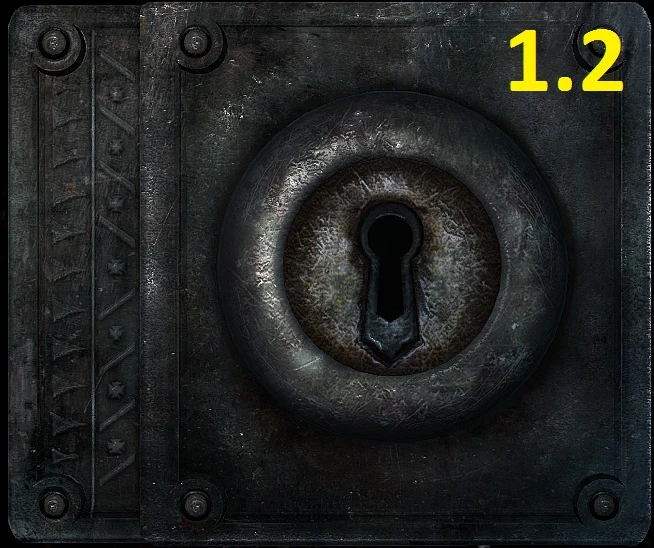
Lockpicking interface retex
⚪ Last updated 2011⚠️ Install Order · 3 steps
Install in this order, then this mod last — most mods fail to load without their framework and dependencies in place.
Preview
🔍 Analysis
- 👍 4.3% endorsement rate — high engagement, a strong quality signal
- 🏆 #387 of 453 Models and Textures mods in this game by downloads
📋 About This Mod
Same resolution just retextured and added details added version named anti-leather for tose who has an idea about leather piece from the first version stuck in their minds. little brighter. check my other retex---------------------------------------------------- HD furniture and barrels blacksmith workbench ukrainian money Installation------------------------------------------------------------------ choose version and download take folder named Data form archive and put it in your Skyrim folder to make the path for textures like this your_Skyrim_address\\Data\\Textures\\interface\\objects\\lockpicking\\lock01.dds your_Skyrim_address\\Data\\Textures\\interface\\objects\\lockpicking\\lock01_n.dds your_Skyrim_address\\Data\\Textures\\interface\\objects\\lockpicking\\locksmallpiece.dds
A simple texture overhaul for the lockpicking interface, created by Quazaque in a few hours of Photoshop work. It replaces the default lockpicking UI with a custom design. With over 4,300 endorsements and 100k downloads, it's a popular cosmetic tweak for players who want a fresh look during lockpicking.
✨ Key Features
📊 Pros & Cons
✅ Pros
- Huge community approval (4,325 endorsements) — clearly a fan favorite
- Over 100k downloads, so it's been tested by a ton of players
- Simple texture swap — no scripts or heavy dependencies, just drop it in
⚠️ Cons
- Last updated in 2011 — might not be compatible with the latest game version
- No screenshots or detailed description, so you're going in blind
- It's just a retexture — if you're expecting new animations or features, this isn't it
For Skyrim players who want a fresh look at the lockpicking screen without changing gameplay. If you're tired of the vanilla interface and want something different, this is a quick fix. Skip if you're looking for gameplay overhauls or if you're on a newer patch that might break old mods.
💡 Beginner Tips
- Since this mod is from 2011, check if your Skyrim version is pre-Special Edition — it may not work on SSE without conversion.
- Use a mod manager like Vortex or MO2 to install and easily uninstall if you don't like the look.
- If the texture doesn't show up, make sure you're not overwriting it with another UI mod.
📊 Mod Details
- Game
- Skyrim LE Mods
- Author
- Quazaque
- Version
- 1.1
- Downloads
- 100,847
- Endorsements
- 4,325
- Category
- Models and Textures
- Created
- 12/6/2011
- Updated
- 12/7/2011
🔧 How to Install Skyrim LE Mods
Download from Nexus.
📖 Full step-by-step install guide for Skyrim LE →
Visit the official mod page for specific installation instructions for this mod.
🎮 Need cheat codes or console commands? Check ur gaming wiki for Skyrim LE commands, item IDs, and more.
Keep browsing — more Skyrim LE mods await