Insanitys Ebony Sword Replacer
⚪ Last updated 2014⚠️ Install Order · 3 steps
1🛠️ SKSE — Skyrim Script Extender Download ↗
2🔧 USLEEP — Unofficial Skyrim Legendary Edition Patch Download ↗
3🖥️ SkyUI — SkyUI (MCM framework) Download ↗
Install in this order, then this mod last — most mods fail to load without their framework and dependencies in place.
Preview
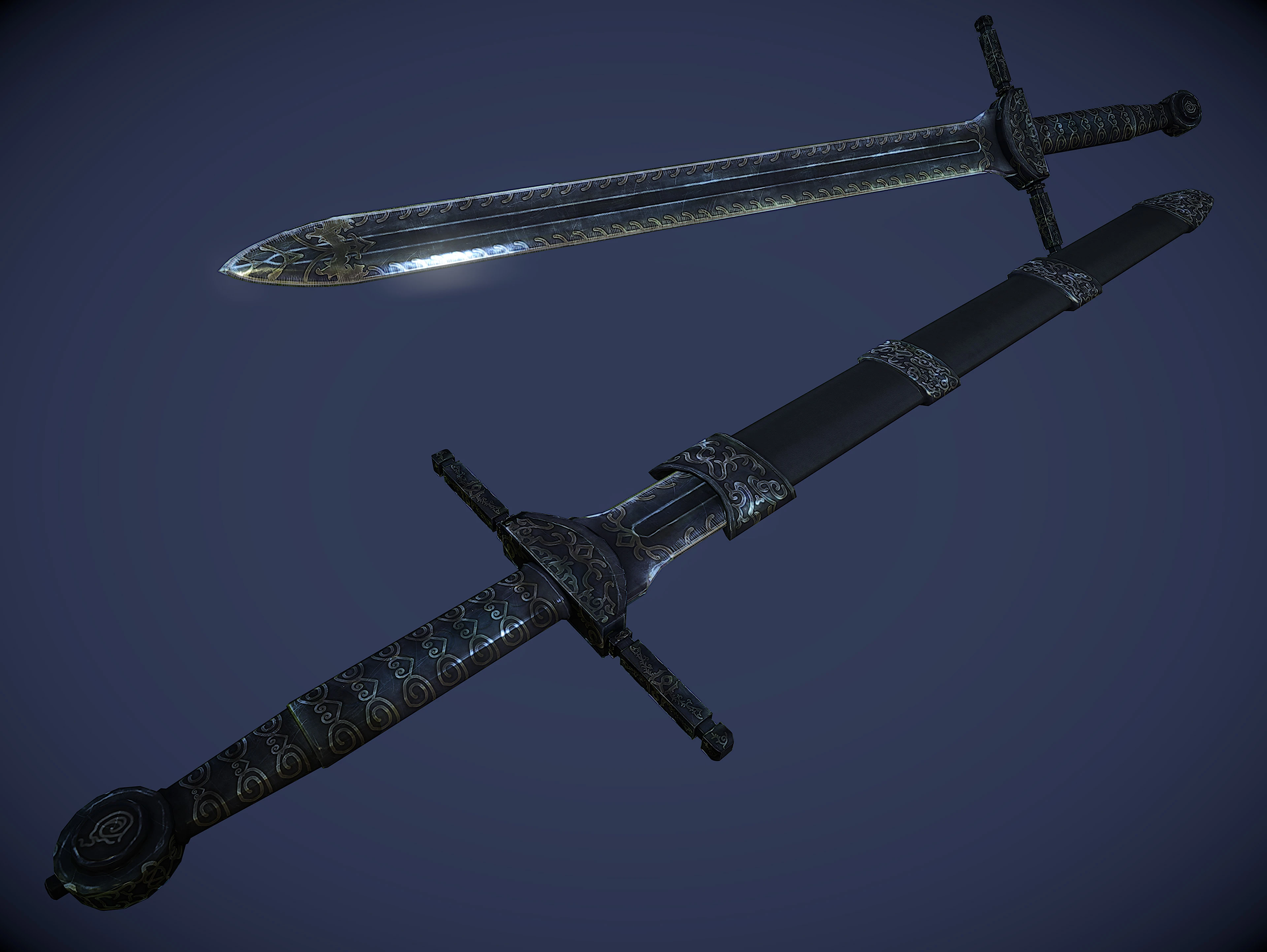
🔍 Analysis
- 👍 5.7% endorsement rate — high engagement, a strong quality signal
- 🏆 #59 of 112 Weapons mods in this game by downloads
📋 About This Mod
Unwritten: Echoes of Twilight Kickstarter now Live!
Come support Druid Gameworks first indie RPG and help us create the game we all want to play!
A shadow looms on the horizon when an ancient foe returns from the depths of the abyss to stake a claim on the land of Midengard. The old ones whisper a prophecy foretelling a time when creation will falter, the ancient god tree from which all life springs will wither and die, and the fate of our worlds will lie on the shoulders of an Unwritten; a rare legendary figure who is unbound from the wheel of fate and who, through their actions, will alter the flow of destiny.
The battle for Midengard begins in the heartlands of Aerendwel, where you alone stand in the balance between good and evil, able to choose your fate and change the fate of of the world. As you quest to uncover the truth about the past and your elusive enemy, will your choices bring salvation to the land...or destruction?
Unwritten: Echoes of Twilight is a Single Player RPG in development for Windows PC, XBox One, and PS4
🤖 AI-enhanced — based on mod data
Insanitys Ebony Sword Replacer is a simple mesh and texture replacer for the Ebony Longsword and Ebony Greatsword in Skyrim, giving them a classic sword style. It features new high-resolution models and textures, and has been a popular choice with over 8,000 endorsements.
✨ Key Features
Replaces the Ebony Longsword and Ebony Greatsword with new models and textures.
Gives the swords a more classic sword style.
Features high-resolution textures.
Simple mesh and texture replacer, no gameplay changes.
📊 Pros & Cons
✅ Pros
- Community favorite with 8,332 endorsements and 145k downloads—clearly a trusted pick.
- High-res textures and new models give the Ebony swords a fresh, classic look.
- Simple drop-in replacer—no compatibility headaches with other weapon mods.
⚠️ Cons
- Last updated in 2014—may not be compatible with newer Skyrim versions or mods that alter the same meshes.
- Only affects two weapons—if you want a full Ebony set overhaul, this isn't it.
- No screenshots or detailed description—you're flying blind on the exact look until you try it.
🎯 Is This For You?
For Skyrim players who want a classic, elegant look for the Ebony sword and greatsword without overhauling the entire weapon set. If you're a completionist or a fan of InsanitySorrow's other work, this is a no-brainer. Skip if you want more than two weapons changed or need modern compatibility.
For Skyrim players who want a classic, elegant look for the Ebony sword and greatsword without overhauling the entire weapon set. If you're a completionist or a fan of InsanitySorrow's other work, this is a no-brainer. Skip if you want more than two weapons changed or need modern compatibility.
📦 Install:Easy· Under 1 minute
💡 Beginner Tips
- Just drop the 'Data' folder into your Skyrim directory and overwrite when prompted—no mod manager needed.
- If you use a mod manager like Vortex or MO2, install it as a mod and enable it—load order doesn't matter for texture replacers.
- Check the mod's images on the Nexus page to see the new look before installing, since the description is sparse.
📊 Mod Details
- Game
- Skyrim LE Mods
- Author
- InsanitySorrow
- Version
- 1.1a
- Downloads
- 145,188
- Endorsements
- 8,332
- Category
- Weapons
- Created
- 6/26/2013
- Updated
- 1/16/2014
🔧 How to Install Skyrim LE Mods
Download from Nexus.
📖 Full step-by-step install guide for Skyrim LE →
Visit the official mod page for specific installation instructions for this mod.
🎮 Need cheat codes or console commands? Check ur gaming wiki for Skyrim LE commands, item IDs, and more.
Keep browsing — more Skyrim LE mods await