High Hrothgar Overhaul
⚪ Last updated 2013⚠️ Install Order · 3 steps
Install in this order, then this mod last — most mods fail to load without their framework and dependencies in place.
Preview
🔍 Analysis
- 👍 6.2% endorsement rate — high engagement, a strong quality signal
- 🏆 #11 of 14 Landscape Changes mods in this game by downloads
📋 About This Mod
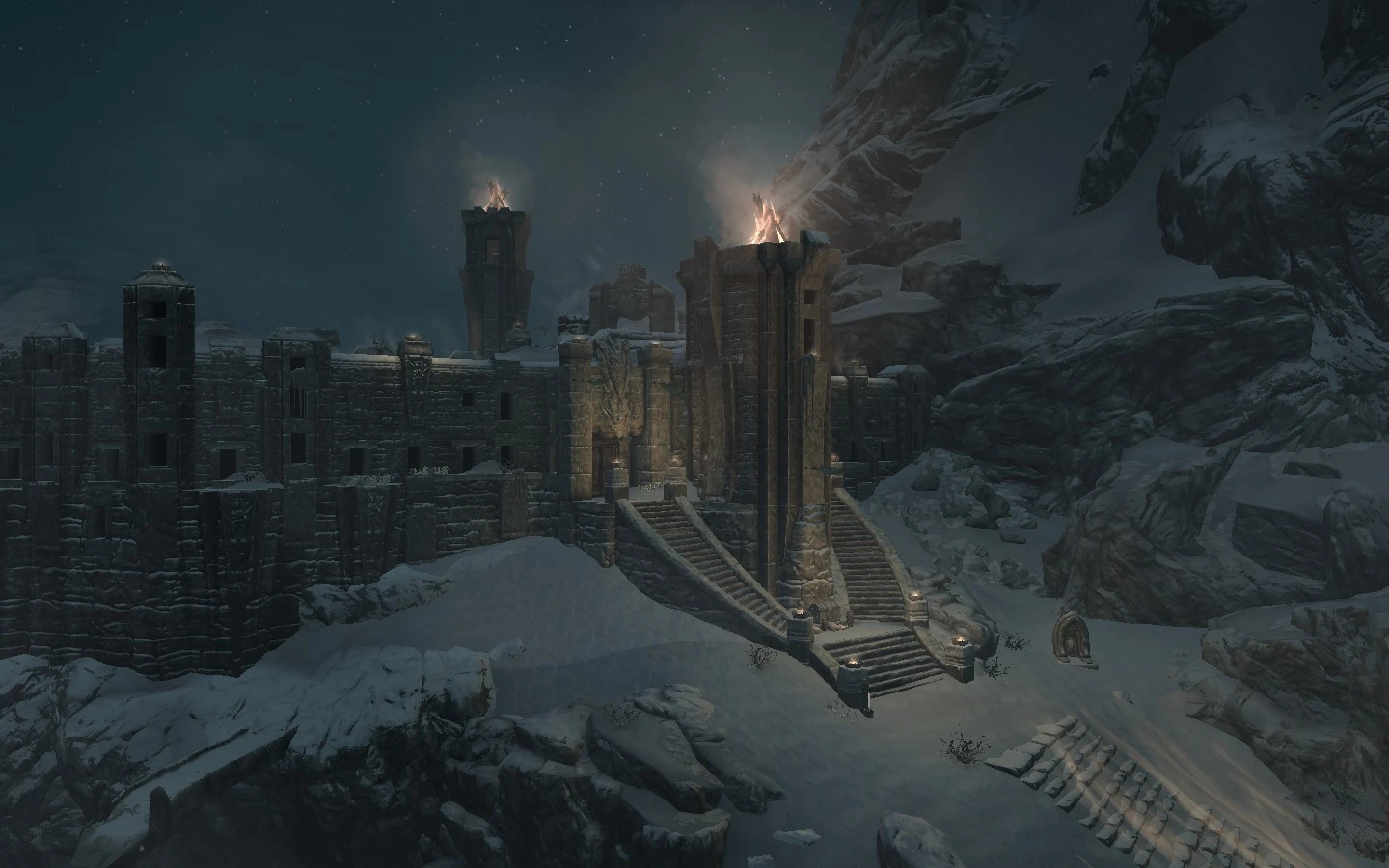
OVERVIEW This mod adds some elements to the exterior area of High Hrothgar for a better visual experience. The elements are:
- Some braziers
- Some banners
- 2 panoramic bridges
Lights are turned off in daytime (expect about burning braziers effects). The mod is clear, simply and does not drops any fps, so install it without hesitation.
INSTALLATION Just place the ESP in data folder and then enable it via menu launcher
UNINSTALLATION No clean savegame required, just delete it from data folder even if you're in High Hrothgar area. However don't save when you stay on one of the panoramic bridges or you'll fall down when reload the game :)
KNOWN ISSUES AND/OR BUGS There are no big issues on this mod. The only one is that lights will pop-up on weather change (Skyrim Engine bug, sorry) This mod is not compatible with other mod that modify the High Hrothgar areas like Claralux.
FACEBOOK I'm on Facebook, so join me if you want. https://www.facebook.com/MannyGTSkyrimMods
High Hrothgar Overhaul enhances the exterior of High Hrothgar in Skyrim with added visual elements. A classic mod from 2013 with strong community support (1,982 endorsements), it's for players seeking a more immersive mountain-top experience without major gameplay changes.
✨ Key Features
📊 Pros & Cons
✅ Pros
- Community favorite with nearly 2,000 endorsements
- Lightweight landscape tweak that doesn't overhaul the whole game
- Still relevant for Skyrim players wanting a better High Hrothgar
⚠️ Cons
- Last updated in 2013 – may have compatibility issues with newer Skyrim versions or mods
- Only affects the exterior, so interior remains unchanged
For Skyrim players who spend time at High Hrothgar and want a more visually appealing exterior without a full overhaul. Also for mod collectors who appreciate classic, community-approved landscape tweaks. Skip if you're looking for gameplay changes or a complete visual revamp.
💡 Beginner Tips
- Since it's a simple landscape mod, just drop the files into your Data folder or use a mod manager like Vortex or Mod Organizer 2.
- Check for compatibility with other mods that alter High Hrothgar, as older mods may conflict with newer landscape overhauls.
- If you're using Skyrim Special Edition, you may need to port the mod or find an updated version, as this was made for the original Skyrim.
📊 Mod Details
- Game
- Skyrim LE Mods
- Author
- MannyGT
- Version
- 1.0
- Downloads
- 31,731
- Endorsements
- 1,982
- Category
- Landscape Changes
- Created
- 9/3/2013
- Updated
- 9/3/2013
🔧 How to Install Skyrim LE Mods
Download from Nexus.
📖 Full step-by-step install guide for Skyrim LE →
Visit the official mod page for specific installation instructions for this mod.
🎮 Need cheat codes or console commands? Check ur gaming wiki for Skyrim LE commands, item IDs, and more.
Keep browsing — more Skyrim LE mods await