Conjurable Chest and Crafting Furniture Spells
⚪ Last updated 2013⚠️ Install Order · 3 steps
1🛠️ SKSE — Skyrim Script Extender Download ↗
2🔧 USLEEP — Unofficial Skyrim Legendary Edition Patch Download ↗
3🖥️ SkyUI — SkyUI (MCM framework) Download ↗
Install in this order, then this mod last — most mods fail to load without their framework and dependencies in place.
Preview
🔍 Analysis
- 👍 6.1% endorsement rate — high engagement, a strong quality signal
- 🏆 #12 of 63 Miscellaneous mods in this game by downloads
📋 About This Mod
WYogZto_ZTE (Thanks to Gopher!)
NEW TO LATEST VERSION:
- [] Added \"Banish All\" spell, which will un-summon all furniture, including the chest and mobile luggage, in the current area. It currently will not work on distant furniture items (i.e. if you left a summoned Anvil in Windhelm, it won\'t disappear if you cast the spell while standing in Markarth). The tome for this spell can be found in the chest.
[] Casting the spell for a nearby furniture item will \"move\" it instead of creating a duplicate object. Like with the Banish All spell, this will currently only work within a reasonable distance.
[] The mobile luggage will now completely ignore all friendly hits.
[] The Anvil spell tome should now be in its proper place in the chest
ABOUT THE MOD:
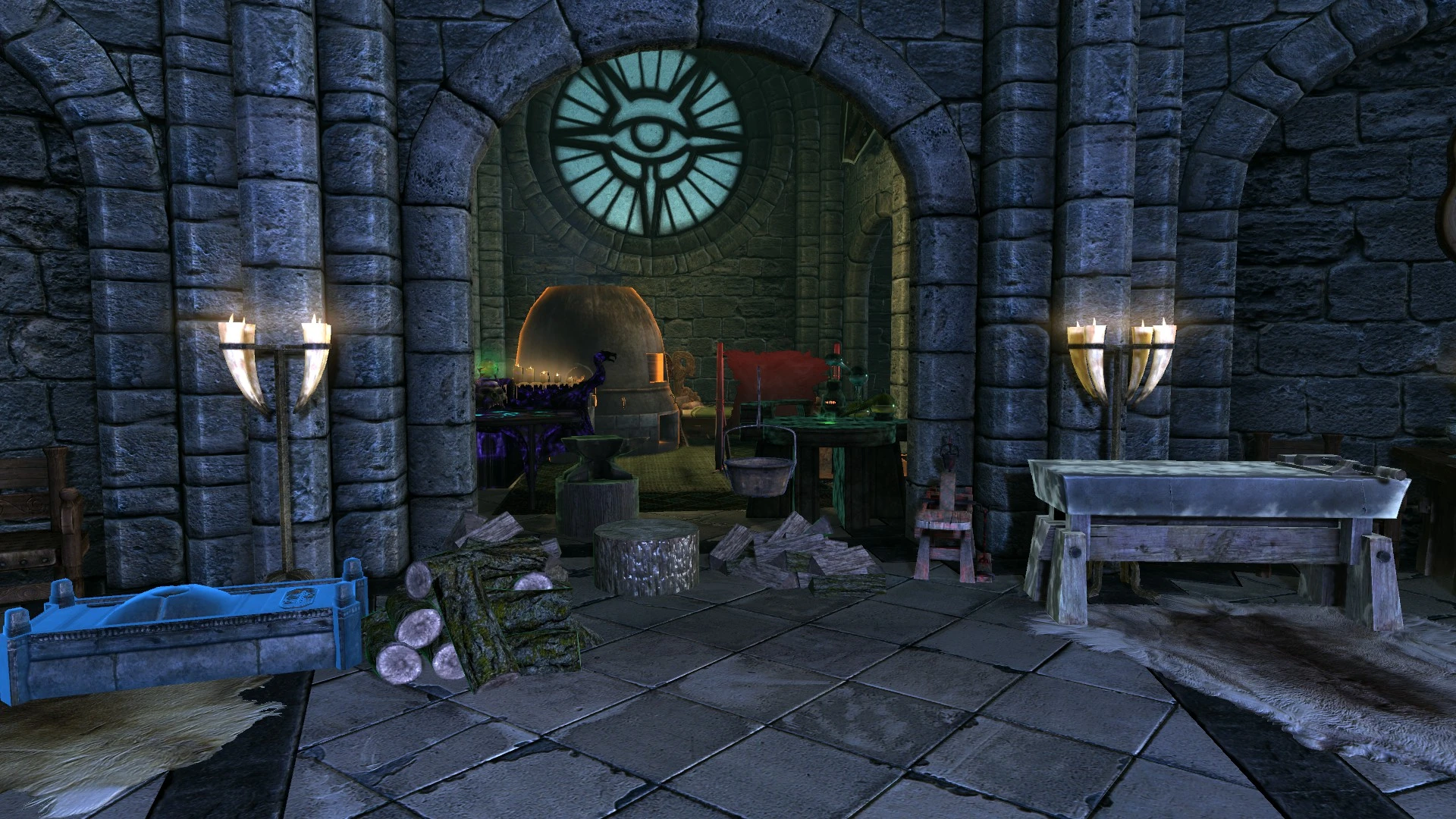
A simple mod I originally made for personal convenience, but have expanded to cover a broader range of uses. It adds a spell which lets you conjure a chest (or many other kinds of crafting utilities) just about anywhere, that lets you store any number of items and make them completely portable. Think of it as unlimited Cloud storage in Skyrim. Cast the spell for the desired item, and it will appear directly in front of you. To send the item away, activate it and choose the \"Banish\" option instead of the normal usage option. The latest version of the mod includes a spell to summon the Mobile Luggage. This device will follow you around automatically, and acts as a second Conjurable Chest. Take note that summoning it will most likely get rid of any creatures you currently have summoned. However, once it appears, you will be free to summon more things again, since at that point it no longer counts towards your summoned creatures limit. It will stay with you until you banish it by activating it and selecting the \"Banish Luggage\" option. In addition to the chest, spells are included which allow you to summon any one of these pieces of equipment: []Alchemy Lab []Anvil []Arcane Enchanter []Bed []Cooking Pot []Grindstone []Smelter []Tanning Rack []Wood Chopping Block []Workbench - NEW Mobile Luggage
🤖 AI-enhanced — based on mod data
Adds spells to conjure a chest and all vanilla crafting furniture, enabling on-the-go storage, smithing, alchemy, enchanting, cooking, and wood chopping. A classic utility mod for Skyrim adventurers, with 3,711 endorsements and 60,958 downloads, last updated in 2013.
✨ Key Features
Adds spells to conjure a chest for convenient storage.
Adds spells to conjure all types of vanilla crafting furniture.
Covers smithing, alchemy, enchanting, cooking, and wood chopping.
Designed for adventurers who need crafting access while away from home.
📊 Pros & Cons
✅ Pros
- Community favorite with 3,711 endorsements and 60k+ downloads.
- Solves the 'need a forge but I'm in a dungeon' problem instantly.
- Covers all major crafting stations, not just one or two.
⚠️ Cons
- Last updated in 2013 — may have compatibility issues with newer Skyrim versions or DLC.
- Spells might clutter your magic menu if you don't organize them.
🎯 Is This For You?
For Skyrim players who hate fast-traveling back to town just to smith or enchant. If you're a roleplayer who wants to set up camp and craft anywhere, this is a must-have. Skip if you prefer survival-style restrictions or use mods that overhaul crafting systems.
For Skyrim players who hate fast-traveling back to town just to smith or enchant. If you're a roleplayer who wants to set up camp and craft anywhere, this is a must-have. Skip if you prefer survival-style restrictions or use mods that overhaul crafting systems.
📦 Install:Easy· Under 1 minute
💡 Beginner Tips
- Check if the mod is compatible with your Skyrim version (original vs Special Edition) — it's from 2013, so you may need to convert or find patches.
- Use a mod manager to install and easily disable if it conflicts with other magic mods.
- Look for the spells in your spell tome or buy them from a vendor — the description doesn't specify, so explore your magic menu after installing.
📊 Mod Details
- Game
- Skyrim LE Mods
- Author
- Kingston3K
- Version
- 3.4.1
- Downloads
- 60,958
- Endorsements
- 3,711
- Category
- Miscellaneous
- Created
- 6/24/2012
- Updated
- 4/11/2013
🔧 How to Install Skyrim LE Mods
Download from Nexus.
📖 Full step-by-step install guide for Skyrim LE →
Visit the official mod page for specific installation instructions for this mod.
🎮 Need cheat codes or console commands? Check ur gaming wiki for Skyrim LE commands, item IDs, and more.
Keep browsing — more Skyrim LE mods await