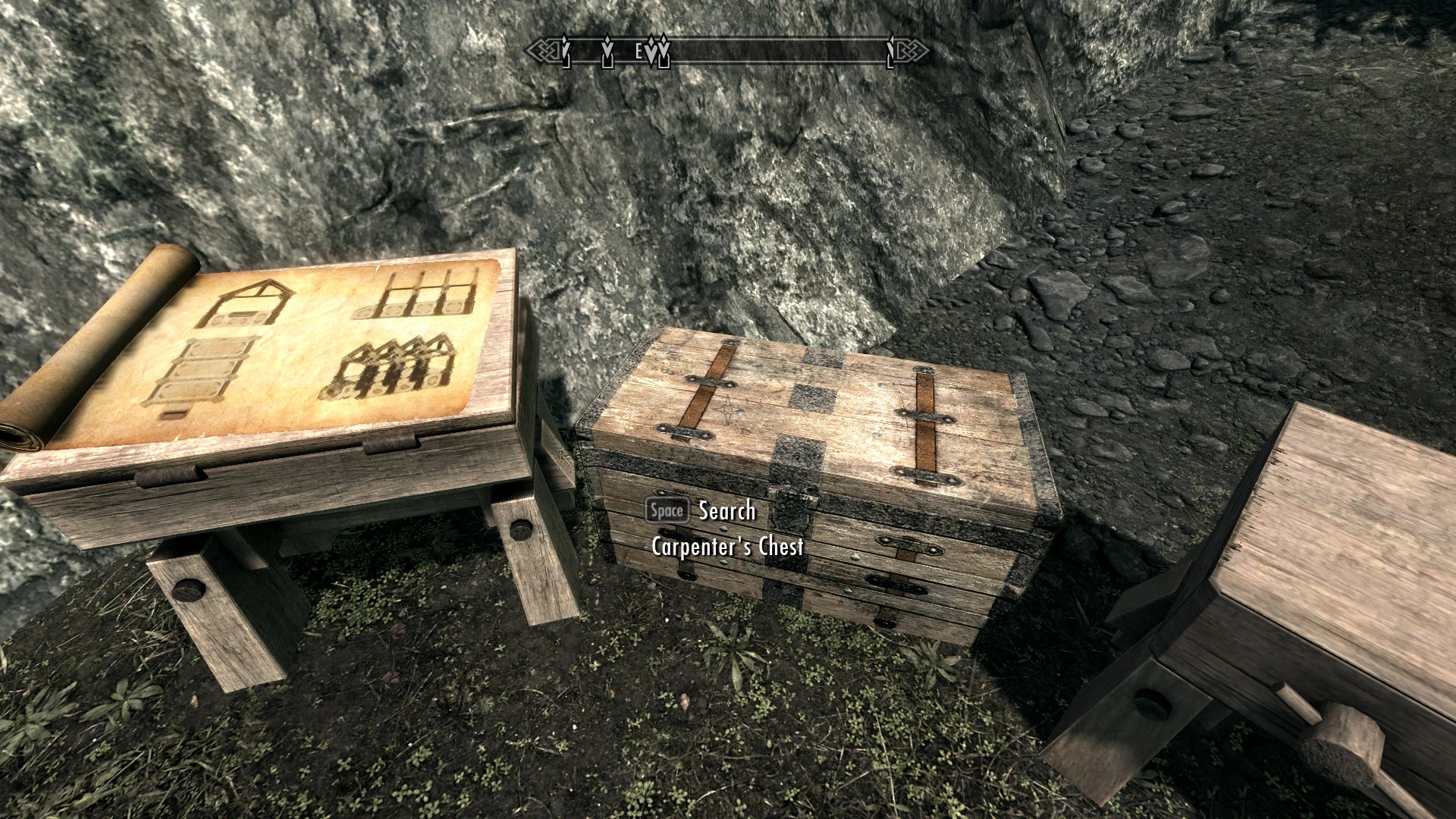
Carpenter Chests for Hearthfire - Automatic Storage Chests for Building Supplies
⚪ Last updated 2012⚠️ Install Order · 3 steps
Install in this order, then this mod last — most mods fail to load without their framework and dependencies in place.
Preview
🔍 Analysis
- 👍 8.7% endorsement rate — high engagement, a strong quality signal
- 🏆 #74 of 96 Player homes mods in this game by downloads
📋 About This Mod
Special Edition Version | My Mods | Patreon | Donate
This mod adds an auto-sort script to the existing "starter" chests for the three Hearthfire homes, making it quick and easy to store your building supplies.
You can also choose to have the three chests share the same inventory so that what you store in one chest will be available in another. Both the auto-sorting and the shared inventory are optional features that can be turned on or off at any time.
Also check out Blacksmith Storage Chests for even more convenient storage options. A combined version of these two mods is now available here.
C
OMPATIBILITYRequires Hearthfire. This mod will conflict with other mods that alter the BYOHHouseCraftingChest. Otherwise, it should be completely compatible with any other mod.
O
PTIONALS
ETTINGSTo access the Settings menu, activate the chest while sneaking.
Each chest is individually configurable with the following settings:
- Auto-sorting menu for building supplies (default = On)
- Shared Inventory (default = Off)
These features work independently of one another, so you can have auto-sorting along with shared inventory, or shared inventory without auto-sorting, etc. Each chest is set independently of the others. This means that you can choose to share the inventory between all or just some of the chests or set them so that the auto-sorting menu appears for one chest but not another. If you want to connect a new chest to the shared inventory, you simply change the setting for that chest, close and reopen the chest. If you have things already stored in the chest before connecting it, those items will simply get added to the shared inventory. You can change the settings at any time, as often as you want, and you will never lose any items. If items disappear from one chest after toggling the shared inventory, simply turn the shared inventory back on to regain access to the items and remove them from the shared inventory.
A
DDITIONALI
NFORMATION[]While the auto-sorting menu is designed for construction supplies, you can obviously choose to store anything you want in the chests.
[]When a chest is connected to the shared inventory, it will say "Empty" when you hover over it with the cursor. This is simply an artifact of the way in which the shared inventory works. Your supplies are still safe and will immediately appear as soon as you open the chest.
[]If you have auto-sorting turned on, but have no building supplies in your inventory, then the auto-sort menu will not appear.
[]You cannot
Adds an auto-sort script to the existing starter chests in Hearthfire homes, letting you dump building supplies into the right chest automatically. A small quality-of-life mod for Skyrim players tired of manually sorting lumber, clay, and straw. With 1,251 endorsements and 14,453 downloads, it's a proven utility for Hearthfire builders.
✨ Key Features
📊 Pros & Cons
✅ Pros
- Community favorite with 1,251 endorsements and 14,453 downloads — clearly a go-to for Hearthfire builders.
- Saves time by auto-sorting lumber, clay, and other supplies into the right chests.
- Lightweight and focused — does exactly what it says without bloat.
⚠️ Cons
- Last updated in 2012 — may have compatibility issues with newer Skyrim versions or mod setups.
- Only affects the starter chests, not any additional storage you add.
- No detailed instructions or compatibility notes provided by the author.
For Skyrim players who build Hearthfire homes and hate manually sorting building materials. If you're tired of dumping everything into one chest and later hunting for that one iron ingot, this mod is a must-have. Skip if you don't use Hearthfire or prefer to manage your storage manually.
💡 Beginner Tips
- Make sure you have the Hearthfire DLC installed and the mod is placed after the official DLC in your load order.
- Test the auto-sort by placing a few different supply types into the starter chests to see if they route correctly.
- If you use a mod manager, install via NMM or MO2 to keep track of the file easily.
📊 Mod Details
- Game
- Skyrim LE Mods
- Author
- kryptopyr
- Version
- 1.0
- Downloads
- 14,453
- Endorsements
- 1,251
- Category
- Player homes
- Created
- 11/11/2012
- Updated
- 11/11/2012
🔧 How to Install Skyrim LE Mods
Download from Nexus.
📖 Full step-by-step install guide for Skyrim LE →
Visit the official mod page for specific installation instructions for this mod.
🎮 Need cheat codes or console commands? Check ur gaming wiki for Skyrim LE commands, item IDs, and more.
Keep browsing — more Skyrim LE mods await