Basic DDS Image Viewer
⚪ Last updated 2024⚠️ Install Order · 3 steps
Install in this order, then this mod last — most mods fail to load without their framework and dependencies in place.
Preview
🔍 Analysis
- 👍 4.5% endorsement rate — high engagement, a strong quality signal
- 🏆 #37 of 39 Utilities mods in this game by downloads
📋 About This Mod
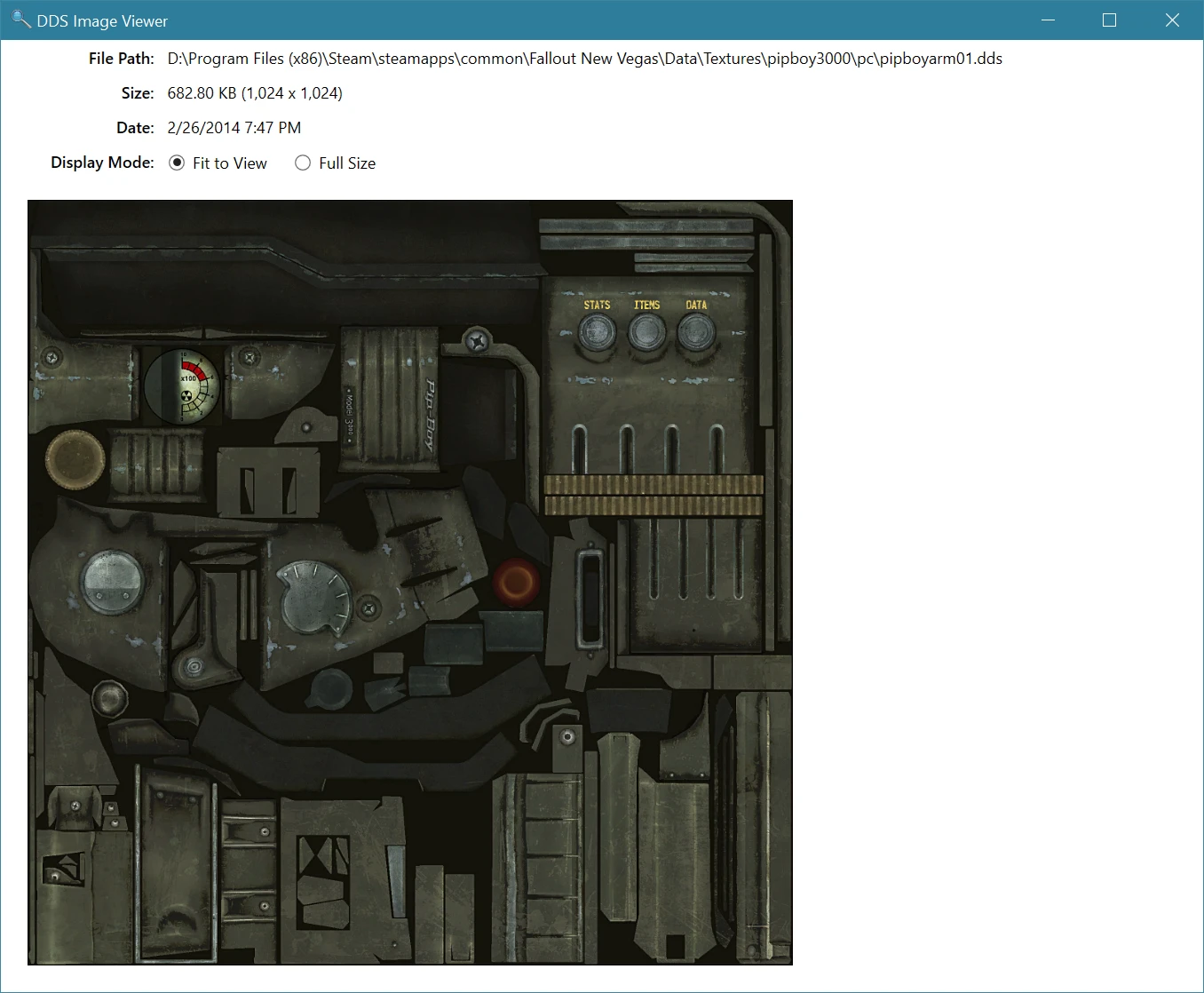
The Basic DDS Image Viewer is a very simply Windows utility which displays Bethesda DDS Texture files.
Once registered in Windows as the default dds file viewer, simply double-click on any dds file (typically from a Bethesda game or texture mod).
This Utility Displays:
-
[]The dds image File Path.
[
]The file Size in megabytes, and pixel sizes.[]The file Date.
Display Mode:
-
[]Allows the image to be scaled to fit within the current window size (scaled), or displayed full size.
Installation:
-
[]Just unzip the downloaded file anywhere you like.
[
]Follow the Windows Default File setup process.-
[]Simple delete the "Basic DDS Image Viewer.exe" file.
Windows DDS File Type Setup:
- [
[]Right-click on the .dds file, and select "Open With >" from the context menu.
[]Select "Choose another app".
[]Click on "More apps", and scroll all the way to the bottom of the list.
[]Click on "Look for another app on this PC."
[]Using the Open File dialog window, navigate to the location where you unzipped the image viewer.
[]Select "Basic DDS Image Viewer.exe", and click Open.
- Make sure to check the option to "Always use this App to open .dds files", and click Ok.
Directions:
Once fully setup, simply use Windows Explorer to navigate to where you have your dds files, and then double click on the desired texture file:
If you find this utility useful, please feel free to Endorse it.
Other Mods by me:
Skyrim Performance Monitor
Skyrim Performance Monitor 64
Fallout Performance Monitor
Skyrim DDS Image Viewer
Fallout 4 DDS Image Viewer
Basic DDS Image Viewer
ArchiveInvalidation File Generator
Nexus Mod Monitor
Game Launcher
Game Save Monitor
Ini File Editor
-
[]Simple delete the "Basic DDS Image Viewer.exe" file.
-
[]Just unzip the downloaded file anywhere you like.
-
[]Allows the image to be scaled to fit within the current window size (scaled), or displayed full size.
A lightweight Windows utility for viewing Bethesda DDS texture files. Simple and functional, with 667 endorsements and nearly 15k downloads, it's a reliable tool for modders and players who need to inspect textures without opening a full image editor.
✨ Key Features
📊 Pros & Cons
✅ Pros
- Community trusted with 667 endorsements and nearly 15k downloads
- Does exactly what it says: opens DDS files without bloat
- Last updated January 2024, so it's still maintained
⚠️ Cons
- Only for viewing—no editing or conversion tools
- Windows only, so Mac or Linux users are out of luck
- No advanced features like zoom or color channel inspection
For modders who need a quick way to preview texture files without launching a heavy editor. Also handy for players who want to peek at mod textures before installing. Skip if you need editing capabilities—this is purely a viewer.
💡 Beginner Tips
- Place the executable anywhere and run it—no install needed.
- Drag and drop a DDS file onto the viewer to open it instantly.
- Use it to check texture dimensions and format before adding mods to your load order.
📊 Mod Details
- Game
- Skyrim LE Mods
- Author
- Sir Garnon
- Version
- 1.3
- Downloads
- 14,971
- Endorsements
- 667
- Category
- Utilities
- Created
- 7/1/2021
- Updated
- 1/27/2024
🔧 How to Install Skyrim LE Mods
Download from Nexus.
📖 Full step-by-step install guide for Skyrim LE →
Visit the official mod page for specific installation instructions for this mod.
🎮 Need cheat codes or console commands? Check ur gaming wiki for Skyrim LE commands, item IDs, and more.
Keep browsing — more Skyrim LE mods await