Badass Voice Pack for Additional Player Voices
⚪ Last updated 2017⚠️ Install Order · 4 steps
Install in this order, then this mod last — most mods fail to load without their framework and dependencies in place.
Preview
🔍 Analysis
- 👍 3.6% endorsement rate — high engagement, a strong quality signal
- 🏆 #40 of 47 Audio - SFX, Music, and Voice mods in this game by downloads
📋 About This Mod
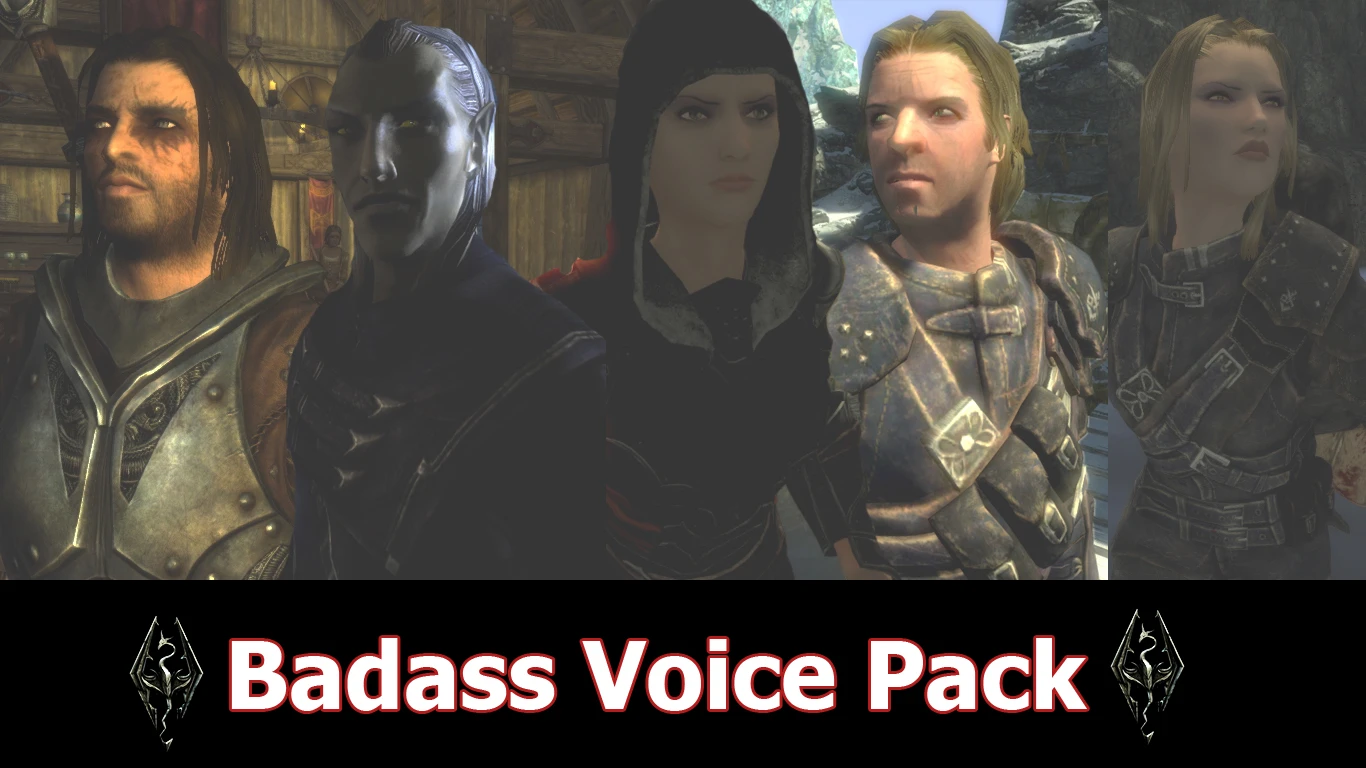
First i would like to thank Nanahane for making the mod. This is NOT MY MOD, i just add several voice:
1. Astrid, Dark Brotherhood 2. Mercer Frey, Breton 3. Vex, Thief Guild 4. Farkas, Companion 5. Ancano, Thalmor 6. Forsworn Female 7. Orc Male 8. Khajit Male
As you can see i add unique NPC, bosses character with unique dialogue lines combine with races dialogue lines. So now you can play it LIKE A BOSS!
JDJqjnFcoKM
REQUIREMENTS: You MUST have Additional Player Voices for Skyrim installed for this TO WORK.
By using scripts that Nanahane (mod author) created, your player voices will be triggered by certain events Player will comment or say something when:
1. Shoot a bow or crossbow 2. Discover a new place 3. Getting hit/damage 25%, 50%, or 75% 4. Absorbing dragon soul 5. Entering dungeon 6. Entering combat 7. Raising Skill or Level up 8. Mounting horse 9. Sneaking 10. Weapon sheathe 11. Killing an enemy (kill1) and when your follower kills enemy (kill2) 12. Casting offensive spell (cast1) and defensive spell (cast2)
Some of you sneak type or archer might not like the grunt or chuckles when shooting arrow, you can replace it with breathe/gasp voice and copy/make a duplicate and rename it to bow1,bow2... bow10. Or if you dont like the whole set in particular you can delete the entire folder, e.g. delete folder spell&spell2 to silence player when casting a spell. Its safe and doesnt affect the game.
Or download empty sound file i put in miscellaneous download page, make copies and rewrite. For example you wanna silent the weapon sheathe sound you make copy of empty.fuz and rename it to wpn1.fuz, wpn2.fuz, etc and rewrite to destination folder
UPDATE v1. 2 - Convert all .wav to .fuz - its smaller, should be lighter - Change sneak,spell1, spell2, wpn, bow folder to use only short voice like gasp,breath,etc - Few adjustment in other folder v1. 4 - Add Khajit male - Edit female Forsworn and Vex - Add empty sound file Installation use NMM or 1. Extract the archive. 2. Merge the data folder with your Skyrim Data folder. 3. Only 3 folder selectable in-game, so rename the folder you want to use into set1/set2/set3 4. In-game, enable lesser powers, select set1/set2/set3
Uninstall: Disable lesser power, save, quit, uninstall Delete folder: Data/Sound/fx/nhva reload savegame
Dont forget to endorse if you like this :)
See also Grumpy UI FX - Female Common/Vex, Male Common/Farkas, Female Breton using the same voice actor Dovah Kid - children voice pack CREDITS Nanahane for the Mod Ad
This voice pack adds seven new voices to Skyrim's Additional Player Voices mod, including Astrid, Ancano, Farkas, Mercer Frey, Vex, a Forsworn Female, an Orc Male, and a Khajit Male. It's a straightforward cosmetic audio mod for players who want to roleplay as these iconic characters. With 528 endorsements and 14,604 downloads, it's a popular choice for immersive playthroughs.
✨ Key Features
📊 Pros & Cons
✅ Pros
- Community-approved with 528 endorsements and over 14k downloads
- Seven distinct voices from iconic characters for varied roleplay
- Simple audio mod—no complex scripts or gameplay changes
⚠️ Cons
- Last updated in 2017—may not be compatible with the latest Skyrim Special Edition or Anniversary Edition updates
- Requires the Additional Player Voices mod as a base, which isn't included
For Skyrim players who want to roleplay as the Dark Brotherhood's Astrid, the Thalmor's Ancano, or any of the other listed characters. If you're tired of the default player voice and want a fresh, lore-friendly alternative, this is for you. Skip if you're looking for gameplay changes—this is purely cosmetic.
💡 Beginner Tips
- Make sure you have the Additional Player Voices mod installed first, as this pack builds on it.
- Use a mod manager like Vortex or Mod Organizer 2 to install and manage the files—it'll keep your load order clean.
- After installing, check the in-game MCM or the Additional Player Voices menu to select your new voice.
📊 Mod Details
- Game
- Skyrim LE Mods
- Author
- 5poiler
- Version
- 1.4
- Downloads
- 14,604
- Endorsements
- 528
- Category
- Audio - SFX, Music, and Voice
- Created
- 1/6/2015
- Updated
- 9/17/2017
🔧 How to Install Skyrim LE Mods
Download from Nexus.
📖 Full step-by-step install guide for Skyrim LE →
Visit the official mod page for specific installation instructions for this mod.
🎮 Need cheat codes or console commands? Check ur gaming wiki for Skyrim LE commands, item IDs, and more.
Keep browsing — more Skyrim LE mods await