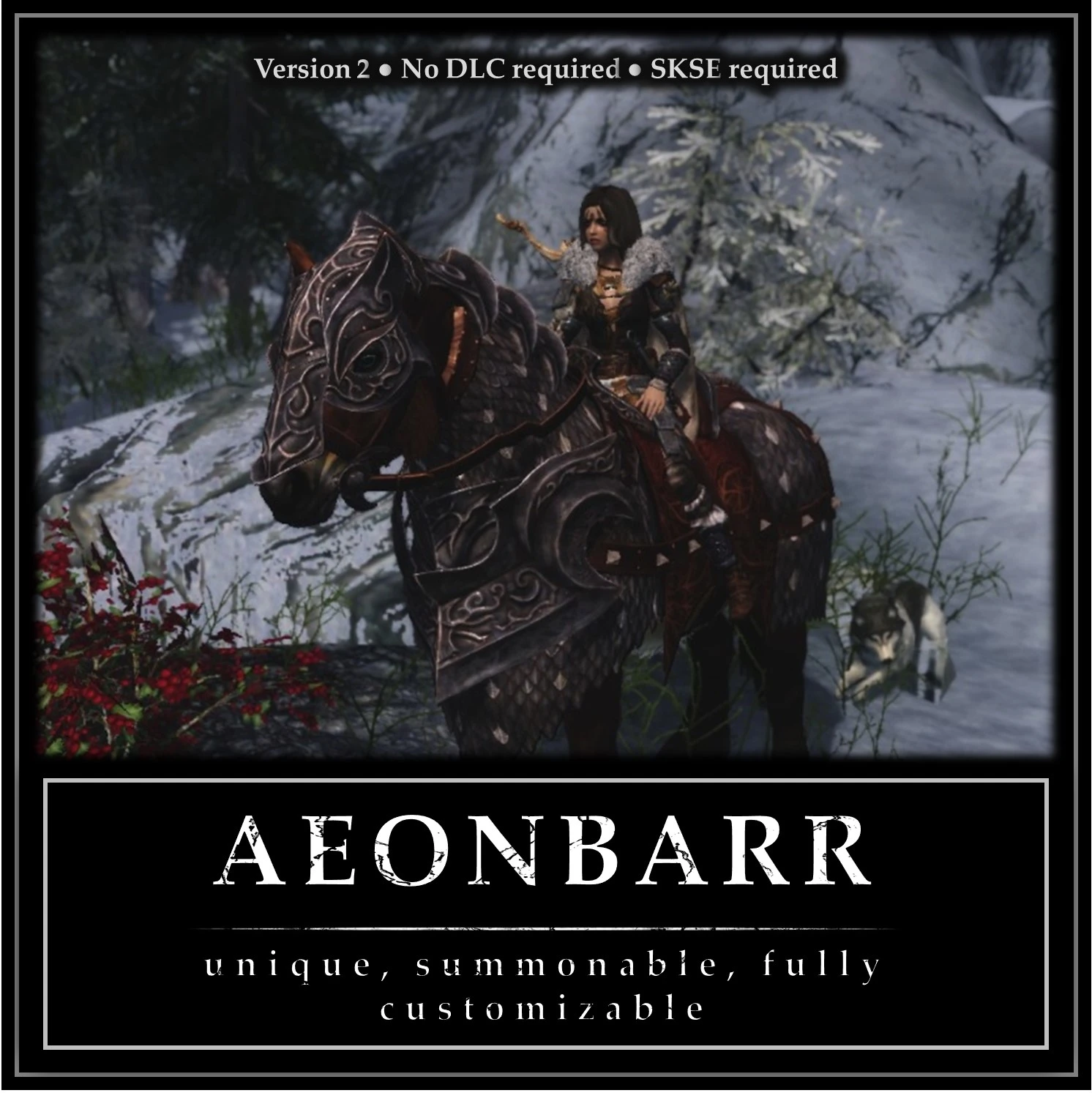
Aeonbarr - a Unique and Summonable Horse (CH-Friendly)
⚪ Last updated 2016⚠️ Install Order · 4 steps
Install in this order, then this mod last — most mods fail to load without their framework and dependencies in place.
Preview
🔍 Analysis
- 👍 6.4% endorsement rate — high engagement, a strong quality signal
- 🏆 #55 of 63 Creatures mods in this game by downloads
📋 About This Mod
Contents:
0) V2 Changes 1) Mod description and requirements 2) What makes this mod different from other summon horse mods? 3) How to summon Aeonbarr 4) An important note for those using Convenient Horses 5) Bugs 6) Q&A 7) Special thanks 8) Change log 0) V2 Update V2: updated features - More customization options: new manes, skins, eyes, eye glow colous and ethereal colors - Manes and skin can be customized independently - Quicker summoning (on slower machines, V1 had a 2-second delay between summoning Aeonbarr and him arriving. This delay has been removed) V2: new features - Custom armor option, allowing you equip Aonbarr with any armor from any mod (see details below) - Over 70 new nicknames for Aeonbarr - A new mark and return feature that lets you use Aeonbarr to instantly teleport between three locations - Waterwalking and heal spells for Aeonbarr - Customize summon rotation - No more need to carry the Token to summon Aeonbarr Here are the steps to equipping Aeonbarr with an armor from another mod (Convenient Horses armors can still be equipped as in previous version): 1) Go to your Skyrim data folder and locate the .nif file for the armor you want Aeonbarr to equip. 2) Copy the .nif file into your Skyrim>Data>meshes folder (do not place it in a sub-folder within the meshes folder) 3) Rename the .nif file: AeonbarrSaddle.nif 4) Run Skyrim, open the Aeonbarr MCM and set the armor type to Custom Saddle 5) If there are clipping issues with Aeonbarr's mane and the new armor, enable the Hide Mane option V2: quest remake - A brand new quest to obtain Aeonbarr - Quest can be skipped - New dungeon, new enemies, unique story - Head to Blacksted Barrow (see the images above) to begin the questV2: dropped features - Autosummoning (never really save time and was a bit buggy; in the end, I decided the mod was better without it cluttering up the MCM) - The fear spell (cause it wasn't all that great anyway, and the MCM is clearer without it)
V2. 1: u
Aeonbarr adds a unique, summonable horse with extensive customization and Convenient Horses compatibility, plus a new quest 'The Blacksted Legacy' that rewards summoning. A popular Skyrim mod with nearly 6,000 endorsements, last updated in 2016.
✨ Key Features
📊 Pros & Cons
✅ Pros
- Community favorite with nearly 6,000 endorsements and over 93,000 downloads.
- Adds both a cool horse and a quest, giving you something to do for the reward.
- Customization options let you tweak the horse to your liking.
⚠️ Cons
- Last updated in 2016, so may have compatibility issues with newer Skyrim versions or mods.
- Requires Convenient Horses for full features, so you need to install that mod too.
- Quest might be short or simple, but no details are provided.
For Skyrim players who want a unique mount with extra flair and a quest to earn it. If you already use Convenient Horses, this is a must-have. Skip if you prefer vanilla horses or don't want quest content.
💡 Beginner Tips
- Make sure to install Convenient Horses first, then Aeonbarr, and load them in that order.
- Use a mod manager like Vortex or Mod Organizer 2 to avoid overwriting files.
- After installing, start the quest by reading a note or talking to an NPC—check the mod's description for the trigger.
📊 Mod Details
- Game
- Skyrim LE Mods
- Author
- Zim
- Version
- 2.0
- Downloads
- 93,814
- Endorsements
- 5,987
- Category
- Creatures
- Created
- 12/8/2014
- Updated
- 8/23/2016
🔧 How to Install Skyrim LE Mods
Download from Nexus.
📖 Full step-by-step install guide for Skyrim LE →
Visit the official mod page for specific installation instructions for this mod.
🎮 Need cheat codes or console commands? Check ur gaming wiki for Skyrim LE commands, item IDs, and more.
Keep browsing — more Skyrim LE mods await