Achieve That
⚪ Last updated 2014⚠️ Install Order · 3 steps
Install in this order, then this mod last — most mods fail to load without their framework and dependencies in place.
Preview
🔍 Analysis
- 👍 5.1% endorsement rate — high engagement, a strong quality signal
- 🏆 #8 of 121 Gameplay mods in this game by downloads
📋 About This Mod
Have you ever wondered what achievements are actually good for? If the answer is yes, this mod is for you!
So what's new in version 2?
- [] the achievement lists less cluttered now, the higher-ranking achievements show up once the lower-ranking achievements have been unlocked (for General & Character tabs); [] the fixed rewards have been completely removed, now it's up to you to choose your reward; [] some doubtful/not working achievements have been removed or replaced with new ones [] mutually exclusive or level-dependant achievements now have appropriate color scheme according to their status (white - in progress, green - unlocked, red - failed);
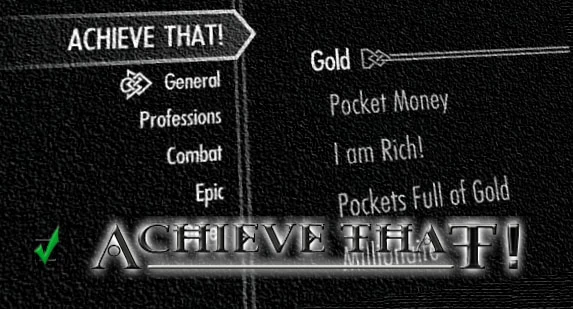
You can comfortably view all available achievements in the MCM menu. Once you have reached an achievement, it is marked in the MCM menu automatically.
The mod can also show a small message on the top left corner of your screen, or even give a notification in the middle of the screen as if you had completed a quest, every time you reach a new achievement (the latter, quest-like notification is turned on by default).
Important!
Updating from v1.x.x to v2.x.x.
Before updating from v1.x.x to v2.x.x, do the following:
- Open the console and enter the following:
- stopquest at_updatequest
- stopquest at_mainqst
- stopquest at_mainqst12
- stopquest at_qst113
- save your game, uninstall v1.x.x
- run game, save your game again
- install v2.x.x.
Updating from v2.x.x to v2. 2.x.
Before updating from v2.x.x to v2. 2.x, do the following:
- Press "Uninstall" under the Settings tab and confirm when asked
- Quit the escape menu and wait for several seconds (5 sec at least)
- Save your game, quit Skyrim, uninstall Achieve That
- Launch the game, load your previous save and save again
- Install v2. 2.x
Updating from v2. 2. 0 to v2. 2.x.
Achieve That! adds over 100 unique achievements to Skyrim, each granting a permanent beneficial effect upon completion. This gameplay mod rewards exploration and challenge with tangible character boosts. With 48,065 endorsements and nearly a million downloads, it's a community favorite for players seeking extra goals and progression.
✨ Key Features
📊 Pros & Cons
✅ Pros
- Huge community trust: 48,065 endorsements and 949,357 downloads show it's a proven mod.
- Turns achievements into actual gameplay rewards, making them worth hunting for.
- Adds a ton of replay value with over 100 new goals to chase.
⚠️ Cons
- Last updated in 2014, so it may have compatibility issues with newer Skyrim versions or DLC.
- No detailed list of achievements or effects provided in the description, so you're going in blind.
- Permanent effects might unbalance the game if you're into strict difficulty mods.
For Skyrim players who love chasing achievements and want tangible rewards for their efforts. If you're a completionist or just want extra goals beyond the main quest, this mod is for you. Skip if you prefer a vanilla experience or don't want permanent buffs altering your game balance.
💡 Beginner Tips
- Since it's an older mod, make sure to check if it's compatible with your Skyrim version (especially Special Edition or Anniversary Edition).
- Use a mod manager like Vortex or Mod Organizer 2 to keep track of the mod and easily disable it if issues arise.
- Read the mod's posts or comments on Nexus for user reports on compatibility and any known issues.
📊 Mod Details
- Game
- Skyrim LE Mods
- Author
- 3JIou
- Version
- 2.3.1
- Downloads
- 949,357
- Endorsements
- 48,065
- Category
- Gameplay
- Created
- 1/20/2013
- Updated
- 2/12/2014
🔗 Required By 1 Mod
These mods list this mod as a dependency.
🧩 Commonly Used Together
Users add these mods to the same collections — a real compatibility signal, not an AI guess.
🔧 How to Install Skyrim LE Mods
Download from Nexus.
📖 Full step-by-step install guide for Skyrim LE →
Visit the official mod page for specific installation instructions for this mod.
🎮 Need cheat codes or console commands? Check ur gaming wiki for Skyrim LE commands, item IDs, and more.
Keep browsing — more Skyrim LE mods await