The Chromatic Collection 2: Extras (Highlights)
🟡 Updated this year⚠️ Install Order · 1 step
Install in this order, then this mod last — most mods fail to load without their framework and dependencies in place.
Preview
🔍 Analysis
- 👍 0.0% endorsement rate
- 🏆 #159 of 743 Miscellaneous mods in this game by downloads
📋 About This Mod
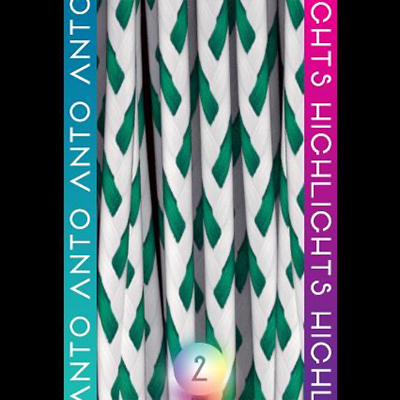
Highlights textures for chromatic collection 2 hairstyles
The Chromatic Collection 2: Extras (Highlights) is a graphics mod that adds highlight textures to the hairstyles from the Chromatic Collection 2. It is intended for players who want more visual detail in their character customization. The mod has zero endorsements but over 2,600 downloads, suggesting some interest despite limited feedback.
✨ Key Features
📊 Pros & Cons
✅ Pros
- Over 2,600 downloads show people are grabbing it.
- Directly enhances the look of Chromatic Collection 2 hair with highlights.
- Simple, focused purpose—no bloat, just texture upgrades.
⚠️ Cons
- Zero endorsements means no community validation yet.
- Only works if you have the base Chromatic Collection 2 mod installed.
- Potential compatibility issues with other hair texture mods.
This is for players who already use Chromatic Collection 2 hairstyles and want extra visual flair. If you're into detailed character customization and don't mind a niche add-on, this could be for you. But if you haven't got the base mod, skip it.
💡 Beginner Tips
- Make sure you have the base Chromatic Collection 2 mod installed first, or these textures won't show up.
- Check if you have other hair texture mods that might conflict—test in-game after installing.
- Since it's a texture mod, load order usually doesn't matter much, but keep it after the base mod.
📊 Mod Details
- Game
- Sims 4 Mods
- Author
- AntoSims
- Version
- Anto_S4Textures_Chromatic2_Extras_Highlights.zip
- Downloads
- 2,660
- Endorsements
- 0
- Category
- Miscellaneous
- Created
- 1/25/2026
- Updated
- 1/25/2026
🔧 How to Install Sims 4 Mods
Drop .package files into Mods folder.
📖 Full step-by-step install guide for Sims 4 →
Visit the official mod page for specific installation instructions for this mod.
🎮 Need cheat codes or console commands? Check ur gaming wiki for Sims 4 commands, item IDs, and more.
Keep browsing — more Sims 4 mods await