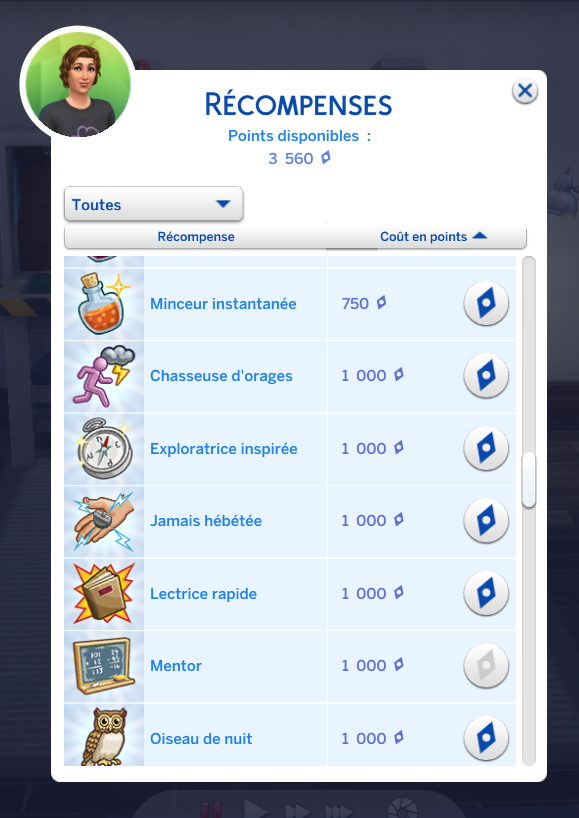
Reward trait Never Dazed
🟠 Updated over a year agoPreview
🔍 Analysis
- 👍 0.0% endorsement rate
- 🏆 #50 of 77 Traits mods in this game by downloads
📋 About This Mod
This trait prevents you from being electrocuted when working on the robotics station, missing a landing or going out in a thunderstorm.
Reward trait Never Dazed is a small trait mod for The Sims 4 that makes your Sim immune to electrocution from robotics, failed landings, and thunderstorms. It's a simple quality-of-life addition for players tired of their Sims dying or getting zapped. With zero endorsements but over 2,000 downloads, it's a niche but functional mod.
✨ Key Features
📊 Pros & Cons
✅ Pros
- No more rage-quitting when your Sim gets fried mid-robotics project.
- Thunderstorm deaths are a thing of the past—walk outside without fear.
- Tiny mod, zero bloat—just does exactly what it says.
⚠️ Cons
- Zero endorsements means it's untested by the community—could be buggy.
- Only covers three specific electrocution sources—other zaps might still kill you.
- Last updated in December 2024—might break with future game patches.
This is for Simmers who are tired of their Sims dying from random electrocution during everyday activities. It's also great for players who love the robotics skill but hate the constant risk of getting zapped. If you're a builder or storyteller who wants to avoid sudden deaths, this trait is a handy safety net.
💡 Beginner Tips
- Make sure to add the trait via cheats or in CAS, not just by downloading—it won't auto-apply.
- If you're using other trait mods, check for conflicts in the trait list to avoid missing UI.
- Test it in a thunderstorm first to confirm it works before relying on it in a serious save.
📊 Mod Details
- Game
- Sims 4 Mods
- Author
- JuLovesGames
- Version
- JuLovesGames-RewardTraitNeverDazed V2.zip
- Downloads
- 2,139
- Endorsements
- 0
- Category
- Traits
- Created
- 7/16/2023
- Updated
- 12/3/2024
🔧 How to Install Sims 4 Mods
Drop .package files into Mods folder.
📖 Full step-by-step install guide for Sims 4 →
Visit the official mod page for specific installation instructions for this mod.
🎮 Need cheat codes or console commands? Check ur gaming wiki for Sims 4 commands, item IDs, and more.
Keep browsing — more Sims 4 mods await