Medieval Sims 4 CURSOR Override
🟡 Updated this yearPreview
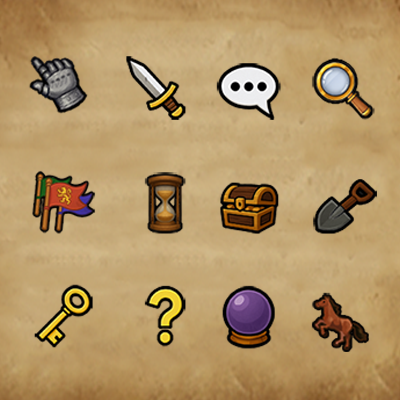
🔍 Analysis
- 👍 0.0% endorsement rate
- 🏆 #401 of 535 Overrides mods in this game by downloads
📋 About This Mod
Something different today! I'm excited to share my first UI mod a medieval-themed cursor override for The Sims 4. Embed Removed: https://player.vimeo.com/video/1131438522?title=0&byline=0&portrait=0&color=8dc7dc 🖱️ About Cursor Size The Sims 4 cursor files are 32x32 pixels by default this is a game limitation that cannot be changed through modding. If you prefer a larger cursor appearance: Try lowering your in-game resolution (for example: 1280x768 instead of 1920x1080 ). This will make the cursor appear larger on screen. ⚠️ Important Notes This mod is a default replacement and will conflict with any other cursor mods . ⚙️ Installation Place the .package file in your Overrides folder inside your Mods directory. If the folder doesn t exist, create one manually. Make sure to put all override files in that folder. ✨ Find me here: 💎 Patreon 🌿 Tumblr 🌙 Boosty ✨ More medieval fantasy content coming soon! ⚔️
📊 Mod Details
- Game
- Sims 4 Mods
- Author
- LonelySpell
- Version
- [LonelySpell] Medieval Cursor.zip
- Downloads
- 978
- Endorsements
- 0
- Category
- Overrides
- Created
- 10/29/2025
- Updated
- 10/29/2025
🔧 How to Install Sims 4 Mods
Drop .package files into Mods folder.
📖 Full step-by-step install guide for Sims 4 →
Visit the official mod page for specific installation instructions for this mod.
🎮 Need cheat codes or console commands? Check ur gaming wiki for Sims 4 commands, item IDs, and more.
Keep browsing — more Sims 4 mods await