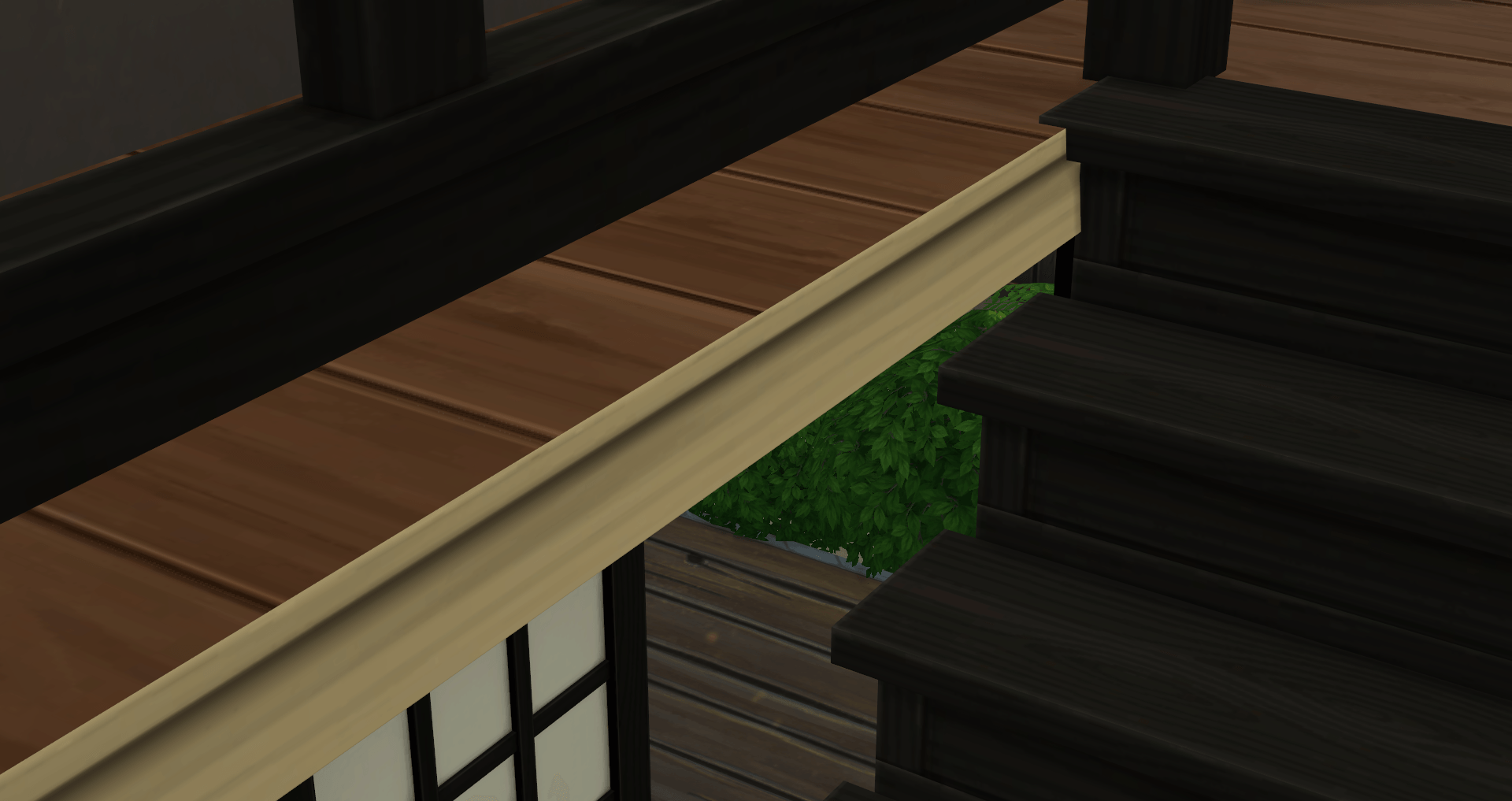
Floor Thickness Texture Override (Dark Brown)
⚪ Last updated 2024Preview
🔍 Analysis
- 👍 0.0% endorsement rate
- 🏆 #317 of 535 Overrides mods in this game by downloads
📋 About This Mod
Replaces the dull gray texture between the basement and first floor
** I don't like those dull grayness EA decided to use for specific things we can't change, i.e. the under roof pattern ( see here for my overrides ). So there was no way for me to leave it be when I saw that there is more grayness behind and around a stair floor cutout from a basement up to ground level, when the floor level itself is moved up (example below). I digged a little in the game files and found the "floor thickness" trim. It is hidden in the BB menu as this is a universal one - applied to all lots ever. I tried to make it unhidden and placeble with some recolors. It works for the outer sides of upfloor rooms but not for those stair cutouts. So I decided, one override is better than a non fully working, complicated trim recolor thingy. So here it comes :D Please chose only one! Before: After: If you have problems using those, please let me know! Have fun with this 3 Replaces model and images resources with instance: 20C30AFB5FE4A3D6 (for Floor Trim instance 0000000000001DEC "Floor Thickness") TOU : Do as you please! Just credit me and don't make money off of it without letting me know! You can find me here: Tumblr
📊 Mod Details
- Game
- Sims 4 Mods
- Author
- diemilchschnitte
- Version
- diemilchschnitte_MOD_BG_Floor Thickness_Override_DarkBrown.zip
- Downloads
- 1,212
- Endorsements
- 0
- Category
- Overrides
- Created
- 7/5/2024
- Updated
- 8/30/2024
🔧 How to Install Sims 4 Mods
Drop .package files into Mods folder.
📖 Full step-by-step install guide for Sims 4 →
Visit the official mod page for specific installation instructions for this mod.
🎮 Need cheat codes or console commands? Check ur gaming wiki for Sims 4 commands, item IDs, and more.
Keep browsing — more Sims 4 mods await