Simple Realistic 3D for Sifu
⚪ Last updated 2022Preview
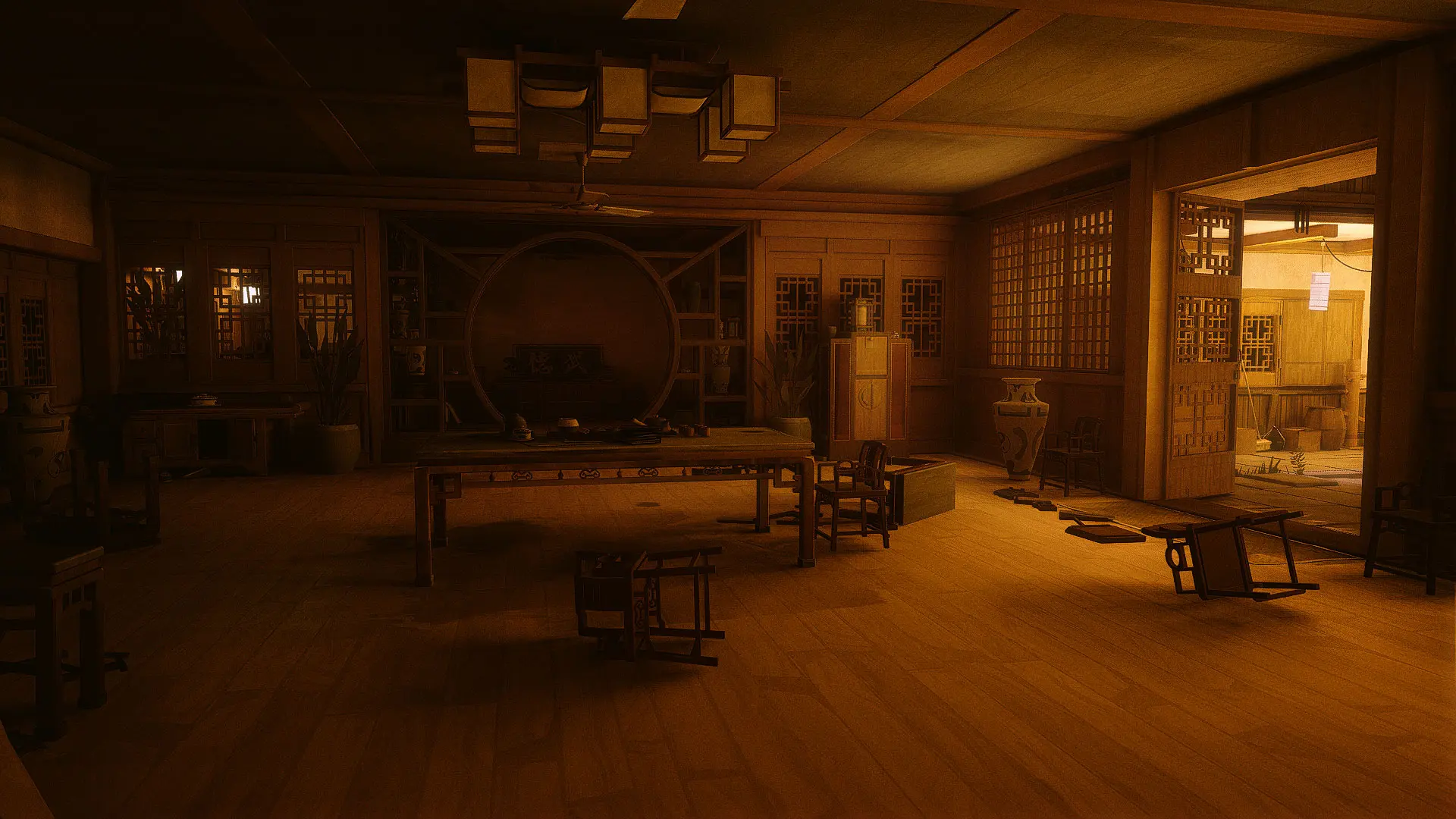
🔍 Analysis
- 👍 3.9% endorsement rate — high engagement, a strong quality signal
- 🏆 #6 of 25 Visuals mods in this game by downloads
📋 About This Mod
A simple Reshade 5.x custom shader for Sifu This shader can improve lighting and shading (AO, specular and reflections) in Sifu.Actually the shading style was optimized for 3D stereoscopic mode, but you may enjoy the improvement in regular
CREDITS:
Sloclap (for created this great game)
Timothy Lottes (EPIC)
Reshade Team (Crosire, CeeJay, Marty McFly, Thalixte, Ganossa/Hawk, Bacondither, Ioxa, Otis, Jose Negrete, et al. ~ https://reshade.me )
Special credits:
Juan Herrera, Klaus Niederhauser, Jack Smith, John Brown, Matt Pharr, Leo Wang, Javier Gisbert Adell (for their donations, so I can bought this game. Thank you mate!).
What is this?
A simple Reshade 5.x custom shader for Sifu (it's a shader file, NOT just preset); with very simple installation step. Just extract, drag n drop my files into the proper folder as mention below.
This shader can improve lighting and shading (AO, specular and reflections) in Sifu; a kind of Ray-tracing shadows mimic (Of course, it's just a mimic not real RT... lol).
Actually the shading style was optimized for 3D stereoscopic mode, but you may enjoy the improvement in regular 2D screen.
NOTE:
- - It's based on Reshade 5. 0 framework, may not work properly with the other older version of Reshade or other standard shaders.
Therefore, Please CLEAN-UP your previous all Reshade files and configuration (if you already installed it) from your Sifu folder.
DO NOT mixed up with the other Reshade files!
How to install:
- Clean-up your previous all Reshade files and configuration (if you already installed it) from Sifu folder before install this mod
- Extract these files (just extract ~ drag and drop it, do not run Reshade installer) into where your game executable (Sifu-Win64-Shipping.exe) resides. e.g C:\Program Files\Epic Games\Sifu\Sifu\Binaries\Win64
- Run the game!
Command Keys:
- INSERT : Toggle Effects ON/OFF (default: ON)
- END : to Show up Reshade UI, so you can adjust Color Saturation, Light Intensity, and Dark Level to fit your monitor profile/your liking.
- PgDn (Page-Down) : Toggle 3D Stereoscopic mode ON/OFF (Default is in Top-Bottom format, your may change it later to SBS format via UI).
*** 3D Stereoscopic shader is optimized for LG Cinema 3D Screen, based on BlueSkyDefender's Depth3D shader (https://github.com/BlueSkyDefender/Depth3D)
Chris Rubino
📊 Mod Details
- Game
- Sifu Mods
- Author
- Chris Rubino
- Version
- 1.0
- Downloads
- 3,522
- Endorsements
- 138
- Category
- Visuals
- Created
- 2/23/2022
- Updated
- 2/23/2022
🔧 How to Install Sifu Mods
Download from Nexus Mods.
📖 Full step-by-step install guide for Sifu →
Visit the official mod page for specific installation instructions for this mod.
🎮 Need cheat codes or console commands? Check ur gaming wiki for Sifu commands, item IDs, and more.
Keep browsing — more Sifu mods await