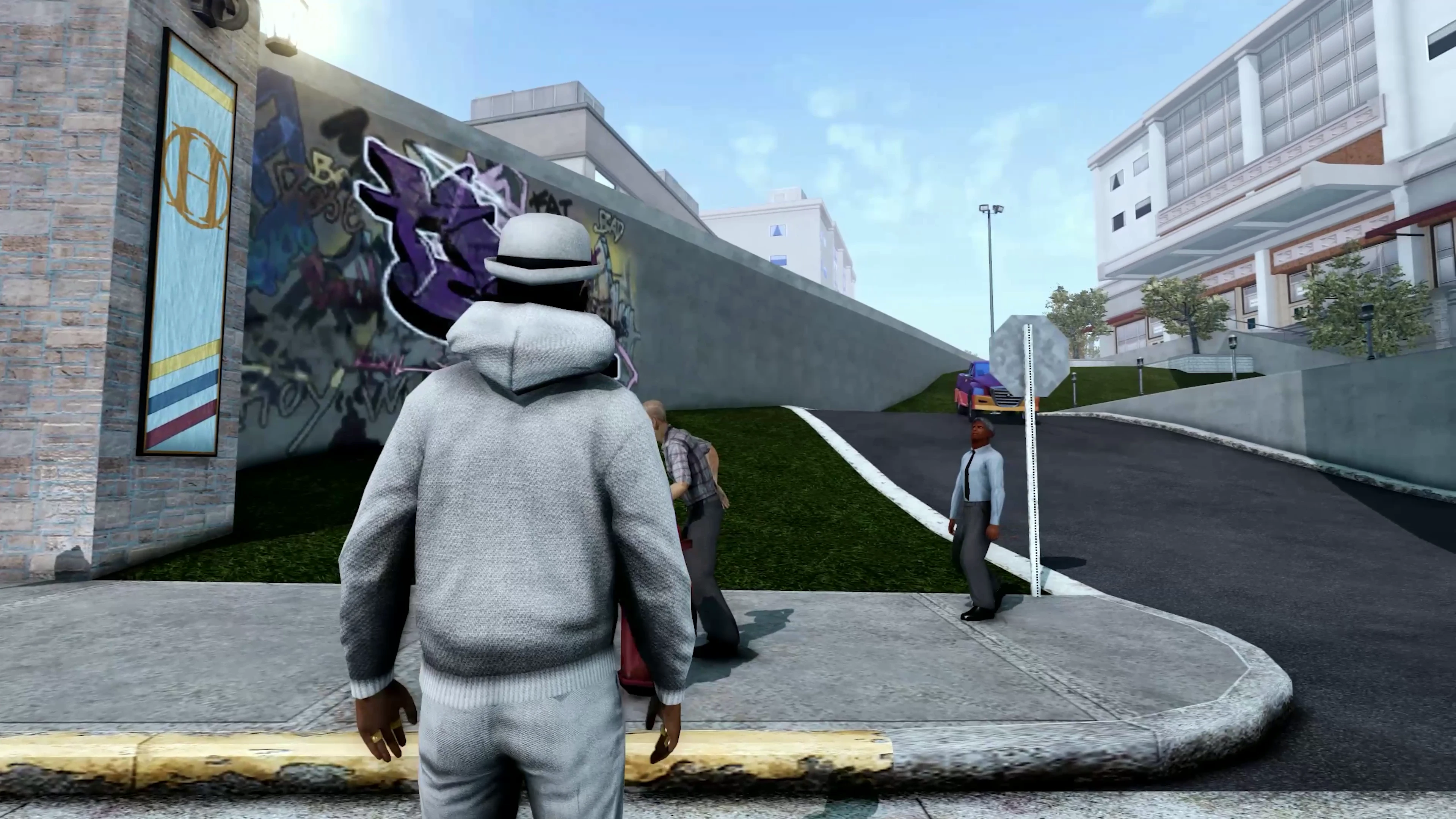
Saints Row 2 Remaster 2.0 Next Gen Lighting UPGRADE
⚪ Last updated 2023Preview
🔍 Analysis
- 👍 2.6% endorsement rate — high engagement, a strong quality signal
- 🏆 #15 of 52 Miscellaneous mods in this game by downloads
📋 About This Mod
Graphics Update for Saints row 2 , with next-gen Lighting Techniques (Reshade)
Based on BandiG's Saints Row 1. 5 Lighting Mod , Only Need to install The GOTR File From Saints Row 1. 5 Lighting . This Reshade is Friendly on AMD Cards ( I Have Removed Radiant Global Illumination ( this effect cause bricking on the AMD GFX cards ) so Don't Worry about it )\
INGAME SETTINGS :
Every Thing in Ultra
" HDR = ON "
" Brightness and Contrast = 50 "
" Vsync = ON "
"Blur = ON"
( HDR is Broken in Saints row 2 , some billboards looks over blown other than that it is a Must , so Turn it ON )
(VSYNC and Motion Blur May Help you To Ignore all Constant Frame Drops in The Game )
How to Set UP The Reshade ?
Download The Reshade and Saints row 2 Remaster 2. 0 File Extract Every Thing
( Make Sure You Have Installed BandiG's Saints Row 1. 5 Lighting Mod )
Run Reshade.exe Reshade.exe
Select Game or Application = Sr2pc.exe
Select Rendering Api = DIRECT X9
Select Preset To Install = Browse for Remaster2. 0.txt file
Q2TBot7-er0
📊 Mod Details
- Game
- Saints Row 2 Mods
- Author
- Anonymouswolf
- Version
- 2.0.1b
- Downloads
- 1,300
- Endorsements
- 34
- Category
- Miscellaneous
- Created
- 9/26/2023
- Updated
- 9/26/2023
🔧 How to Install Saints Row 2 Mods
Download from the official mod page and follow its install instructions. Use a mod manager where supported.
📖 Full step-by-step install guide for Saints Row 2 →
Visit the official mod page for specific installation instructions for this mod.
🎮 Need cheat codes or console commands? Check ur gaming wiki for Saints Row 2 commands, item IDs, and more.
Keep browsing — more Saints Row 2 mods await