Pug Utils Code Library
⚪ Last updated 2022Preview
🔍 Analysis
- 🏆 #1 of 30 Contains Script mods in this game by downloads
📋 About This Mod
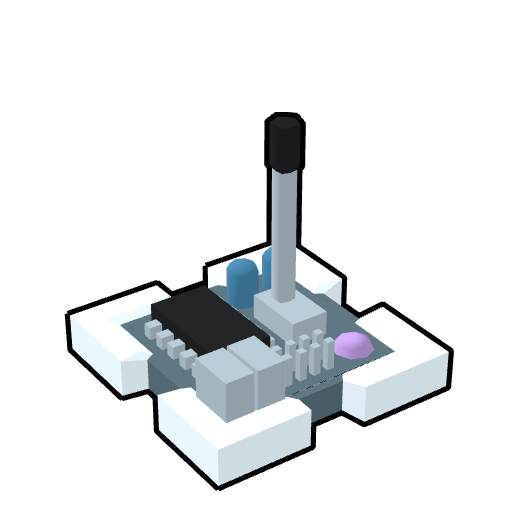
A code library. The controller doesn't do anything, but the script in it can be used from other creations. Usage/Instalation: Subscribing to the creation on the workshop automatically installs the script. To use the library in your own scripts, put this code at the top of your script: import os, sys path = str(os.path.expanduser('~'))+'\\Documents\\My Games\\Roboco' for file_path in os.listdir(path): for folder in os.listdir(os.path.join(path, file_path)): f_path = os.path.join(path, file_path, folder) if(os.path.isdir(f_path) and folder == 'Scripts'): if not (f_path in sys.path): sys.path.append(f_path) import pug_utils Contents: ControlInputs: class to get smoothed axis controls or raw inputs with ease PID: class for stability control. globalToLocalRotation(axis): Converts the rotation values from the IMU (relative to the global space) to local rotation values (pitch, roll, yaw) clamp(x, mi, ma): confines x between a minimum mi and maximum ma lerp(x, y, fac): linearly interpolates between values x and y based on the factor fac (factor of 0 returns x, factor of 1 returns y) remap(value, min1, max1, min2, max2): Maps a value between min1 and max1 to a value between min2 and max2 sign(x): returns 1 if x is positive or 0, -1 otherwise
📊 Mod Details
- Game
- Roboco Mods
- Author
- 76561198420158759
- Version
- N/A
- Downloads
- 211
- Endorsements
- 0
- Category
- Contains Script
- Created
- 11/5/2022
- Updated
- 11/5/2022
🔧 How to Install RoboCo Mods
Subscribe on Steam Workshop. Mods auto-download and install. Launch the game to activate.
📖 Full step-by-step install guide for RoboCo →
Visit the official mod page for specific installation instructions for this mod.
🎮 Need cheat codes or console commands? Check ur gaming wiki for RoboCo commands, item IDs, and more.
Keep browsing — more RoboCo mods await