Merc Stage - Regular Train Yard zombified
⚪ Last updated 2023Preview
🔍 Analysis
- 🏆 #39 of 68 Miscellaneous mods in this game by downloads
📋 About This Mod
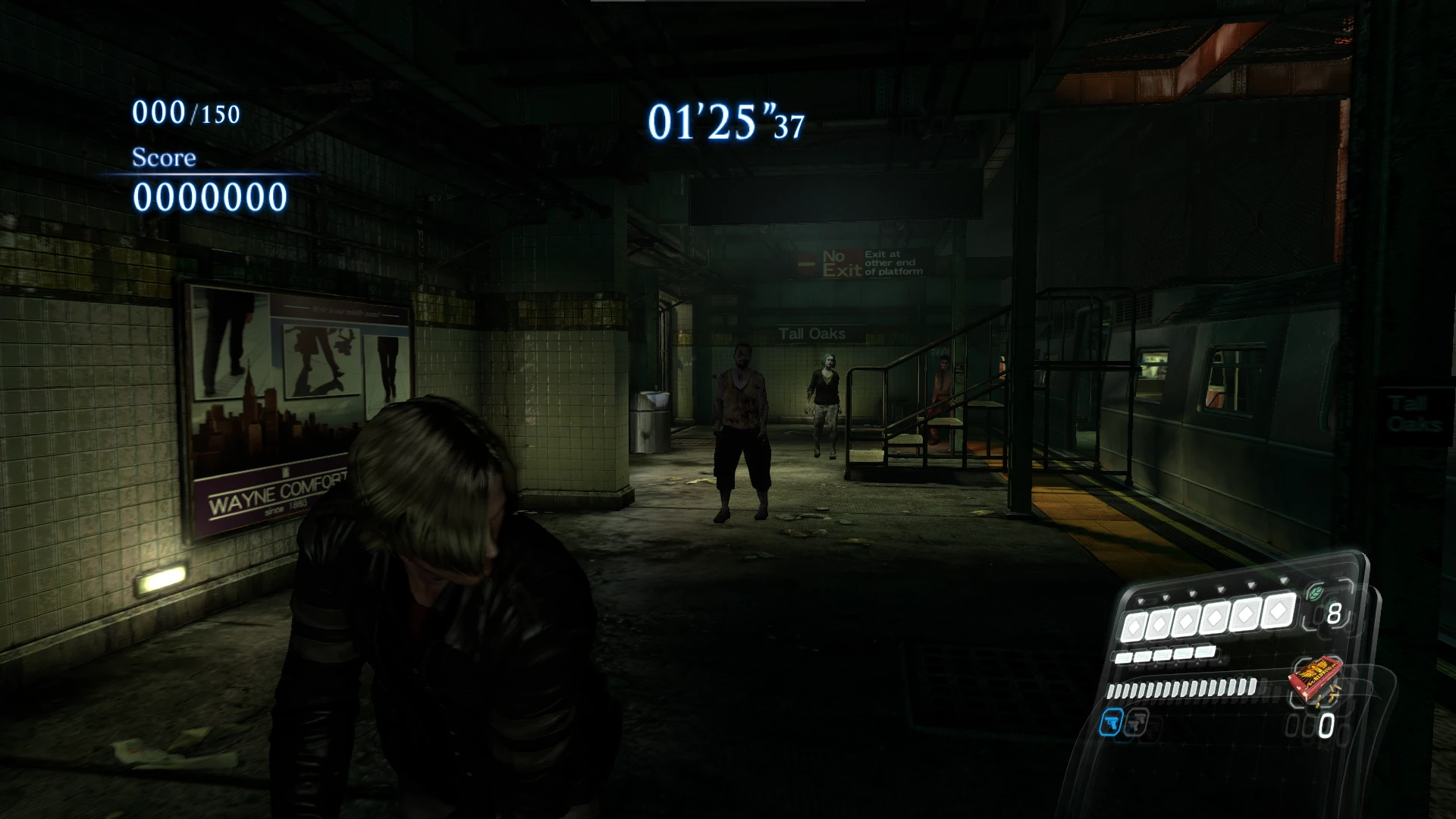
The Rail Yard stage of Resident Evil 6 with zombie enemies instead of javos... As it should've been from the start. And a tutorial of how I've done , I guess...
Highly inspired by the BJ669 (From Resident Evil Modding Forum) work on No Mercy version, I've decided to do it for the regular version (or no no mercy version, whatever you do prefer).
Nonetheless, I used the tool to extract the arc files and generate the xml and the tutorial from FluffyQuack and specially the findings from screion, and the arc files list and enemies list that are somewhere In this forum that I can't find now, but I thank the creators anyway.
I've included the backup of the original one, just because...
To install, just unpack the file and overwrite the files on:
"your resident evil 6 instalation folder"\nativePC\arc\DX9\
So, here is the little things that I found out about convertion process. Its not hard, just boring AF, but you can do it like on 4-6hrs depending of your concentration skils.
1 - unpack the arc of the original zombie stage that you be using as base and the regular no zombie one. (like s1200Soft.arc and s1202Soft.arc)
2 - move the "em" (like: s1200_em00.lot, s1200_em00.lot.txt and s1200_em00.lot.xml) files from the regular no zombie one to other folder\place and move the files from the base zombie stage to the former folder of the no zombie stage.
3 - rename the prefix of the zombie (like: s1202_em00.lot, s1202_em00.lot.txt and s1202_em00.lot.xml into s1200_em00.lot, s1200_em00.lot.txt and s1200_em00.lot.xml), but keep the "em_00" files as they are originally numbered.
4 - copy the position lines from no zombie "em" xml's to the "em" xml's of the zombified ones, I copied this lines for all enemies:
<vector3 name="mPosition" x="xxx" y="xxx" z="xxx"/>
<vector3 name="mAngle" x="xxx" y="xxx0" z="xxx"/>
<vector3 name="mScale" x="xxx" y="xxx" z="xxx"/>
<bool name="mIsGoto" value="false"/>
<bool name="mIsGotoAng" value="false"/>
<vector3 name="mGotoPos" x="xxx" y="xxx" z="xxx"/>
<vector3 name="mGotoAng" x="xxx" y="xxx" z="xxx"/>
Obs: The "xxx" are the numbers from the original nom zombie enemy (and also the name of a bad movie with Vin Diesel, but who cares anyway?) when there are any difference between the number of enemies on files, I justed repeated the first ones. Those lines are grouped as they are above, so its not hard.
5 - then, copy the files from "fsm\plan\fix" from the original zombie map to the no zombie one. Here is the place where are registered the triggers for enemies spawn and othe shenanigans of the sorts, in this case, I copied the zombies from s1202 to s1200, so I copied the files from 1202 fix folder:
Em_BossPop_1st.fsm
Em_BossPop_1st.fsm.txt
Em_BossPop_1st.fsm.xml
Em_BossPop_2st.fsm
Em_BossPop_2st.fsm.txt
Em_BossPop_2st.fsm.xml
EmSet1202.fsm
EmSet1202.fsm.txt
📊 Mod Details
- Game
- Residentevil6 Mods
- Author
- CopyistMonk
- Version
- 1.0
- Downloads
- 452
- Endorsements
- 24
- Category
- Miscellaneous
- Created
- 6/28/2023
- Updated
- 6/28/2023
🔧 How to Install Residentevil6 Mods
Download from Nexus Mods.
📖 Full step-by-step install guide for Residentevil6 →
Visit the official mod page for specific installation instructions for this mod.
🎮 Need cheat codes or console commands? Check ur gaming wiki for Residentevil6 commands, item IDs, and more.
Keep browsing — more Residentevil6 mods await