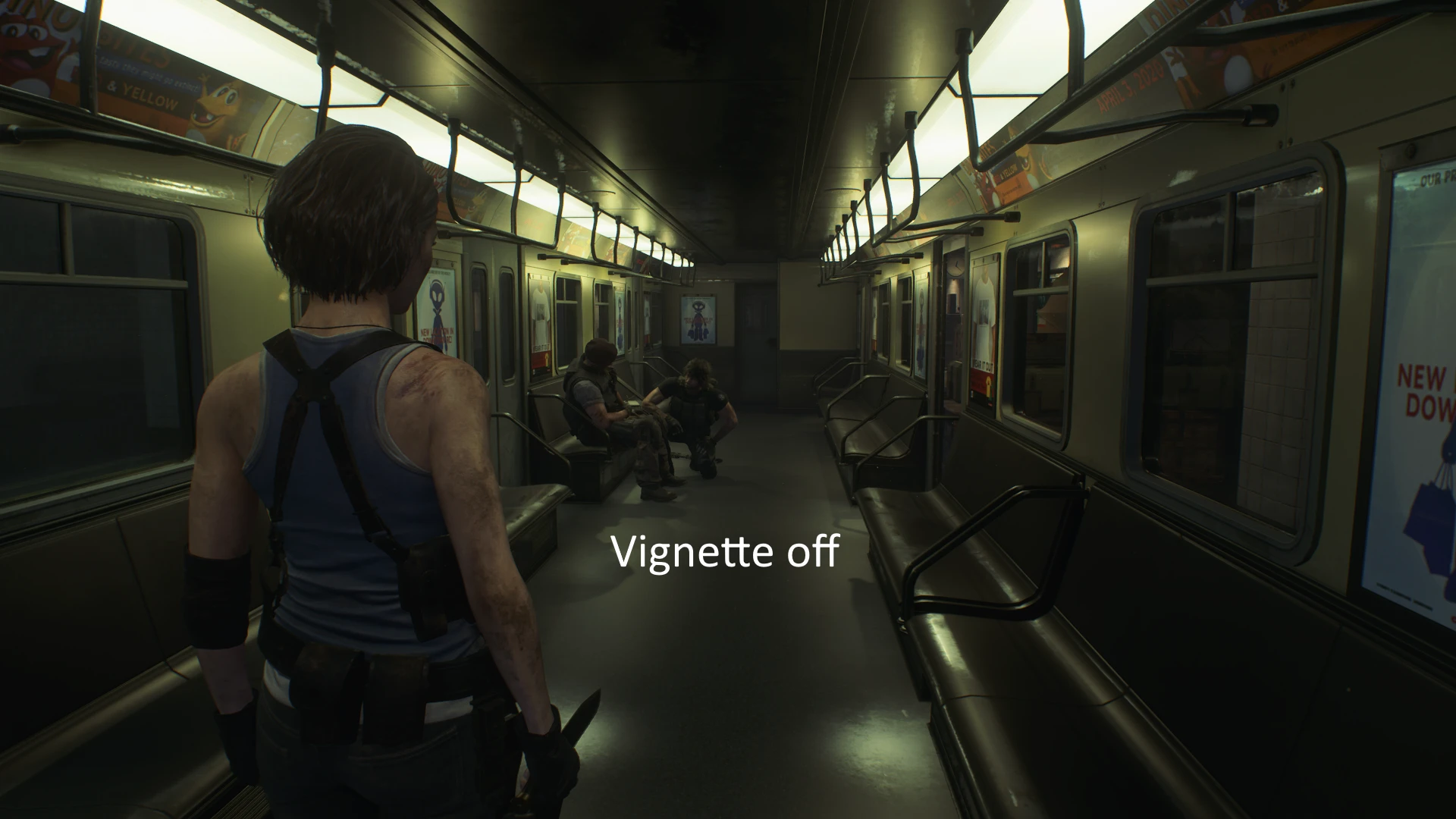
Remove vignette (DX11 only)
⚪ Last updated 2020Preview
🔍 Analysis
- 👍 7.1% endorsement rate — high engagement, a strong quality signal
- 🏆 #10 of 74 Visuals mods in this game by downloads
📋 About This Mod
Installation:
Simply drop all files where the game .exe is located:
Steam\steamapps\common\RE3
Vignette will be off after starting the game. You can toggle it back on/off again with F1. Make sure the game is in DX11 mode.
Reshade compatibility:
Update:
The latest version of Reshade (4. 6) now includes a crash fix for this game, so it's recommended to use that version.
Make sure the Reshade .dll file is called dxgi.dll and not d3d11.dll
Be aware that certain overlays like Fraps or the Steam overlay may crash the game when using both Reshade and this mod.
I can't guarantee this will work for every system and configuration out there, certain laptops may be incompatible with dxgi.dll files.
Remove vignette (DX11 only) is a small visual mod by TheJanitor that eliminates the aggressive vignetting effect darkening screen edges in the game. It works exclusively in DX11 mode, offering a cleaner, more uniform image. With 539 endorsements and 7,566 downloads, it's a popular quality-of-life tweak for players bothered by the default edge darkening.
✨ Key Features
📊 Pros & Cons
✅ Pros
- Community-approved with 539 endorsements and over 7.5k downloads.
- One-and-done install—just drop it in and the edge darkening is gone.
- Lightweight and purely cosmetic, so it won't hurt performance.
⚠️ Cons
- Only works in DX11 mode, so DX12 users are out of luck.
- Last updated in 2020, so it might not be compatible with the latest game patches.
- Removing vignette can make the image look flatter and less cinematic—some might miss the moody edges.
For players who hate the dark edges that obscure the screen and want a cleaner, more uniform image. Skip if you're on DX12 or if you actually like the cinematic vignette effect.
💡 Beginner Tips
- Make sure your game is running in DX11 mode, not DX12, or this mod won't take effect.
- If you're using a mod manager, just drop the file into your mods folder and enable it—no extra steps.
- If you're on DX12 and still want to remove vignette, look for alternative mods that support DX12.
📊 Mod Details
- Game
- Residentevil32020 Mods
- Author
- TheJanitor
- Version
- 1.0
- Downloads
- 7,566
- Endorsements
- 539
- Category
- Visuals
- Created
- 3/21/2020
- Updated
- 3/21/2020
🔧 How to Install Resident Evil 3 (2020) Mods
Download from Nexus Mods.
📖 Full step-by-step install guide for Resident Evil 3 (2020) →
Visit the official mod page for specific installation instructions for this mod.
🎮 Need cheat codes or console commands? Check ur gaming wiki for Resident Evil 3 (2020) commands, item IDs, and more.
Keep browsing — more Resident Evil 3 (2020) mods await