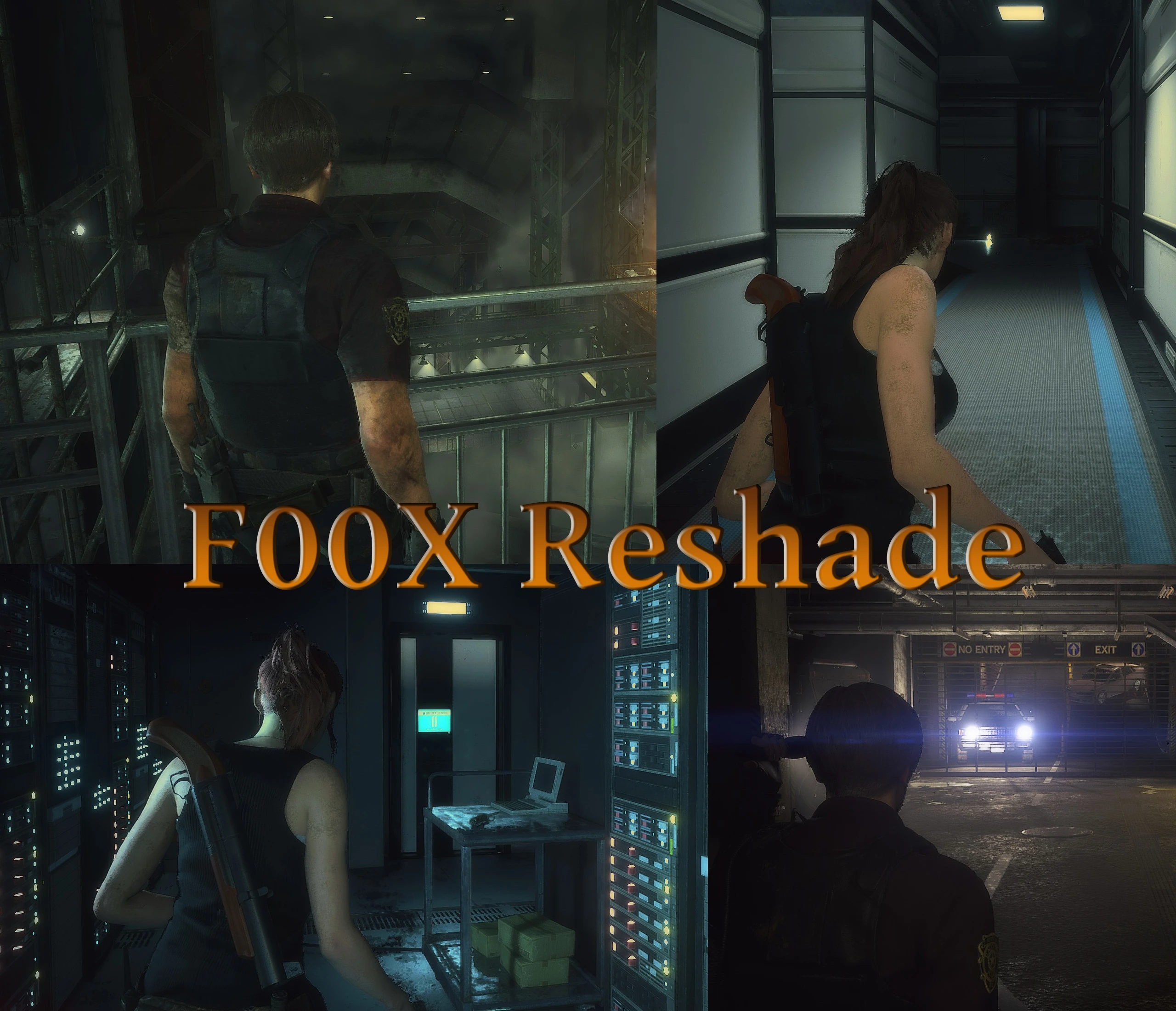
F00X Cinematic Reshade (HDR and color adjustments)
⚪ Last updated 2019Preview
🔍 Analysis
- 👍 7.3% endorsement rate — high engagement, a strong quality signal
- 🏆 #19 of 105 Visuals mods in this game by downloads
📋 About This Mod
This Reshade preset aims to make the game easier on the eyes and gives it a decently cinematic look. It also fixes the extreme blur that TAA causes while adding it's own high quality Gaussian Blur to make everything seem softer and more
Content
This is my personal Reshade preset, which I release here due to numerous requests to do so. Let's go over what it does.
- Adds fake-HDR to make blacks darker and whites "pop" more.
- Increases color-depth without oversaturating.
- Removes the harsh green filter, which the game uses.
- Adds non-performance intensive SMAA to smoothen edges.
- Intelligently sharpens the image to keep it looking crisp while using TAA (without adding back aliasing artifacts).
- Applies it's own color palette to give the game a more "cinematic" look. I don't know what else to call it. It just looks good to me.
- Adds it's own high quality Gaussian Blur, which softens edges and gives everything a more appealing look. (This one can decrease performance a bit)
This is intended to be used with TAA. If you use any other form of anti-aliasing, the image quality may be compromised due to being overly sharp. I also recommend using TAA only since FXAA is basically just a lower-quality version of it. It honestly does nothing for you but blur the screen even more.
If you intend on using it without TAA (not recommended), consider turning off "Lumasharpen", which is the filter used to sharpen TAA.
If you don't like the Gaussian Blur effect or don't feel like having it take 3-4 fps away from you, you can also turn that off in the Reshade settings.
Installation
You'll obviously need Reshade. The newest version of which can be found on their website Reshade.me. (select DirectX 10+ while installing)
It'll ask you if you want to download shader packs. Answer yes. Select the following;
- Colorfulness
- LiftGammaGain
- Lumasharpen
- Gaussian Blur
!IMPORTANT! - This preset requires two more shaders which are not an option in the default pack. These are "Clarity2" and "Colorfilter". Please download them here. Extract "Clarity2.fx" + "ColorFilter.fx" and put them into your "\reshade-shaders\shaders" folder.
If that link doesn't work, try this one. (thanks to lalalisah for making me aware of that mirror)
Now download the preset here and put it into your main Resident Evil 2 Remake folder.
If you did everything correctly, you can now start the game and Reshade will let you know that it's working by initializing at the top. You may have to open it by pressing "Home/P
📊 Mod Details
- Game
- Residentevil22019 Mods
- Author
- F00X
- Version
- 1.0
- Downloads
- 4,078
- Endorsements
- 296
- Category
- Visuals
- Created
- 3/10/2019
- Updated
- 3/10/2019
🔧 How to Install Resident Evil 2 (2019) Mods
Download from Nexus Mods.
📖 Full step-by-step install guide for Resident Evil 2 (2019) →
Visit the official mod page for specific installation instructions for this mod.
🎮 Need cheat codes or console commands? Check ur gaming wiki for Resident Evil 2 (2019) commands, item IDs, and more.
Keep browsing — more Resident Evil 2 (2019) mods await