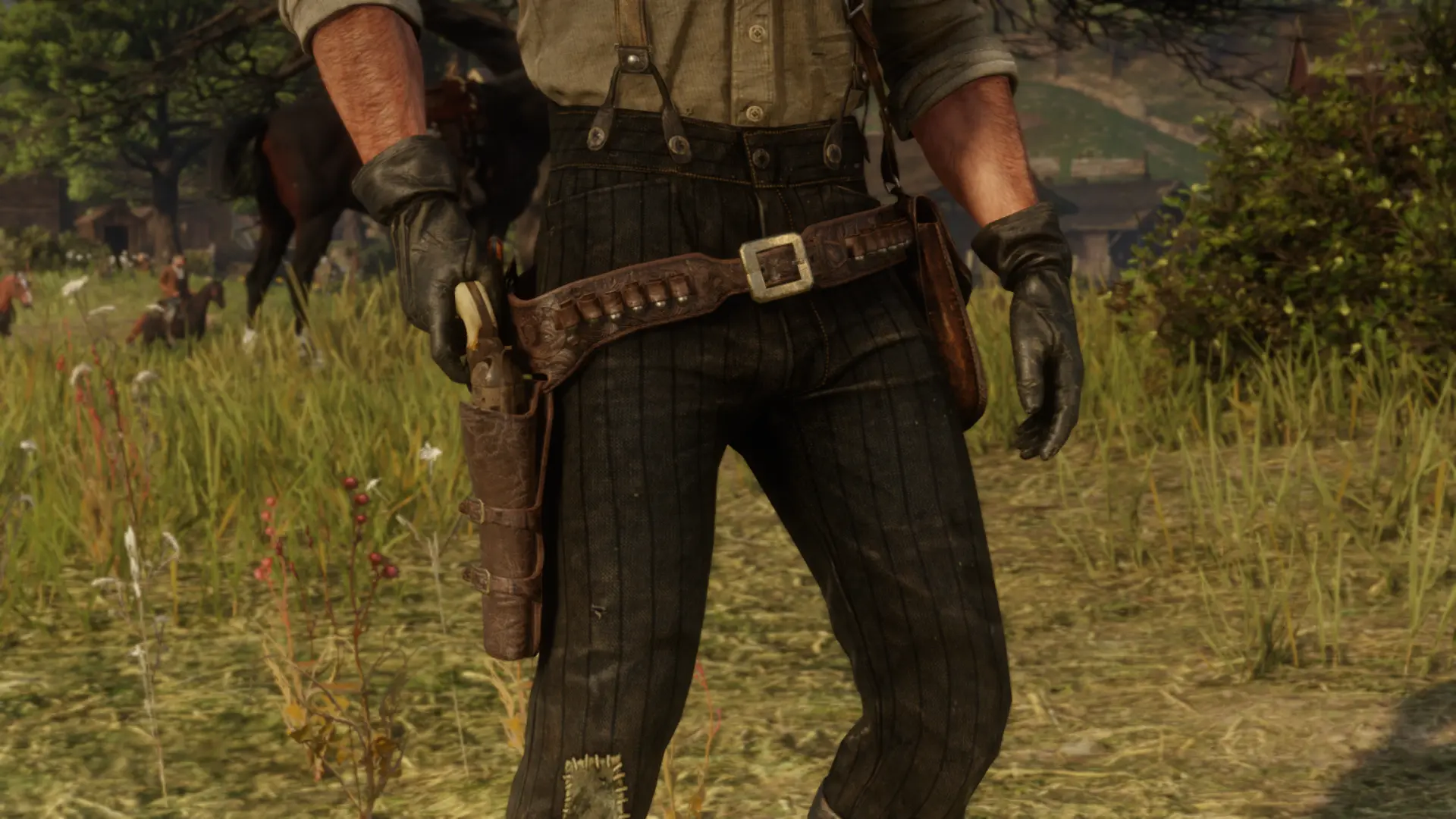
John Marston - RDR1 Inspired Equipment
🟠 Updated over a year ago⚠️ Install Order · 1 step
Install in this order, then this mod last — most mods fail to load without their framework and dependencies in place.
Preview
🔍 Analysis
- 👍 1.1% endorsement rate — high engagement, a strong quality signal
- 🏆 #64 of 104 Player mods in this game by downloads
📋 About This Mod
John Marston - RDR1 Inspired Equipment
Kerminator
BloomBlocks
Suika
[INSTALLING THE MOD]
Extract the zip file and place the LML folder into your RDR2 Directory.
Replace any files it says to if asked, those are incompatible with this mod.
_______________________________________________________________________________________________
[CURRENT RETEXTURES]
John's Heist Belt
John's Heist Holster
Arthur's Holster
John’s Cartridge Belts
Bandolier (NEEDS TO BE CONVERTED FOR VANILLA)
A cosmetic retexture mod that updates John Marston's equipment to match his RDR1 appearance while keeping the vanilla feel. With 122 endorsements and over 11,000 downloads, it's a popular choice for Red Dead Redemption 2 players seeking a nostalgic look without overhauling the game.
✨ Key Features
📊 Pros & Cons
✅ Pros
- Solid community backing (122 endorsements) and over 11k downloads show it's a trusted pick.
- Stays true to the original game's vibe—no jarring changes, just a faithful nod to RDR1.
- Lightweight cosmetic mod that won't mess with your gameplay or performance.
⚠️ Cons
- Only covers equipment—don't expect any changes to John's face or clothing beyond that.
- No recent updates since September 2025, so it might not be compatible with future game patches.
- Potential conflicts with other retexture mods that touch the same equipment slots—check your load order.
For RDR2 players who grew up with the original Red Dead Redemption and want John's gear to look like the classic version. It's a must-have for nostalgia hunters who appreciate subtle, lore-friendly tweaks. Skip if you're looking for gameplay changes or a full visual overhaul—this is purely cosmetic.
💡 Beginner Tips
- If you're on PC, make sure to place the mod files in the correct game directory (usually the 'lml' folder if using Lenny's Mod Loader).
- Since this is a retexture, it's best to install it after any major texture overhauls to avoid overwriting conflicts.
- Check the mod's comments section for any reported issues with specific game versions before installing.
📊 Mod Details
- Game
- RDR2 Mods
- Author
- Kerminator
- Version
- 1.00
- Downloads
- 11,002
- Endorsements
- 122
- Category
- Player
- Created
- 3/26/2024
- Updated
- 9/21/2025
🔧 How to Install RDR2 Mods
Install Script Hook RDR2 first. Most mods go in game directory.
📖 Full step-by-step install guide for RDR2 →
Visit the official mod page for specific installation instructions for this mod.
🎮 Need cheat codes or console commands? Check ur gaming wiki for RDR2 commands, item IDs, and more.
Keep browsing — more RDR2 mods await