Camp Anywhere
⚪ Last updated 2021⚠️ Install Order · 1 step
Install in this order, then this mod last — most mods fail to load without their framework and dependencies in place.
Preview
🔍 Analysis
- 👍 1.8% endorsement rate — high engagement, a strong quality signal
- 🏆 #25 of 208 Gameplay mods in this game by downloads
📋 About This Mod
Version 1. 1. 1: Fix for followers sometimes not getting cleaned upon resting
Version 1. 1:
- Added "Advanced mode" that lets you build your custom camp and save it. See details below in the description. Consider this beta, I don't take responsibility if you spend an hour building a camp then you lose it for some reason :P
- Followers should get cleared from their visible wounds upon resting. (You need to wait until your stamina regenerates some.)
- Snow and grass should be cleared out from around your campfire and tent. Grass can still clip through the bedroll, I don't think I can do anything about it unfortunately...
- Added an option to change campfire, tent and bedroll models to other models used in advanced mode.
--------------------------------------------------------------------
- Set up camp anywhere:
Use the hotkey to bring up the prompts. ('K' by default, you can change it in the ini, or the 'sprint' button while crouching on controller, DISABLED in the ini by default)
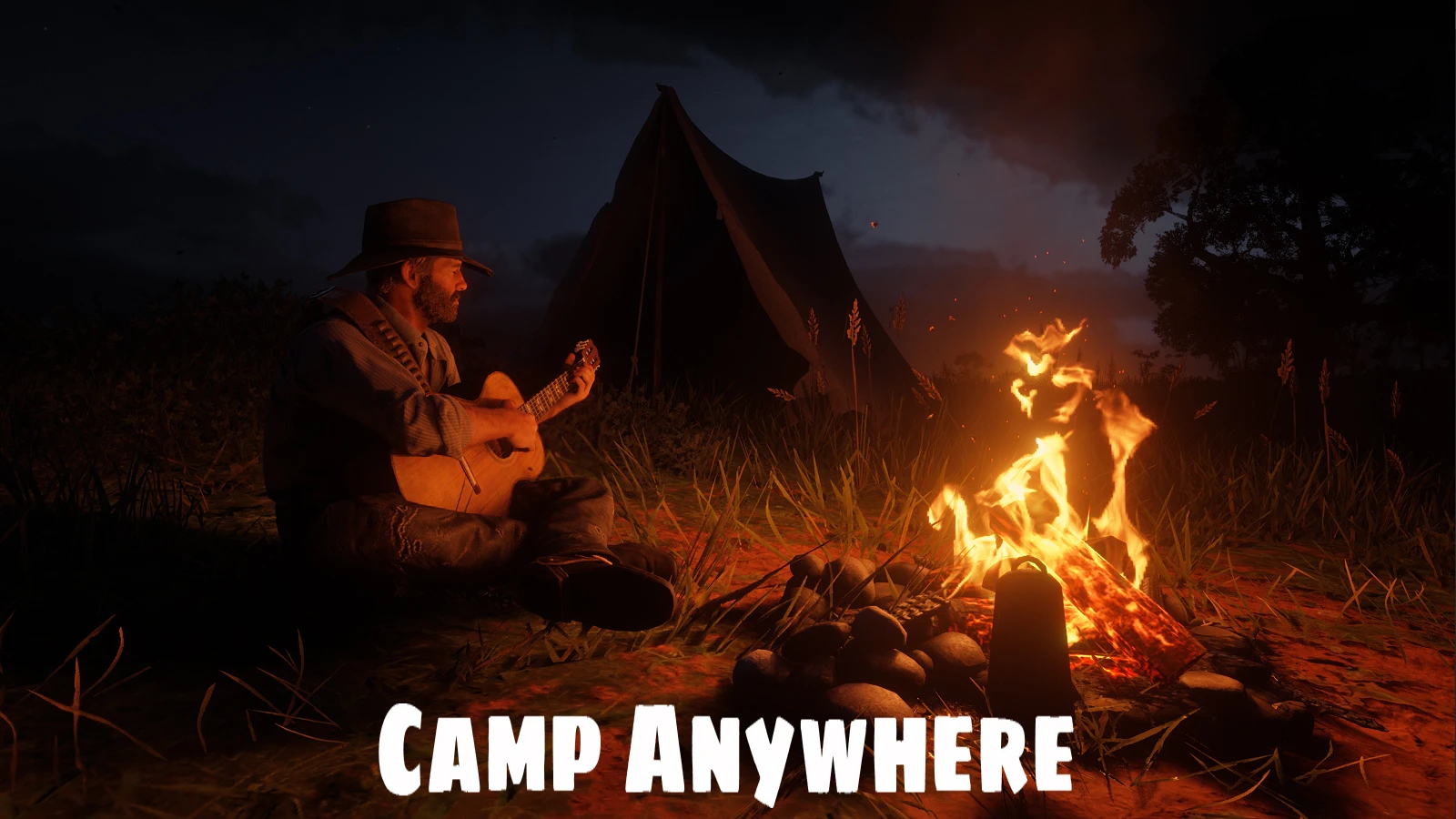
You can choose to build a campfire, set up a tent, place a bedroll or 'set up camp' that'll place a campfire and a tent at the same time.
To make them disappear, use the hotkey again and choose the tear down camp prompt (it will work regardless of your distance from the camp).
You can change the campfire, tent and bedroll models to other models used in advanced mode. Check the model's number in the menu and set it in the ini.
- Use one of the three rest options
...to recover your stamina core, or just for immersion.
- Relax: your character will sit and do random stuff like drinking, smoking, reading...
- Play guitar
You can rest even when you don't have a camp set up.
Followers spawned in by other mods will also rest around you or your campfire while you're resting.
If somehow you get stuck, the hotkey should cancel the rest animations and unstuck you.
(New) - Advanced mode:
Use the "Advanced" prompt to bring up the build menu.
Menu actions:
Type: Select the type of the object you want to spawn in. (Campfire, tent, etc...)
Model: Browse through the objects in the selected category.
Distance: The distance the object should spawn in in front of the player.
Rotation: Rotate the object.
Both distance and rotation can be wonky because some object has their "center" well outside of their actual visible model. Some object will spawn behind you or next to you because of this...
Place Object: Spawn and add the selected object to your saved camp.
Save and Exit: Save spawned objects and close the menu.
Tear Down Camp: De-spawn every spawned object. They will remain saved and can be re-spawned at the same or at a new location.
Respawn Camp: Respawn every object at their current location. You can use this in case your saved camp didn't spawn in properly.
Saved Objects: Browse through the objects currently saved as part of your camp.
Delete Saved Object: Delete the currently selected saved object.
Advanced mode is completely separate from the "normal" part of the mod. The campfire and tent you put down using the prompts will not be saved as part of your custom camp, and can be used separately any time.
Your saved camp should persist when you quit the game, whether it's currently placed in the world or not. If it's placed, it should automatically respawn upon loading the game. (If not, the 'Respawn Camp' option should spawn it in)
Your saved camp is stored in CampAnywhere.dat in your game folder, you can back-up that file if you want to make sure you don't lose the camp you've built.
Some of the objects are interactable, some of them aren't, I don't think I can do anything about the ones that aren't.
You can disable advanced mode in the ini.
The campfire doesn't have a grill so you can't cook seasoned meat.
Known issues:
- Once the campfire is spawned, the game doesn't consider the area wilderness anymore, so normal camping will be blocked nearby, even after you remove the campfire, for some reason (resets when you reload the game).
- It might make the Spines of America mission bug out in chapter 2. If you're experiencing issues, try removing the mod while doing that mission.
Installation:
Download CampAnywhere.rar, extract it and drop the files into your Red Dead Redemption 2 game folder.
You're going to need Script Hook By Alexander Blade.
https://www.dev-c.com/rdr2/scripthookrdr2/
Camp Anywhere lets Red Dead Redemption 2 players set up campfires, tents, and bedrolls in any location using a hotkey, with options to rest, relax, or play guitar. It includes an advanced mode for building custom camps, and followers from other mods will rest nearby. This is a popular gameplay mod with over 2,000 endorsements.
✨ Key Features
📊 Pros & Cons
✅ Pros
- Huge community trust with 2,141 endorsements and over 118k downloads.
- Adds real immersion with rest animations and follower interactions.
- Advanced mode gives you creative freedom to build custom camps, though it's beta.
⚠️ Cons
- Advanced mode is beta and can lose your custom camp builds, so save often.
- Grass can still clip through the bedroll, which might break immersion for some.
- Controller hotkey is disabled by default, so you'll need to edit the ini to enable it.
For Red Dead Redemption 2 players who want to camp anywhere for immersion or roleplay, especially those who enjoy resting with followers. Skip if you're not interested in cosmetic camping or if you prefer a more streamlined experience without extra hotkeys.
💡 Beginner Tips
- Change the hotkey in the ini file if 'K' conflicts with your keybinds.
- Use the 'set up camp' option to place both a campfire and tent at once for convenience.
- If you get stuck in a rest animation, use the hotkey to cancel it.
📊 Mod Details
- Game
- RDR2 Mods
- Author
- crossed99
- Version
- 1.1.1
- Downloads
- 118,626
- Endorsements
- 2,141
- Category
- Gameplay
- Created
- 11/11/2021
- Updated
- 12/7/2021
🧩 Commonly Used Together
Users add these mods to the same collections — a real compatibility signal, not an AI guess.
🔧 How to Install RDR2 Mods
Install Script Hook RDR2 first. Most mods go in game directory.
📖 Full step-by-step install guide for RDR2 →
Visit the official mod page for specific installation instructions for this mod.
🎮 Need cheat codes or console commands? Check ur gaming wiki for RDR2 commands, item IDs, and more.
Keep browsing — more RDR2 mods await