MapsPlus
🟡 Updated this year⚠️ Install Order · 1 step
Install in this order, then this mod last — most mods fail to load without their framework and dependencies in place.
Preview
🔍 Analysis
- 👍 0.0% endorsement rate
- ✅ Updated 252 days after the latest game patch — actively maintained
- 🏆 #7 of 64 UE4SS, Utilities, User Interface mods in this game by downloads
📋 About This Mod
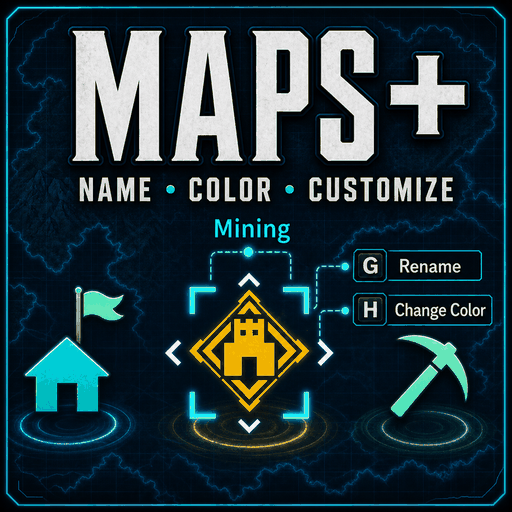
# MapsPlus **Name - Color - Organize - Transfer** MapsPlus is a client-side Palworld map utility for owned bases, personal markers, and guild markers on both the Main Map and World Tree map. ## Features - Rename and recolor supported locations using Palworld's native dialogs. - Keep local names and colors through map openings, reloads, and restarts. - Browse live locations in a movable, collapsible **Saved Locations** panel. - Favorite, sort, and click locations to switch maps, center them, and zoom in only when needed. - Export and import names, colors, positions, regions, ownership, and marker icons. Missing markers are recreated through Palworld's native marker APIs; bases are matched but never created. - Configure names, colors, actions, and panel inclusion independently for bases, markers, and guild markers. - Ignore fast-travel points, bosses, unowned bases, and unrelated map icons. ## Localization MapsPlus automatically follows the game language and supports **all 17 languages available in Palworld**, including its actions, dialogs, panel, settings, counts, location types, and buttons. ## Controls 1. Open the world map and focus a supported location. 2. Keyboard and mouse: press **G** to rename or **H** to change color. 3. Controller: press **L3** to rename or **R3** to change color. 4. Confirm through Palworld's native dialog. Escape or the red X cancels. In the Saved Locations panel, click a row to focus it, click its star to toggle favorite status, and drag the header to move the panel. ## Controller support Controller support is a work in progress. **L3 Rename** and **R3 Change Color** are available now; controller navigation for the Saved Locations panel is planned for a future release. ## Import, export, and local data Exports are written to: `%LOCALAPPDATA%\BaseRenamingUtility\MarkerTransfers\MapsPlus-Latest.json` The panel shows this path and can copy it to the clipboard. To import, place a compatible file at that location and confirm Import in MapsPl
# MapsPlus Name - Color - Organize - Transfer MapsPlus is a client-side Palworld map utility for owned bases, personal markers, and guild markers on both the Main Map and World Tree map. ## Features - Rename and recolor supported locations using Palworld's native dialogs. - Keep local names and colors through map openings, reloads, and restarts. - Browse live locations in a movable, collapsible Saved Locations panel. - Favorite, sort, and click locations to switch maps, center them, and zoom in only when needed. - Export and import names, colors, positions, regions, ownership, and marker icons. Missing markers are recreated through Palworld's native marker APIs; bases are matched but never created. - Configure names, colors, actions, and panel inclusion independently for bases, markers, and guild markers. - Ignore fast-travel points, bosses, unowned bases, and unrelated map icons. ## Localization MapsPlus automatically follows the game language and supports all 17 languages available in Palworld, including its actions, dialogs, panel, settings, counts, location types, and buttons. ## Controls 1. Open the world map and focus a supported location. 2. Keyboard and mouse: press G to rename or H to change color. 3. Controller: press L3 to rename or R3 to change color. 4. Confirm through Palworld's native dialog. Escape or the red X cancels. In the Saved Locations panel, click a row to focus it, click its star to toggle favorite status, and drag the header to move the panel. ## Controller support Controller support is a work in progress. L3 Rename and R3 Change Color are available now; controller navigation for the Saved Locations panel is planned for a future release. ## Import, export, and local data Exports are written to: `%LOCALAPPDATA%\BaseRenamingUtility\MarkerTransfers\MapsPlus-Latest.json` The panel shows this path and can copy it to the clipboard. To import, place a compatible file at that location and confirm Import in MapsPl
📊 Mod Details
- Game
- Palworld Mods
- Author
- 76561198020848911
- Version
- N/A
- Downloads
- 11,821
- Endorsements
- 0
- Category
- UE4SS, Utilities, User Interface
- Created
- 7/18/2026
- Updated
- 8/2/2026
🔧 How to Install Palworld Mods
Subscribe on Steam Workshop. Mods auto-download and install. Launch the game to activate.
📖 Full step-by-step install guide for Palworld →
Visit the official mod page for specific installation instructions for this mod.
🎮 Need cheat codes or console commands? Check ur gaming wiki for Palworld commands, item IDs, and more.
Keep browsing — more Palworld mods await