ClickToThrowSphere
🟡 Updated this year⚠️ Install Order · 1 step
Install in this order, then this mod last — most mods fail to load without their framework and dependencies in place.
Preview
🔍 Analysis
- 👍 0.0% endorsement rate
- ✅ Updated 233 days after the latest game patch — actively maintained
- 🏆 #9 of 30 UE4SS, Gameplay, Utilities mods in this game by downloads
📋 About This Mod
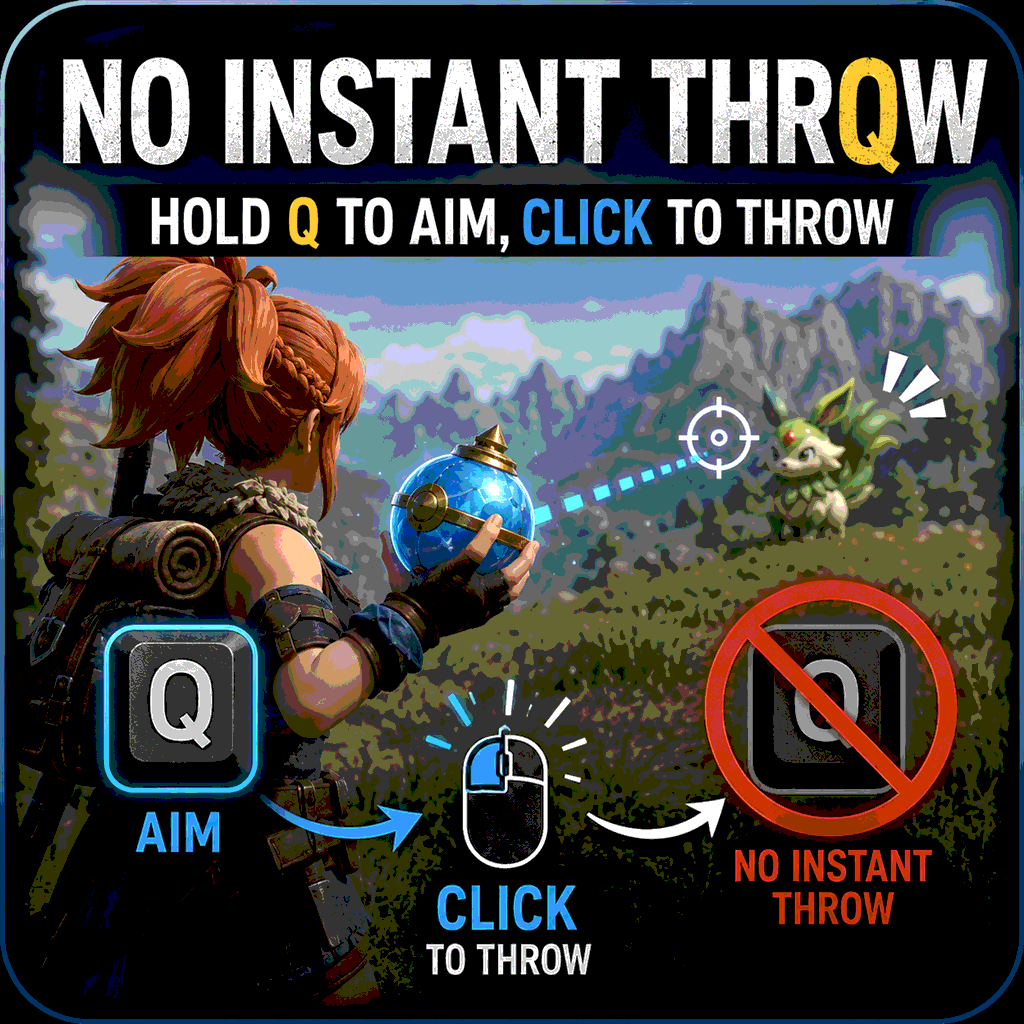
ClickToThrowSphere v1.9.0 Tap the aim button once to draw a Pal Sphere and keep aiming automatically. You no longer need to hold the button. Controls Keyboard & Mouse Q — Aim and hold Left Click — Throw Right Click — Cancel Controller (default Xbox layout) RB — Aim and hold RT — Throw LT — Cancel Menu protection Opening a menu while aiming could accidentally throw the sphere. In v1.9.0, the mod cancels aiming first and then opens the requested screen. Supported keyboard keys: ESC, Tab, B, M, T, P, Enter Controller Menu/Start and View/Back/Share buttons are handled in the same way. Q also works normally inside menus. The issue where Q behaves as if held down and scrolls through Pal inventory pages is mostly fixed, but may still occur occasionally. Steam Workshop installation 1. Subscribe to UE4SS Experimental (Palworld). 2. Subscribe to ClickToThrowSphere. 3. Remove any older manually installed copy of ClickToThrowSphere. 4. Launch Palworld. No manual file copying is required for the Steam Workshop version. The Workshop version is built for UE4SS commit c2ac246, which is distributed by the required Workshop item. Important: The author has only fully tested the mod on Palworld 1.0 with UE4SS v3.0.1 Beta #0 (commit d935b5b). The c2ac246 Workshop build was compiled for that UE4SS API, but has not been fully tested in the author's game environment. Feedback from Workshop users is welcome. UE4SS C++ mod DLLs are not always compatible between different commits. Choose the version that matches your UE4SS: Using Steam Workshop UE4SS c2ac246: use this Workshop version. Using UE4SS d935b5b: do not use the Workshop DLL. Download the d935b5b manual package from Nexus Mods. If you receive error The specified procedure could not be found, an old or incompatible DLL is probably still installed in another Mods folder. Nexus Mods A separate version is available on Nexus Mods. If your UE4SS version is d935b5b, download the manual package whose filename includes d935b5b. This is
ClickToThrowSphere v1. 9. 0 Tap the aim button once to draw a Pal Sphere and keep aiming automatically. You no longer need to hold the button. Controls Keyboard & Mouse Q — Aim and hold Left Click — Throw Right Click — Cancel Controller (default Xbox layout) RB — Aim and hold RT — Throw LT — Cancel Menu protection Opening a menu while aiming could accidentally throw the sphere. In v1. 9. 0, the mod cancels aiming first and then opens the requested screen. Supported keyboard keys: ESC, Tab, B, M, T, P, Enter Controller Menu/Start and View/Back/Share buttons are handled in the same way. Q also works normally inside menus. The issue where Q behaves as if held down and scrolls through Pal inventory pages is mostly fixed, but may still occur occasionally. Steam Workshop installation 1. Subscribe to UE4SS Experimental (Palworld). 2. Subscribe to ClickToThrowSphere. 3. Remove any older manually installed copy of ClickToThrowSphere. 4. Launch Palworld. No manual file copying is required for the Steam Workshop version. The Workshop version is built for UE4SS commit c2ac246, which is distributed by the required Workshop item. Important: The author has only fully tested the mod on Palworld 1. 0 with UE4SS v3. 0. 1 Beta #0 (commit d935b5b). The c2ac246 Workshop build was compiled for that UE4SS API, but has not been fully tested in the author's game environment. Feedback from Workshop users is welcome. UE4SS C++ mod DLLs are not always compatible between different commits. Choose the version that matches your UE4SS: Using Steam Workshop UE4SS c2ac246: use this Workshop version. Using UE4SS d935b5b: do not use the Workshop DLL. Download the d935b5b manual package from Nexus Mods. If you receive error The specified procedure could not be found, an old or incompatible DLL is probably still installed in another Mods folder. Nexus Mods A separate version is available on Nexus Mods. If your UE4SS version is d935b5b, download the manual package whose filename includes d935b5b. This is
📊 Mod Details
- Game
- Palworld Mods
- Author
- 76561199032294976
- Version
- N/A
- Downloads
- 2,169
- Endorsements
- 0
- Category
- UE4SS, Gameplay, Utilities
- Created
- 7/9/2026
- Updated
- 7/13/2026
🔧 How to Install Palworld Mods
Subscribe on Steam Workshop. Mods auto-download and install. Launch the game to activate.
📖 Full step-by-step install guide for Palworld →
Visit the official mod page for specific installation instructions for this mod.
🎮 Need cheat codes or console commands? Check ur gaming wiki for Palworld commands, item IDs, and more.
Keep browsing — more Palworld mods await