MaxGraphics
🟡 Updated this year⚠️ Install Order · 1 step
Install in this order, then this mod last — most mods fail to load without their framework and dependencies in place.
Preview
🔍 Analysis
- 👍 0.0% endorsement rate
- ✅ Updated 268 days after the latest game patch — actively maintained
📋 About This Mod
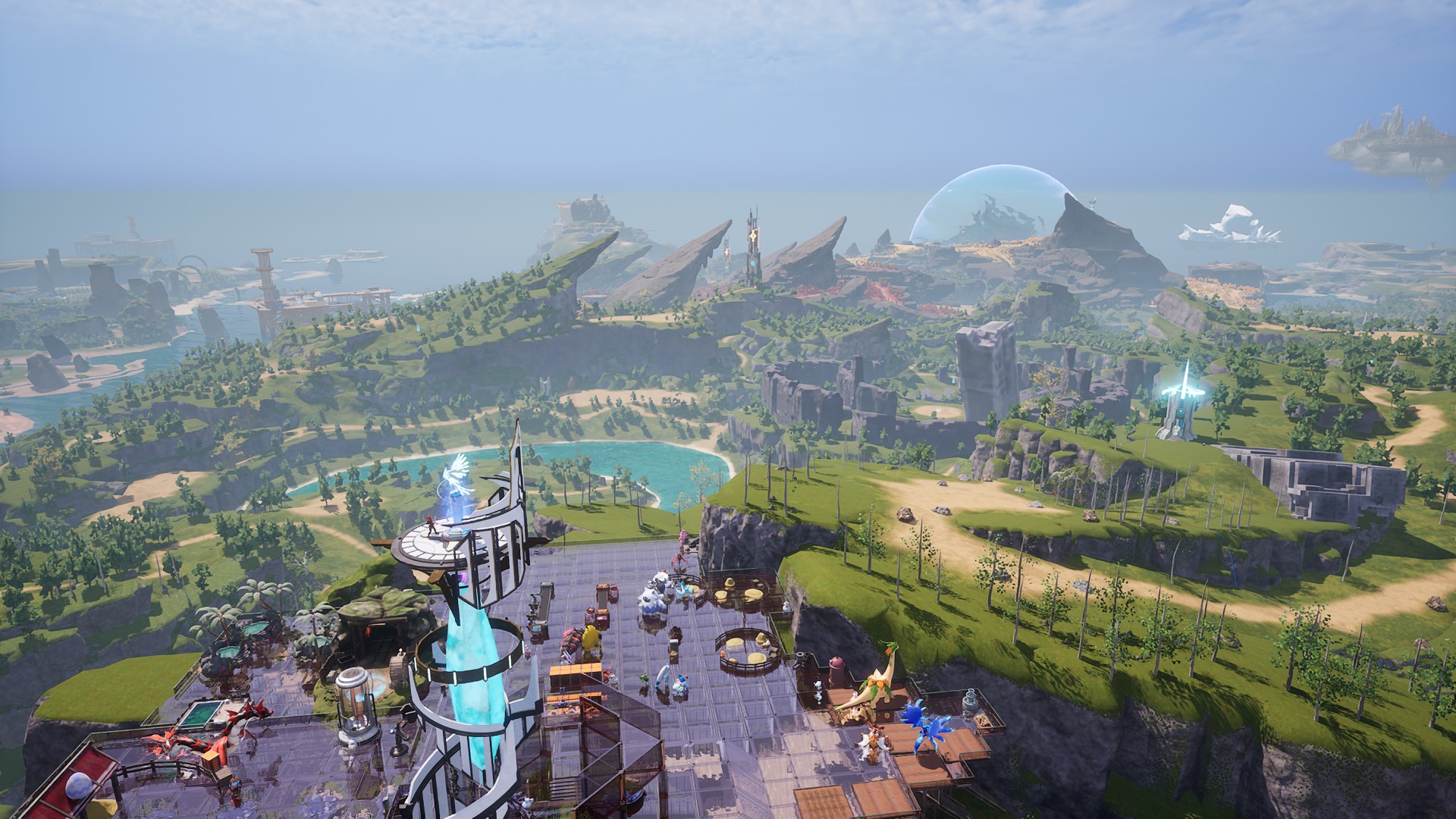
The game now makes use of UltraGraphics mod, it replaces the config file with my cvars and postprocess values, also worldpartition enabled instead of disabled for the sake of doubling the rendering distance. You can also adjust the world rendering distance, be warned it will be very taxing on older cpus and gpus, I could go into 1+ million instead of the in game default 25k with RTX 4070 and i7 14700K, but fps obviously was dropping a lot. UltraGraphics mod creator added custom light sources to everything also adjusted so that lights won't bleed through objects. There are still some instances where the sunlight can go through aka doesn't cast shadows from some mountains in the desert area. That mod also allows you switch to a performance mode, that I didn't touch. In that mod with F8 you can reload the config values realtime. F9 switches between no lumen and lumen on. F10 switches to UltraGraphics Performance mode. If you want to modify the config file and it not being overwritten, disable my mod in the game. Though if ultragraphics mod updates, it will overwrite the config file anyway, so you would have to enable this one again, and do your change again. Thus make a copy of your config file in the same folder where it is. SteamLibrary\steamapps\common\Palworld\Mods\NativeMods\UE4SS\Mods\UltraGraphics UltraGraphics original config file is in here, as long as you're subbed to it. SteamLibrary\steamapps\workshop\content\1623730\3770928882 I don't force dx12 anymore, but it's needed for virtual shadows to work. For DX11 users: If you previously used an older variant of this mod or the engine.ini variant, and want to use dx11, cost of without virtual shadows, delete the engine.ini or the line DefaultGraphicsRHI=DefaultGraphicsRHI_DX12 file is read only, so you'll have to remove that if you want to edit, easier is just to delete the engine.ini. For DX12 users who use a desktop shortcut: Add -dx12 into the command argument in library. For some reason desktop shortcuts ign
📊 Mod Details
- Game
- Palworld Mods
- Author
- 76561197990689781
- Version
- N/A
- Downloads
- 2,880
- Endorsements
- 0
- Category
- N/A
- Created
- 12/17/2025
- Updated
- 8/17/2026
🔧 How to Install Palworld Mods
Subscribe on Steam Workshop. Mods auto-download and install. Launch the game to activate.
📖 Full step-by-step install guide for Palworld →
Visit the official mod page for specific installation instructions for this mod.
🎮 Need cheat codes or console commands? Check ur gaming wiki for Palworld commands, item IDs, and more.
Keep browsing — more Palworld mods await