Nordic Muscles
🟠 Updated over a year agoPreview
🔍 Analysis
- 👍 4.2% endorsement rate — high engagement, a strong quality signal
- 🏆 #104 of 194 Models and Textures mods in this game by downloads
📋 About This Mod
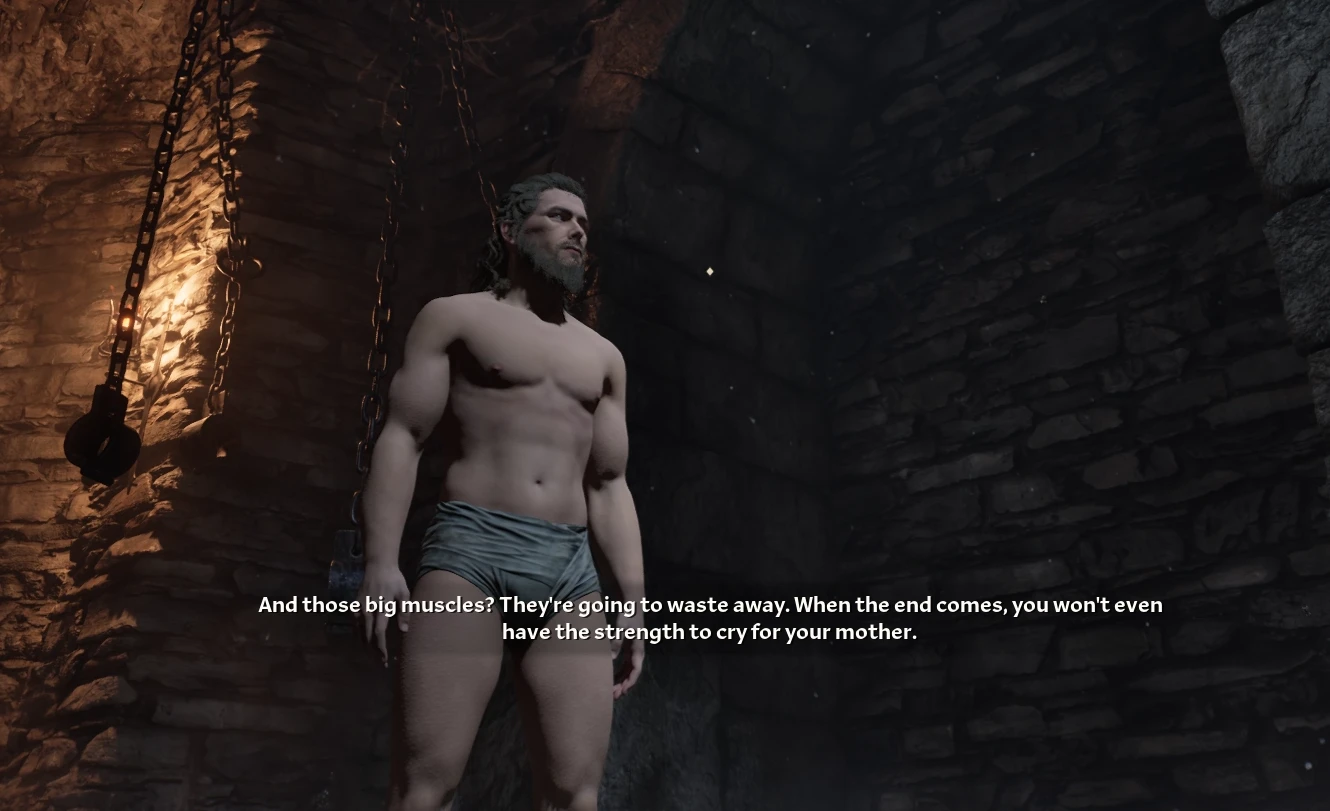
Simple mod that increases muscle mass of your Nord characters without causing major clipping. Contains a tutorial on editing character meshes ( first draft )
Nordic Muscles
Hey hey, Teslov here.
I spent the last few hours reverse-engineering, testing, importing, exporting, changing settings etc to figure out a way to modify characters in Oblivion Remastered. It's not that hard, if you ever made mods for other Unreal Engine 5 games the only thing you need to know is to import and export vertex colours in linear colorspace as these are used for hiding pieces of a mesh. Anyway, more about the process later.
This simple mod increases muscle definition of Nords slightly, makes them bulkier, and pretty much caked up. Why? I just thought it's the best way to showcase the process really, you can apply it to do any changes you want.
How?
Chapter 1 - Preparation and exploration
First, tools. To mod Unreal Engine 5 games, you need Unreal Engine 5. Oblivion uses UE5. 3, so grab UE5. 3. 2 from Epic Games Launcher.For viewing, importing and exporting I use FModel, which is so good I genuinely thought it's a scam at first. But it's absolutely perfect.
Grab mappings from https://www.nexusmods.com/oblivionremastered/mods/47
Now you can open up FModel, click "Directory" in the top bar, choose "Selector", and "ADD UNDETECTED GAME".
Give it a name, and select base directory. Then press the nice, blue + button.
Now, when you choose it in the list above, switch UE Versions to "GAME_UE5_3".
Archive containing all data you are interested in is the ".utoc" file.
Now, Blender, just grab the newest version available, then download Unreal PSK/PSA extension, you can do that from "Edit->Preferences->Get Extensions".
That's it for the setup.
Chapter 2 - Exporting the files and editing them
Let's try doing the same exact kind of mod as the one posted here, so, character models are located in "Content->Art->Character->".
Find "nord" directory, click on it, and switch to "Packages" tab above.
There you'll have a lot of files, based on the prefix, you see:
-
[]MIC_ - Material Instance Constant
[
]SK_ - Skeletal Mesh[]T_ - Texture
- []PA_ - Physics Asset
- SKEL_ - Skeleton
Nords use underwear material from imperial directory btw, you can check that by double-clicking "SK_Nord_Body_m" and checking the "Sections" box.
Or, if you're feeling brave, just reading the file information
📊 Mod Details
- Game
- Oblivionremastered Mods
- Author
- Teslov
- Version
- 1.0.1
- Downloads
- 2,933
- Endorsements
- 122
- Category
- Models and Textures
- Created
- 4/23/2025
- Updated
- 4/23/2025
🔧 How to Install Oblivion Remastered Mods
Download from Nexus Mods.
📖 Full step-by-step install guide for Oblivion Remastered →
Visit the official mod page for specific installation instructions for this mod.
🎮 Need cheat codes or console commands? Check ur gaming wiki for Oblivion Remastered commands, item IDs, and more.
Keep browsing — more Oblivion Remastered mods await