Visually Improved Staffs
⚪ Last updated 2011⚠️ Install Order · 2 steps
Install in this order, then this mod last — most mods fail to load without their framework and dependencies in place.
Preview
🔍 Analysis
- 👍 1.0% endorsement rate
- 🏆 #102 of 485 Models And Textures mods in this game by downloads
📋 About This Mod
Description
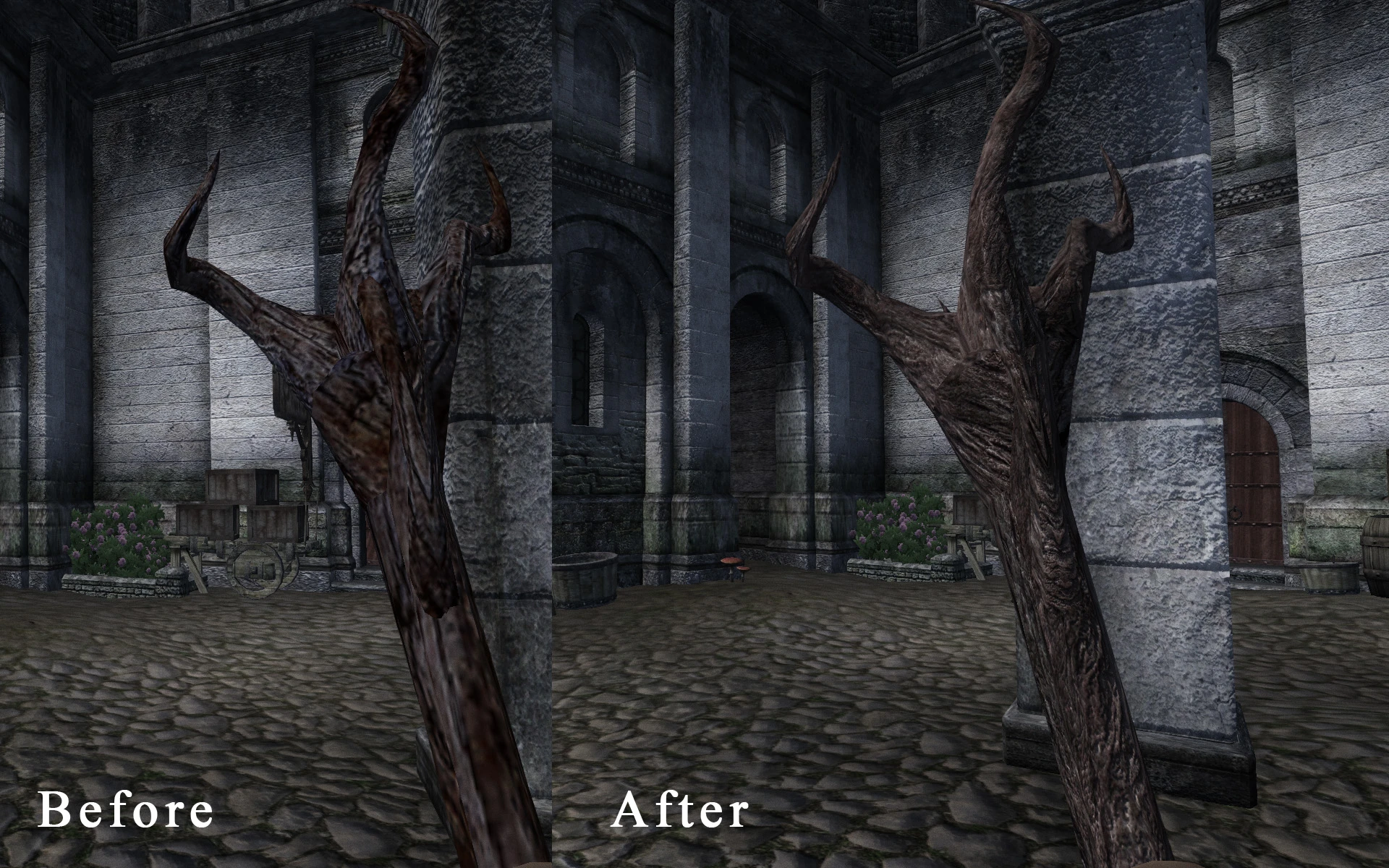
Replaces default staff textures with high resolution ones. Contains textures for all non-unique staffs + Hrormirs Ice Staff.
It also contains optional addon for glowing (which I highly recommend to use).
Textures match the UV maps, so all staffs preserve vanilla color of the spiral on staff ending.
All non-unique staffs: high resolution texture (1024x2048) + optional glowmaps (see screenshots)
Hrormirs Ice Staff: removed awful plastic effect + high resolution texture (1024x1024) + new glowing effect (vanilla staff has glow too, so its not optional)
Staff of Indarys: high resolution texture (1024x2048)
Installation
Provided as BAIN-ready archive. I think, folder names are pretty self-explanatory.
If you don't want to use BAIN, just copy files from folders '00 Core', '01 Optional glowing' and '02 Hrormirs Ice Staff' to your Oblivion\Data folder.
This is a texture (and mesh) replacer, so no esp.
Compatibility
Incompatible with any mod replacing same files (I think its obvious).
Fully compatible with mods altering staff stats (OOO, FCOM and any others)
A simple texture replacer that upgrades staff textures to higher resolution. With 1,430 endorsements and 150,193 downloads, it's a popular choice for players wanting sharper staff visuals. Last updated in 2011, so compatibility with newer game versions is uncertain.
✨ Key Features
📊 Pros & Cons
✅ Pros
- Community favorite with 1,430 endorsements and 150k downloads.
- Lightweight and easy to install—just drop-in texture files.
- Improves visual clarity without altering gameplay.
⚠️ Cons
- Last updated in 2011—may not be compatible with current game patches.
- Only affects staff textures, not other weapons or items.
- No screenshots or detailed previews provided by the author.
For players who want sharper staff textures without changing gameplay. Ideal for those who appreciate visual polish and don't mind an older mod. Skip if you're looking for new staff models or gameplay tweaks.
💡 Beginner Tips
- Place the texture files in the game's Data folder, overwriting the originals.
- Make a backup of the original textures before replacing them.
- Check if your game version supports high-resolution textures; older mods may need manual tweaks.
📊 Mod Details
- Game
- Oblivion Mods
- Author
- qwerty
- Version
- 1.1
- Downloads
- 150,193
- Endorsements
- 1,430
- Category
- Models And Textures
- Created
- 5/13/2011
- Updated
- 12/6/2011
🔧 How to Install Oblivion Mods
Download from Nexus.
📖 Full step-by-step install guide for Oblivion →
Visit the official mod page for specific installation instructions for this mod.
🎮 Need cheat codes or console commands? Check ur gaming wiki for Oblivion commands, item IDs, and more.
Keep browsing — more Oblivion mods await