The Conformulator
⚪ Last updated 2017⚠️ Install Order · 2 steps
Install in this order, then this mod last — most mods fail to load without their framework and dependencies in place.
Preview
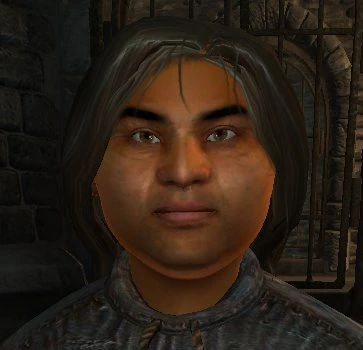
🔍 Analysis
- 👍 4.2% endorsement rate — high engagement, a strong quality signal
- 🏆 #81 of 86 Utilities mods in this game by downloads
📋 About This Mod
The Conformulator v0. 7 Read Me
Please note that if you have the setup version 0. 6 of the conformulator installed, you\'ll have to uninstall it before installing this version.
What Does it Do?
It basically makes creating hair or helms in Oblivion possible.
Using parent tri and egm files. You can generate an egm and an optional tri file for your own mesh.
So when you move the sliders in the Character Generator your mesh will distort in the same way as the parent mesh.
You can now generate a hair morph which is influenced by the hair length slider.
How do I use it?
1. Create your hair/helm mesh to fit the race head you are creating it for. i.e. for an imperial the mesh will fit the headhuman.nif file. The hair model must only use one mesh as the FaceGen morpher can’t work across several meshes.
2.(Optional - can now load nif files). Load your mesh into NifSkope and export the mesh as an obj file. You must use NifSkope as the structure of the obj file must exactly match the structure of the nif file.
3. Start the conformulator.
4. In the top box select the head tri file the hair is for. You must also have the corresponding egm file in the same directory.
5. In the other file select box select the obj file of your hair, saved by NifSkope or you can specify a nif file.
6. Select the quality.
Nearest Point This is the worst quality. Will only use 1 data point.
Nearest Line This is the medium quality setting. It will interpolate between 2 points of data.
Nearest Face This is the best quality setting. It will interpolate between 3 points of data.
7. Select if you want to generate a tri file. This contains the talking and expression morphs.
None Don’t generate a tri file.
No UV+Model Special Oblivion compatible compacted tri file. It removes the model and UV data from the file. Not compatible with the FaceGen modeller. The same size as No UV but will compress better.
No UV Creates a slightly smaller tri file. Removes the UV info from the file. Compatible with the FaceGen Modeller.
Full Creates a “proper” full version of the tri file.
8. If you wish to only conformulate within a certain distance of the head mesh then tick Conform range and set the distance that you wish the conformulator to stop conformulating. NB. The higher the quality setting the more accurate this will be.
9. If you wish to generate a hair morph then tick the Create HairMorph box. The morph model for the hair morph must be called
The Conformulator is a utility mod for Fallout 4 that simplifies the creation of hair mods. It provides tools to convert and manage hair assets, making it easier for modders to produce custom hairstyles. With 660 endorsements and 15,694 downloads, it has a modest but dedicated user base, though it hasn't been updated since 2017.
✨ Key Features
📊 Pros & Cons
✅ Pros
- Community-trusted with 660 endorsements from modders
- Fills a niche need for hair mod creation tools
- Active download count (15,694) shows ongoing interest despite age
⚠️ Cons
- Last updated in 2017 — may not work with current Fallout 4 patches
- Requires manual uninstall of older version before updating, which can be a hassle
- Description is incomplete, leaving users to figure out specifics on their own
For Fallout 4 modders who want to create custom hairstyles and need a tool to streamline the process. Skip if you're a player looking for new hair options — this is a creation utility, not a content mod.
💡 Beginner Tips
- If you have version 0.6 installed, uninstall it completely before installing 0.7 to avoid conflicts.
- Use a mod manager like Nexus Mod Manager or Mod Organizer 2 to keep track of the files and simplify uninstallation.
- Check the mod's forum posts or comments for user-made guides, since the official description is sparse.
📊 Mod Details
- Game
- Oblivion Mods
- Author
- scanti
- Version
- 0.7
- Downloads
- 15,694
- Endorsements
- 660
- Category
- Utilities
- Created
- 2/21/2007
- Updated
- 6/26/2017
🔧 How to Install Oblivion Mods
Download from Nexus.
📖 Full step-by-step install guide for Oblivion →
Visit the official mod page for specific installation instructions for this mod.
🎮 Need cheat codes or console commands? Check ur gaming wiki for Oblivion commands, item IDs, and more.
Keep browsing — more Oblivion mods await