Stackable Equipment
⚪ Last updated 2010⚠️ Install Order · 2 steps
Install in this order, then this mod last — most mods fail to load without their framework and dependencies in place.
Preview
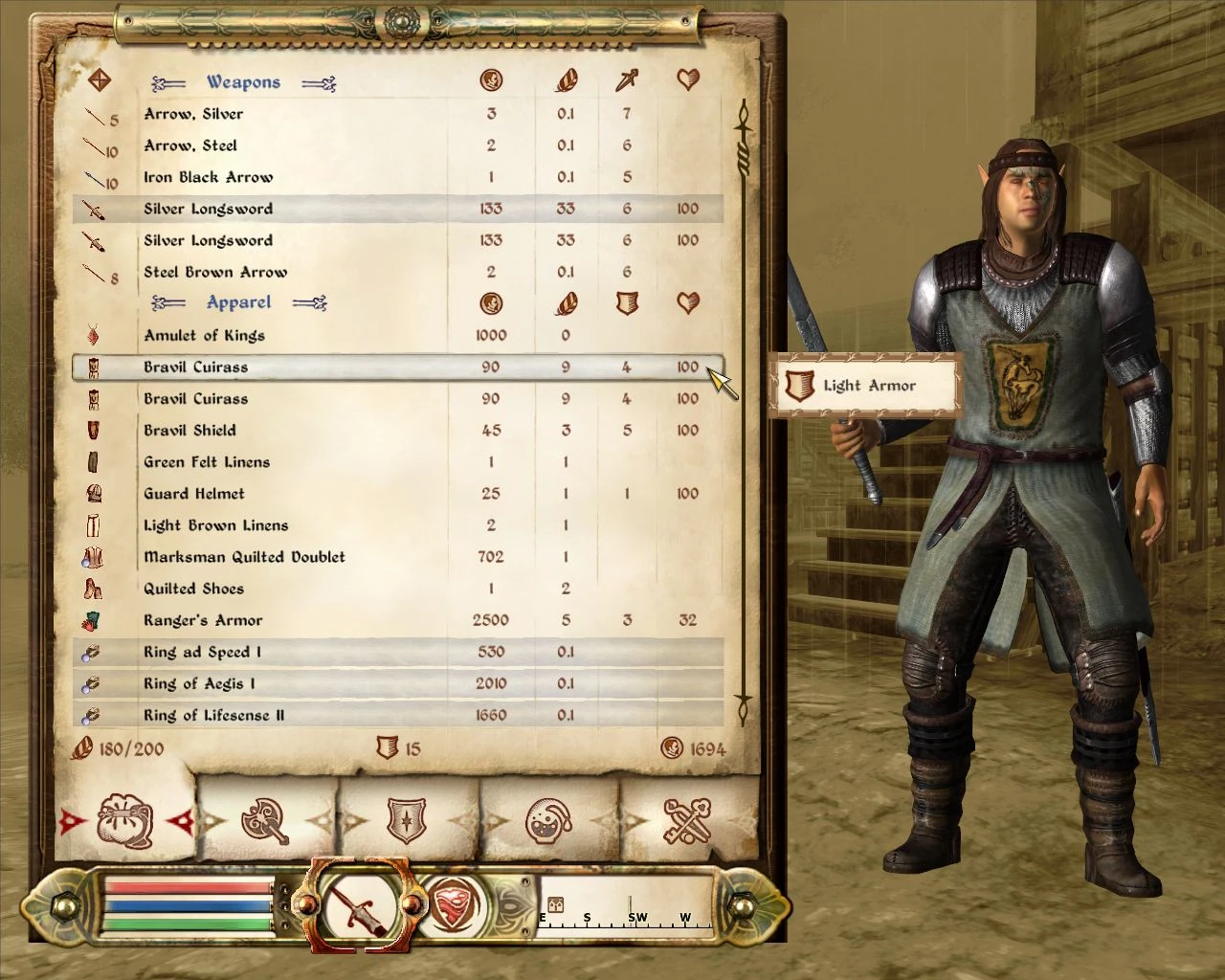
🔍 Analysis
- 👍 4.9% endorsement rate — high engagement, a strong quality signal
- 🏆 #24 of 327 Gameplay Effects and Changes mods in this game by downloads
📋 About This Mod
Stack all the copies of armor and weapons you have into one improved item!
Name: Stackable Equipment Author: Critterman Version: 1. 2 Date: 7/9/2010 Category: Gameplay Changes Requirements: Oblivion Patch 1. 2. 416, OBSE v1800 =============== Description: =============== After playing Two Worlds I felt Oblivion lacked a certain aspect. If you had 20 of the same armor it did you no more good than the money you sold them for. But what if you could actually use those 19 other armor instead of selling the valuable metals? With this mod you can further improve all of your armor or weapons by stacking them together into one powerful weapon or armor! =============== How to use this mod: =============== To Stack: 1. When you are in your inventory menu, equip the armor you wish to stack 2. Then press your cast key (unless you have changed the key in the ini file, then press the key you changed it to) and a menu should pop up with all of your currently equipped objects. (if no menu pops up then you do not have OBSE installed). 3. Select the equipment you wish to stack. If you have two of the exact same gear then it will automatically merge the two together for you. Skip to step 6. 4. If for some reason they are different but have the same name (items added by two different mods, enchanted weapons, or items you have previously used stack on.), then a message will tell you to equip the second item to merge with the first. 5. Clicking a weapon/armor that has a different name as the first will fail. Also clicking the same item you had equipped to begin with will also fail (if you do this, then exit your inventory and re-enter to get rid of the message). You MUST click another item that has the EXACT name as the item you had equipped to begin with. 6. There will be a slight delay as the two items stack. Once the stacking has finished you will now have a single piece of gear that will have a higher AR rating/damage. (NOTE: If you merge two low level items, like items with 1 point of AR/Damage, then you will not notice a change in the values. This is because the gain was not enough to increase the AR/Damage of the item. Stacking again might increase it a point). 7. The newly stacked armor will automatically equip for you, and your ready to do some monster smashing! To Check an Item\'s Class 1. The class of an item is the number of armors/weapons contained in the stack. Hover the mouse over the item you want to know the class of. 2. Press your grab key (unless you have changed the key in the ini file, then press the key you changed it to). 3. A message box will pop up to tell you \"XXX is class #\" =============== Configuration =============== I included a configuration file with this version as many things have changed and many people have suggested many different ways to make the mod work. You should read through the StackableEquipment.ini file to understand the options, and set them to whatever you like before you load the mod up. The file is used to customize this mod t
📊 Mod Details
- Game
- Oblivion Mods
- Author
- Critterman
- Version
- 1.2
- Downloads
- 629
- Endorsements
- 31
- Category
- Gameplay Effects and Changes
- Created
- 8/20/2009
- Updated
- 7/9/2010
🔧 How to Install Oblivion Mods
Download from Nexus.
📖 Full step-by-step install guide for Oblivion →
Visit the official mod page for specific installation instructions for this mod.
🎮 Need cheat codes or console commands? Check ur gaming wiki for Oblivion commands, item IDs, and more.
Keep browsing — more Oblivion mods await