Sort your Stuff - Universal Alchemy Sorter and More
⚪ Last updated 2020⚠️ Install Order · 2 steps
Install in this order, then this mod last — most mods fail to load without their framework and dependencies in place.
Preview
🔍 Analysis
- 👍 9.2% endorsement rate — high engagement, a strong quality signal
- 🏆 #99 of 314 Gameplay Effects and Changes mods in this game by downloads
📋 About This Mod
Sort your Stuff
Universal Alchemy Sorter and More
· - = | Description | = - ·
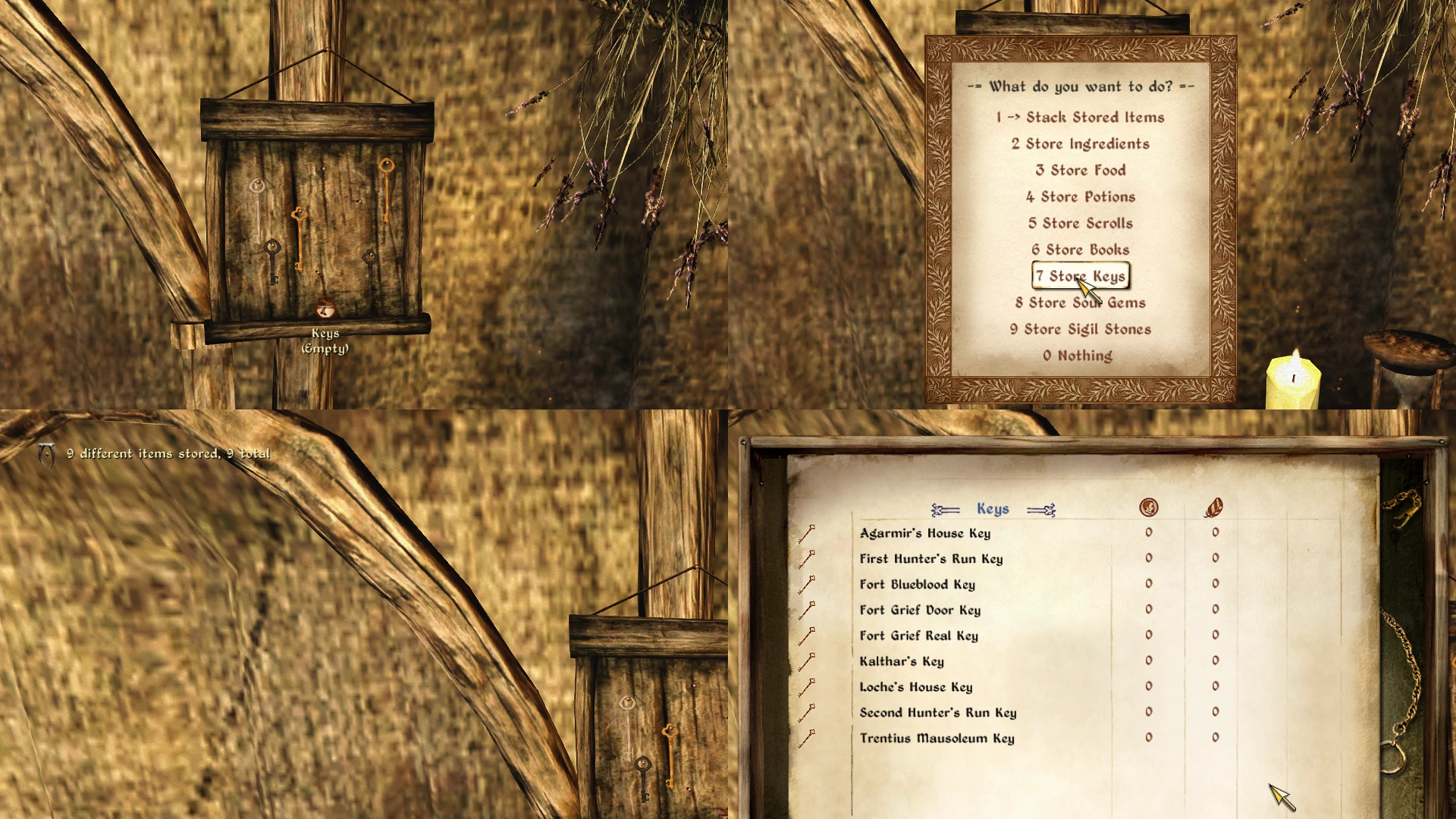
This mod lets you sort items into every container that is safe for storage and either player-owned or unowned. It is possible to retrieve magic items (ingredients, scrolls, potions and sigil stones) by effect.
== Storing ==
Point your crosshair at a container and press the B key (configurable in the ini). You will get a menu that lets you store items.
Store Ingredients
Store Potions
Store Scrolls
Store Books
Store Soul Gems
Store Sigil Stones
Stack existing items. Let's say you play with MOO and gather Iron Ore, Iron Ingots, Iron Arrowheads, etc. If any of those items are in the container, matching ones from your inventory will be moved over. Or maybe you collect silver spoons and wooden bowls. This works with any item from any mod. The downsides are that you
a) need to have one item already in the container and
b) similar items with different IDs (2 different vanilla yarns, cloth, gems etc) will be treated as different items and you need to have one of each.
It still beats sifting through a few pages of loot every time you return home, in my opinion.
This is probaly most useful if you play with some mods that add certain kinds of items (like crafting materials), as vanilla clutter is a bit useless.
== Taking ==
To take items, sneak and press the B key (or, you know, whatever you set it to) while your crosshair is pointed at a container. This let's you pick up magic items (ingredients, scrolls, potions and sigil stones) by effect. For ingredients, it will only pick up those that match your current Alchemy skill.
You can display all the food items in the container as well.
The sorter will not handle quest items, equipped items and some special items like nirnroot. It will also not work on owned or respawning containers to prevent you from losing your stuff. Some, but not all, of those restrictions can be lifted in the ini. Other things you can change:
Whether storing ingredients includes food.
Whether storing books includes notes.
Whether storing books should only store 1 copy of each.
Whether storing potions includes poisons.
Whether to exlude scripted keys and scripted books.
People using QZ Easy Menus or something similar can turn on numbered menu points.
I can exclude some modded items from being handled. You can find a list further down.
If you come across any item that absolutely needs an excepti
📊 Mod Details
- Game
- Oblivion Mods
- Author
- Laulajatar
- Version
- 1.2
- Downloads
- 850
- Endorsements
- 78
- Category
- Gameplay Effects and Changes
- Created
- 2/3/2019
- Updated
- 5/18/2020
🔧 How to Install Oblivion Mods
Download from Nexus.
📖 Full step-by-step install guide for Oblivion →
Visit the official mod page for specific installation instructions for this mod.
🎮 Need cheat codes or console commands? Check ur gaming wiki for Oblivion commands, item IDs, and more.
Keep browsing — more Oblivion mods await