ScreenEffects Reborn
⚪ Last updated 2021⚠️ Install Order · 2 steps
Install in this order, then this mod last — most mods fail to load without their framework and dependencies in place.
Preview
🔍 Analysis
- 👍 3.7% endorsement rate — high engagement, a strong quality signal
- 🏆 #7 of 9 Visuals and Graphics mods in this game by downloads
📋 About This Mod
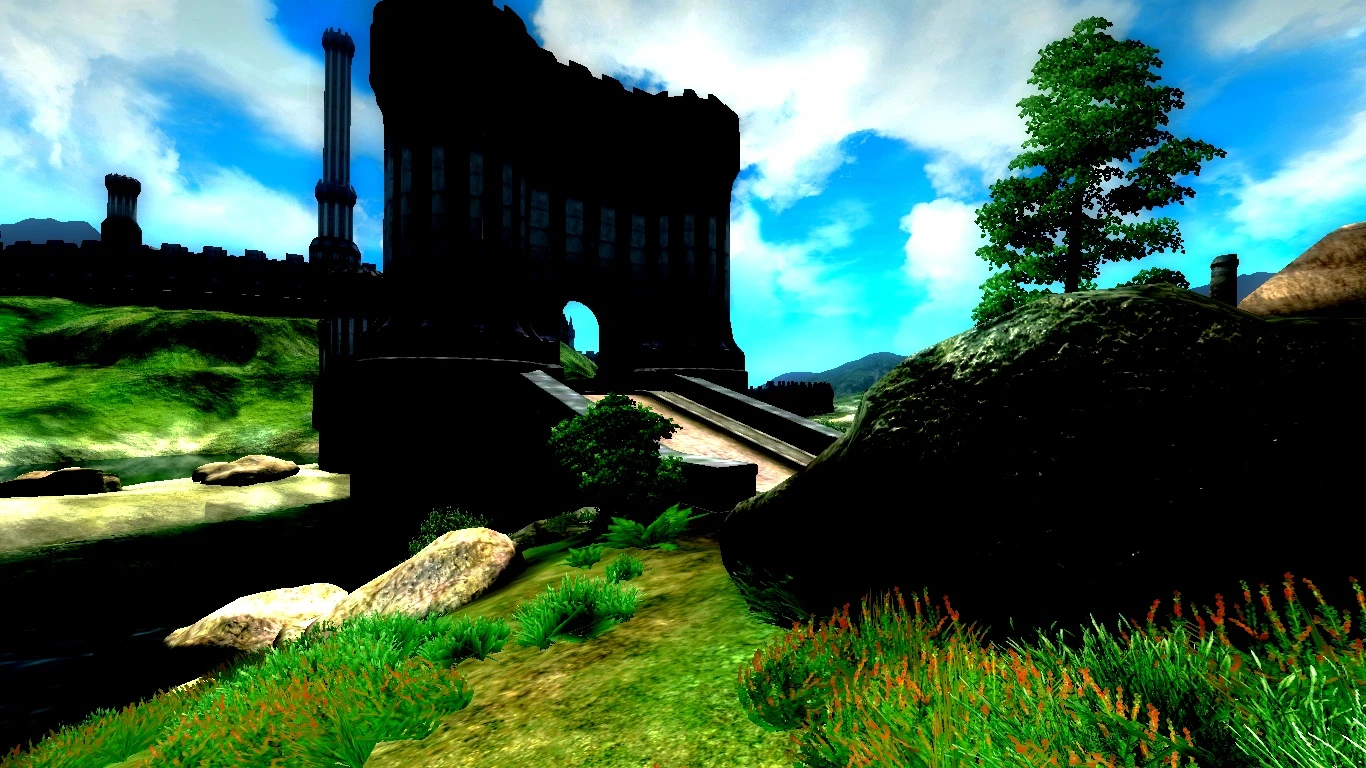
A completly built from scratch ScreenEffects replacement for OblivionReloaded
This mod allow modders to add to their mods some graphical effects, even when they don't know HLSL shader language.
This mod include:
- The ScreenEffects.esm
- OBGEv2.dll- A DUMMY OBSE plugin that pretend to be the Oblivion Graphic Extender. TO bypass some hardcoded checks is some mods (for example Fearsome Magicka). It is actually the obse_plugin_example stripped down to minimum.
- ScreenEffects.fx The compiled post processing effect
- ScreenEffects.fx.hlsl The source of the post processing effect. Needed in case you need to recompile the effect.
Requirements:
Oblivion script extender.
OblivonReloaded v7. 1. 0 or above. NOTE: The first version doesn't require OblivionReloaded as it doesn't include any effect. Its allow to play SC dependant mods without any graphical effects.
Installation
for OR 9:Extract the downloaded file into the Oblivion\Data folderActivate ScreenEffects.esm
Enable Extra Effects with the OR Menu.
In alternative:
In Data\OBSE\Plugins in OblivionReloaded.config: Set <Enabled Value="1" Type="0" Reboot="0" Versioning="11" Info="" />
<ExtraShaders> <Status>
Installation
for OR 7 and OR 8:Use the Version 1. 1 under Old Files
Extract the downloaded file into the Oblivion\Data folder
In Data\OBSE\Plugins in OblivionReloaded.ini: Set Extra to 1 (Under section)
Activate ScreenEffects.esm
Run the game (loading a savegame). After you can set these settings to 0 again.
You can test some of the features with the old ScreenControls.esp from the Original Screen Effects.
Technical information:
Despite this being a reimplementation from scratch of Screen Effects to achieve retrocompatiblity some thing had to be done similarly.
In the ScreenEffects.esm Container's references had to have the SAME formids (and editorids to consider script recompilation) of the original ones. This is something I actually had to look at the old mod master file.
Effects implementations are pretty standards , so the new shader look similar to the old one.
Also defaults values needed to be equals (They are generally 1 or 0 depending on the effect)
As suggested by GraficaObscura website I'm using a slightly tweaked values for saturation respect to NTSC standard values. These values are similar to the one used on the old screen effect but are more precise
📊 Mod Details
- Game
- Oblivion Mods
- Author
- llde
- Version
- 1.1
- Downloads
- 706
- Endorsements
- 26
- Category
- Visuals and Graphics
- Created
- 9/25/2016
- Updated
- 11/12/2021
🔧 How to Install Oblivion Mods
Download from Nexus.
📖 Full step-by-step install guide for Oblivion →
Visit the official mod page for specific installation instructions for this mod.
🎮 Need cheat codes or console commands? Check ur gaming wiki for Oblivion commands, item IDs, and more.
Keep browsing — more Oblivion mods await