NorthernUI (Skyrim Style - Patches)
⚪ Last updated 2023⚠️ Install Order · 2 steps
Install in this order, then this mod last — most mods fail to load without their framework and dependencies in place.
Preview
🔍 Analysis
- 👍 2.6% endorsement rate — high engagement, a strong quality signal
- 🏆 #45 of 80 User Interfaces mods in this game by downloads
📋 About This Mod
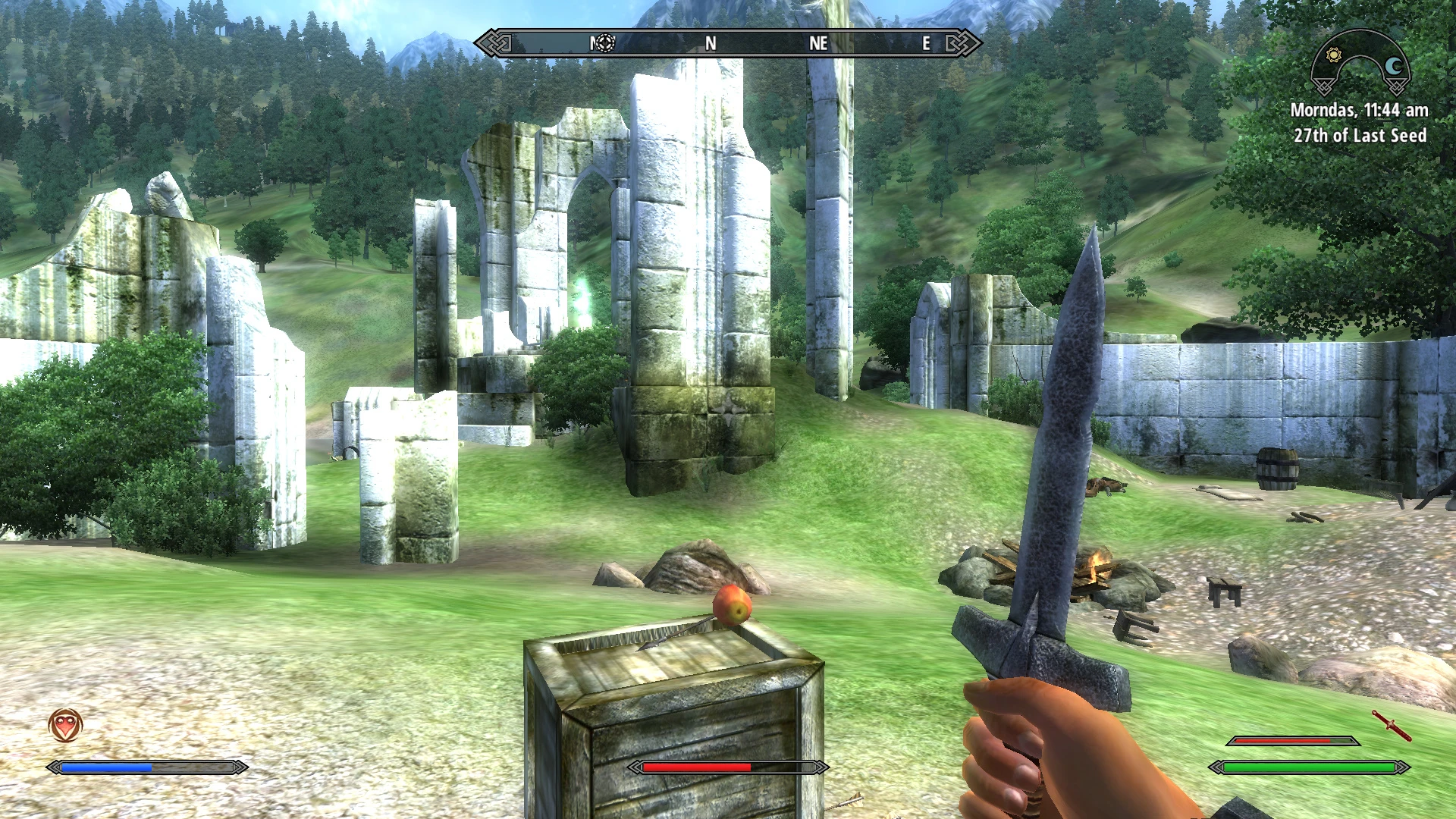
This is a collection of patches for the NorthernUI user interface.
This compilation includes many of the changes I made to the NorthernUI (Oblivion Style) mod - but focused on the strict style of Skyrim.
What changes have been made:
- Added semi-transparency for many HUD elements (compass, clock, status indicators, etc.) - editing alpha channels and some xml file settings.
- Changed the appearance of the textures, the "hot keys selection" block - to match the interface theme.
- Fixed (added) display of the number of arrows with a bow equipped - changes in xml-files.
- Sharper crosshair textures and stealth eyes - alpha channel editing.
- Updated (re-created) cursor textures.
- You can choose from three types of cursor sizes (in percentage terms), - keep in mind that the default size is 75.
- You can change the appearance of the stealth icon and indicator to an alternative.
- You can change the appearance and location of the EnemyHealthBar - as is done in Skyrim.
- You can change the appearance of the crosshair - as done in the "Dot Crosshair" mod.
- You can change the in-game font - as done in the "Imperial Theme for NorthernUI" mod.
Attention! To install this patch, you must first install the original mod NorthernUI.
David J Cobb for this awesome Northern UI mod.
Half-Dead for the changed font from the Imperial Theme for Northern UI mod.
PuppetVaysa for the modified scope from the Dot Crosshair mod.
A collection of patches for the NorthernUI user interface mod, designed to fix compatibility or add tweaks. With 80 endorsements and over 3,000 downloads, it's a niche utility for Skyrim players who use NorthernUI. Last updated in January 2023.
✨ Key Features
📊 Pros & Cons
✅ Pros
- Solid download-to-endorsement ratio (3,102 downloads, 80 endorsements) shows it's being used and appreciated
- Fills a real need for NorthernUI users who want a smoother experience
- Author actively maintained it as of January 2023
⚠️ Cons
- No specific patch details provided—you'll need to check the mod page for what's covered
- Only 80 endorsements, so it's a niche mod for a niche audience
- Last updated in 2023—might not be compatible with the latest Skyrim updates
For Skyrim players who already use NorthernUI and want to fix known issues or improve compatibility. Skip if you don't use NorthernUI or prefer a full UI overhaul.
💡 Beginner Tips
- Make sure you have NorthernUI installed first, as these patches are meant to complement it.
- Check the mod's posts tab for any load order recommendations from the author.
- If you're using a mod manager, let it handle the file placement to avoid overwriting issues.
📊 Mod Details
- Game
- Oblivion Mods
- Author
- allexa
- Version
- 1.0
- Downloads
- 3,102
- Endorsements
- 80
- Category
- User Interfaces
- Created
- 1/18/2023
- Updated
- 1/29/2023
🔧 How to Install Oblivion Mods
Download from Nexus.
📖 Full step-by-step install guide for Oblivion →
Visit the official mod page for specific installation instructions for this mod.
🎮 Need cheat codes or console commands? Check ur gaming wiki for Oblivion commands, item IDs, and more.
Keep browsing — more Oblivion mods await