Ninja Mod Synthetic Studios
⚪ Last updated 2012⚠️ Install Order · 2 steps
Install in this order, then this mod last — most mods fail to load without their framework and dependencies in place.
Preview
🔍 Analysis
- 👍 3.3% endorsement rate — high engagement, a strong quality signal
- 🏆 #6 of 6 Stealth mods in this game by downloads
📋 About This Mod
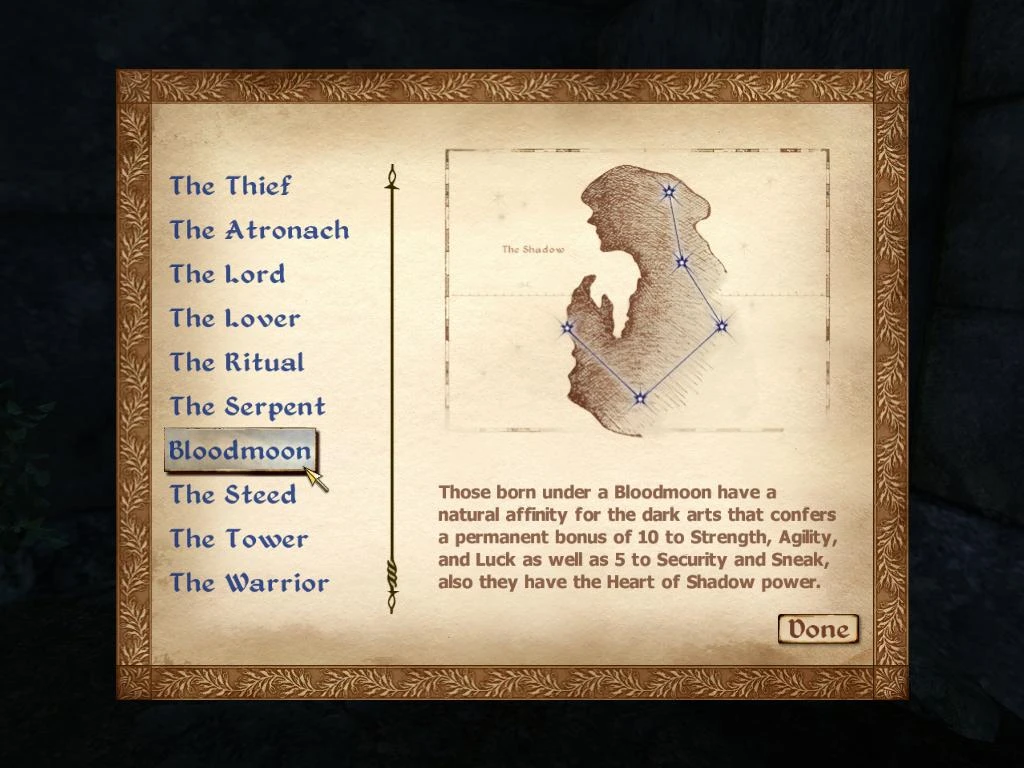
2012 Synthetic Studios Ninja Mod Introduction and Explanation: Hello all this is my 1st mod but not the last, it basically adds a new class (Ninja) and changes The Shadow birthsign to Bloodmoon, a sign more fitting for Stealth gameplay. Also it modifies the vendor \"Shady Sam\" to use new clothing and sell some items edited by myself for a thief/assassin type character as well as buy stolen items, also he sells a vampire potion (Vampire Blood) that carries the script to turn you into a vampire after drinking it (no sleeping is required), and vials of Human Blood that carry the script for vampire feeding (same as biting some ones neck while they are sleeping), and a vampirism cure potion (same as the one currently in the game just no quest requirement) as well as some custom spells I\'ve added to the game and some other goodies. You can find the modified Sam in his old location along the wall of the Chestnut Handy Stables right by Imperial City. Requirements: May Require the Unofficial Oblivion Patch found here on the Nexus at http://tes.nexusmods.com/downloads/file.php?id=5296 (Further testing is needed, I assume only for some of the vampire script effects.) Should work just fine with Vanilla Oblivion. Manual Installation: To install this mod you simply need to extract the archive to the Oblivion Data Folder, it should look something like this C:\\Program Files\\BethesdaSoftworks\\Oblivion\\Data. Then check it under \"Data Files\" in the Oblivion loader. Obmm Installation: If you have this great tool available on the Nexus at http://tes.nexusmods.com/downloads/file.php?id=2097 just open up Obmm and click the load button and select the file. Conflicts: None that I know of at this time but i would suspect it may conflict with another mod that modifies all of the games merchant type NPC\'s or Sam himself. (If anyone finds any please post the info in the comments section here on TES Nexus) Credits: Bethesda TES Construction Set and the helpful members of TES Nexus and TESCS Wiki Recommendations: For a more Ninja/Stealth cosmetic effect consider trying out Natterformes Ninja Mask Pack available here http://tes.nexusmods.com/downloads/file.php?id=39281 If you use this mod, item names, spell names etc, or flavor text I\'ve added please credit me. Thank you.
This mod adds a new Ninja class, changes The Shadow birthsign to Bloodmoon, and updates vendor Shady Sam to fence stolen items and offer custom spells, weapons, and armor. With 92 endorsements and last updated in 2012, it's a niche addition for stealth-focused players.
✨ Key Features
📊 Pros & Cons
✅ Pros
- Adds a fresh class option for stealth players.
- Turns Shady Sam into a proper fence, making stolen goods easier to sell.
- Custom gear and spells give thieves more tools to work with.
⚠️ Cons
- Last updated in 2012 – may not work with current game versions or DLC.
- Only 92 endorsements, so it's a niche mod with limited community testing.
- Description cuts off mid-sentence – unclear if there are more features or requirements.
For Oblivion players who want to roleplay as a ninja and need a fence for stolen goods. Skip if you're on a modern setup or want polished, up-to-date content.
💡 Beginner Tips
- Check if the mod requires OBSE or any patches for your game version before installing.
- Since it's from 2012, test it on a clean save to avoid conflicts with other mods.
- If you're using a mod manager, let it handle the file placement to avoid overwriting vanilla files.
📊 Mod Details
- Game
- Oblivion Mods
- Author
- Synthetic Ian
- Version
- 1.0
- Downloads
- 2,812
- Endorsements
- 92
- Category
- Stealth
- Created
- 2/18/2012
- Updated
- 2/19/2012
🔧 How to Install Oblivion Mods
Download from Nexus.
📖 Full step-by-step install guide for Oblivion →
Visit the official mod page for specific installation instructions for this mod.
🎮 Need cheat codes or console commands? Check ur gaming wiki for Oblivion commands, item IDs, and more.
Keep browsing — more Oblivion mods await