Legion Armor Romanesque
⚪ Last updated 2014⚠️ Install Order · 2 steps
Install in this order, then this mod last — most mods fail to load without their framework and dependencies in place.
Preview
🔍 Analysis
- 👍 2.3% endorsement rate — high engagement, a strong quality signal
- 🏆 #305 of 325 Armour mods in this game by downloads
📋 About This Mod
Name: Legion Armor Romanesque Version: 1 Date: 7/4/2014 Category: Resources Author: ElderScrollsFan001 Source: TESNexus.com HomePage: TESNexus.com
================= Requirements: =================
Oblivion 1. 2. 416
================= Description: =================
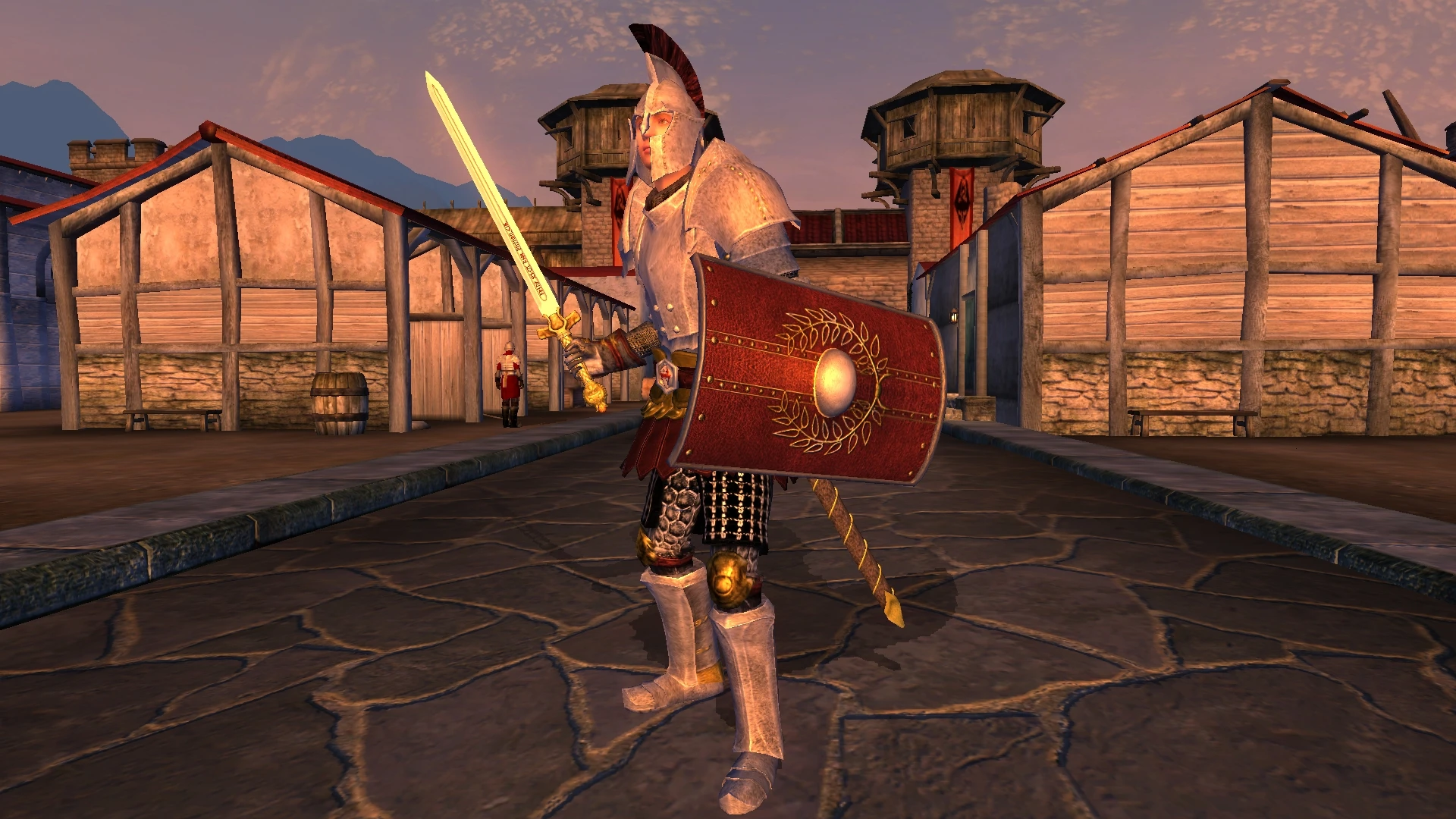
This is a recolored Legion armor set made to look more Romanesque
================= Details: =================
This is a recolored Legion armor set made to look more Romanesque inspired by Legionnaire Armor by MattEr
Part used are: Blades Gaunlets and Greaves Imperial Watch Shield Legion Boots, Cuirass
The second file is a recolor of the Morrowind-style Legion Shield by Myopic to look more roman in color. I made it to go with my Legion Armor Romanesque
================= Installation: =================
=============== Manual Install ===============
1. Extract this archive to any folder and then copy the contents to Oblivion's Data folder. 2. Start Oblivion Launcher, click Data Files, and enable the Legion Armor Romanesque.esp file(s).
=============== OBMM Install ===============
Installing the Mod
1. Extract the archive to any other folder. 2. Copy the extracted archive to OblivionOBMMMods 3. Start Oblivion Mod Manager 4. Click the Create button 5. Click the Add Archive button, navigate to the archive and select it, then click the Yes button. 6. Click the Create OMOD button, wait until it finishes, then click the Ok button
Activating the Mod
1. Start Oblivion Mod Manager 2. Double-click the name of the mod in the right-hand side of the OBMM screen, once installed the mod icon will turn blue
=============== BAIN Install ===============
1. Copy the entire archive into your Oblivion ModsBash Installers folder. 2. In Wrye Bash Installers tab, highlight the new archive. 3. Check any sub-folders, ESP/ESM's as required. 4. Right click the archive name and Install. 5. In Wrye Bash Mods tab, check the ESP/ESM's and rebuild Bashed patch. (Also recommeneded to run BOSS first).
================= Un-Installation: =================
=============== Manual Un-Install ===============
1. Start Oblivion Launcher, click Data Files, and enable the Legion Armor Romanesque.esp file(s). 2. Delete the files/folders associated with the mod.
=============== OBMM Un-Install ===============
1. Start Oblivion Mod Manager 2. Double click the mod to deactivate it, once finished the icon will turn green
===============
📊 Mod Details
- Game
- Oblivion Mods
- Author
- ElderScrollsFan001
- Version
- 1
- Downloads
- 1,544
- Endorsements
- 35
- Category
- Armour
- Created
- 7/4/2014
- Updated
- 7/17/2014
🔧 How to Install Oblivion Mods
Download from Nexus.
📖 Full step-by-step install guide for Oblivion →
Visit the official mod page for specific installation instructions for this mod.
🎮 Need cheat codes or console commands? Check ur gaming wiki for Oblivion commands, item IDs, and more.
Keep browsing — more Oblivion mods await