Interact Animations
⚪ Last updated 2022⚠️ Install Order · 2 steps
Install in this order, then this mod last — most mods fail to load without their framework and dependencies in place.
Preview
🔍 Analysis
- 👍 3.4% endorsement rate — high engagement, a strong quality signal
- 🏆 #80 of 98 Animation mods in this game by downloads
📋 About This Mod
- Requirements -
English version of Oblivion
OBSE (v0021) or xOBSE (Recommended)
- Description -
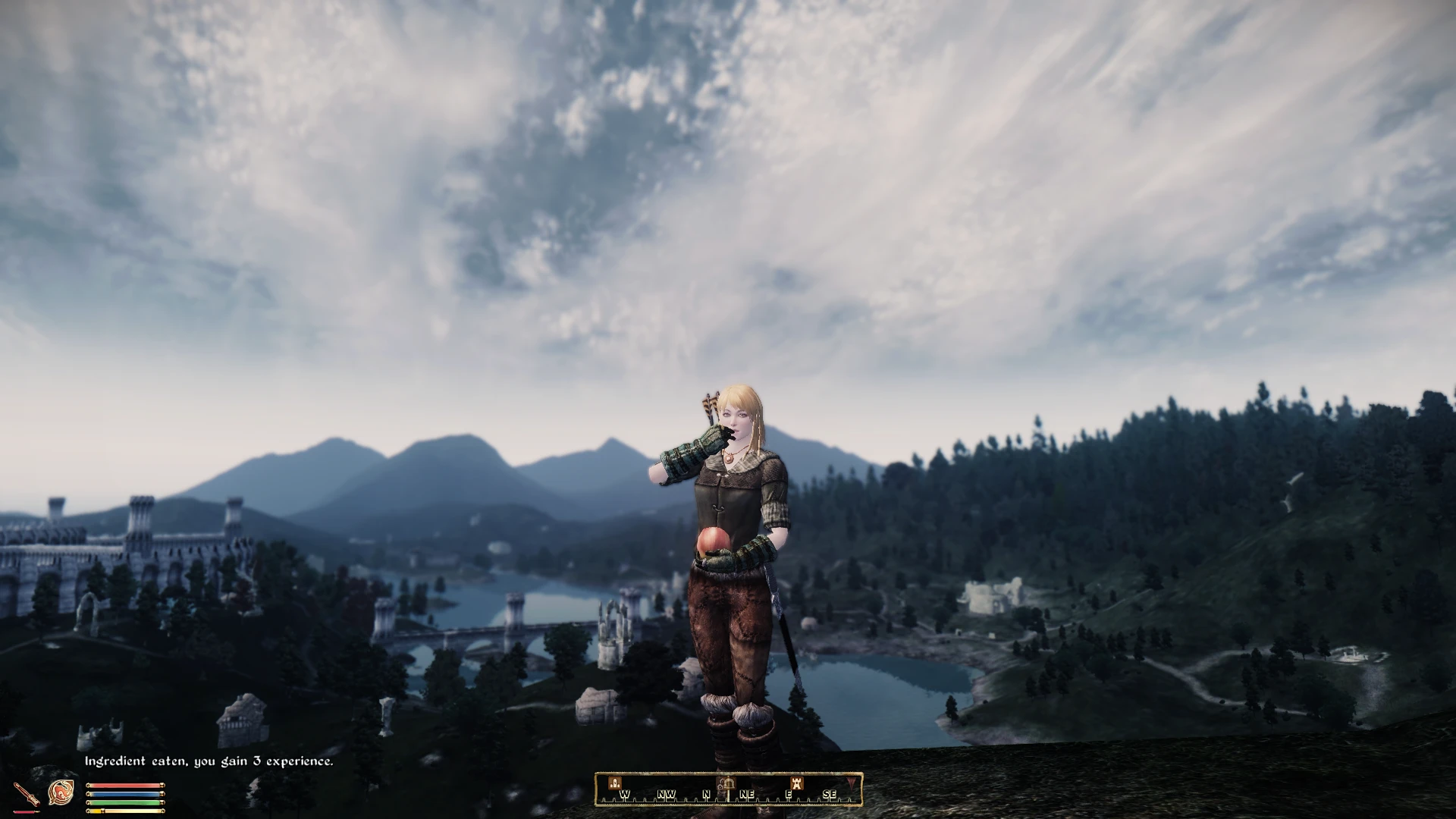
This mod will animate third person player interaction with objects in the world. It will additionally also animate the eating of food/ingredients and drinking of potions for both the player and NPC's. Optionally gives potions to NPC's that they can visibly consume once their health is low. Everything can be disabled or configured in the included ini.
- Installation -
Just drop the files in your data folder, or install with Wrye Bash, and remember to read the included ini.
How to install with Wrye Bash:
Drag the 7zip archive into the Installers tab in Wrye Bash, click on it and you'll see a list of sub-packages on the right side of your screen. Tick the '00 Core' box. After that, right-click the 7zip archive on the left side of the screen and click on Install.
The ini includes height offset options for tall/short characters, a quickloot mode for use with mods such as Loot Menu, and a full compatibility mode that was made for Unnecessary Violence 3 but should also work for other mods that use quest scripts to determine which object is currently under the crosshair.
How to configure the mod using the ini:
Go to Oblivion/data/ini/ and open up LegionInteractAnims.ini - it's separated into a couple of different sections so you should be able to find what you're looking for quite easily. Everything in there is hopefully documented well enough, and enabling/disabling features works by setting the relevant option to either 0 or 1 (sometimes 2).
If you would like to enable the NPC potion distribution for example, you can scroll down to the Potions section, look for this: set LDAQuest.npcpotions to 0
and set it to 1 so it reads: set LDAQuest.npcpotions to 1
Pretty much every other option in the ini can be enabled/disabled the same way.
How to get rid of third-person camera lag:
I would recommend to just use WalkBlessed since it will fix the camera for you, but should you choose not to, then you can open up this mod's ini (mentioned in the previous spoiler) and copy/paste the following:
setgs fChase3rdPersonXYMult 50. 000000
setgs fChase3rdPersonVanityXYMult 99. 000000
Just put the two lines above in the ini and make sure there is no ; in front of them. Doing that will cause the camera to instantly rotate with your character and gets rid of the horrible default camera lag.
- Compatibility -
- New Eating Animations by harisonzamperla is included in the mod, and also applies to the player.
- Recent versions of the mod should be compat
Interact Animations by Legion adds third-person animations for player interactions with world objects, plus optional eating and drinking animations for food and potions. Includes Gamepad support for Northern UI. With 635 endorsements and 18,859 downloads, it's a popular animation overhaul for players seeking more immersive gameplay.
✨ Key Features
📊 Pros & Cons
✅ Pros
- Community favorite with 635 endorsements and nearly 19k downloads.
- Adds immersive third-person animations for interactions, eating, and drinking.
- Gamepad support for Northern UI is a nice touch for controller users.
⚠️ Cons
- Last updated in February 2022 — may have compatibility issues with newer game versions.
- Optional eating/drinking animations might conflict with other animation mods.
For Skyrim players who want more immersive third-person interactions and eating/drinking animations. Perfect for roleplayers and those who play in third-person. Skip if you prefer first-person or don't care about animation details.
💡 Beginner Tips
- If you use a mod manager like Vortex or MO2, install this mod through the manager to keep your load order clean.
- Make sure to check for compatibility with other animation mods you have installed, as they may conflict.
- If you're using Northern UI, enable the gamepad support option in the mod's settings for best experience.
📊 Mod Details
- Game
- Oblivion Mods
- Author
- Legion
- Version
- 2.4
- Downloads
- 18,859
- Endorsements
- 635
- Category
- Animation
- Created
- 3/29/2020
- Updated
- 2/5/2022
🔧 How to Install Oblivion Mods
Download from Nexus.
📖 Full step-by-step install guide for Oblivion →
Visit the official mod page for specific installation instructions for this mod.
🎮 Need cheat codes or console commands? Check ur gaming wiki for Oblivion commands, item IDs, and more.
Keep browsing — more Oblivion mods await