Immersive Oblivion
⚪ Last updated 2012⚠️ Install Order · 2 steps
Install in this order, then this mod last — most mods fail to load without their framework and dependencies in place.
Preview
🔍 Analysis
- 👍 3.8% endorsement rate — high engagement, a strong quality signal
- 🏆 #29 of 38 User Interfaces mods in this game by downloads
📋 About This Mod
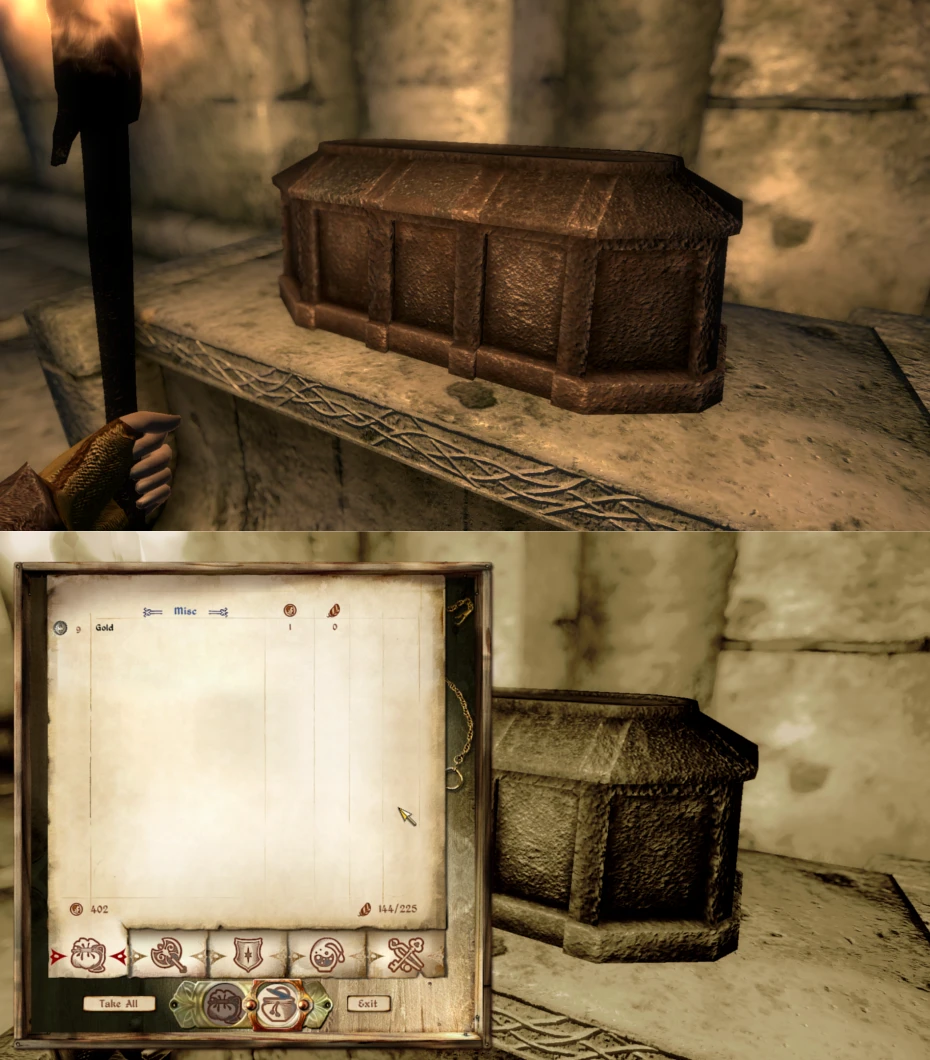
Dialogue bug has been fixed, and so has the bugs made by that fix! Immersive Oblivion Version: 0. 95 Description =========== Tired of obtrusive menus cluttering up the screen and destroying the immersion? Wish they would disappear? Maybe not, but Immersive Oblivion does just that, whilst keeping the normal dialog menus. No more cluttered HUD! Details ======= Immersive Oblivion removes the HUD whilst you are in the game, and brings it back again when you aren\'t. This gives the game a much more realistic feel, (hence the name =) but you still keep all of the normal menus, unlike with the standard tm console command. This does make the game a bit more difficult though, as you can\'t see any status information without going into the menu. Because of this, I recommend using a mod which gives you visual feedback for these things, such as Realistic Health (http://oblivion.nexusmods.com/downloads/file.php?id=21424). By \'removal of the HUD\', I mean the entire HUD; item descriptions, activate signs, the cursor; all gone. I feel this is one of the best aspects of the mod; in real life you do not automatically know what everything is and is called. I don\'t think you should in RPGs either. A side effect of this mod is that it also removes the various immersion breaking messages which appear, such as \'loading area\', so it does not need to be used with another mod that is specifically designed to do the same. Requirements ============= OBSE v20 or above Install ======= 1. Extract the files to a temporary location. 2. Examine the folder structure and make corrections where necessary. 3. Copy files to (install folder)\\Oblivion\\Data\\ 4. Start Oblivion Launcher, click \'Data Files\', place a checkmark beside the .esp file(s). Uninstall ========= 1. Start Oblivion Launcher, click Data Files, uncheck the .esp file(s). 2. Delete the files/folders associated with the mod. Incompatibility =============== HUD modifications! (Though menu changes still take effect) Not really an incompatibility, since it\'s designed as such...so, none known! Known Issues or Bugs ==================== None! History ======= 0. 95 - Fixed dialog bug 0. 9 - Initial release Contact ======= You can find me on TESNexus as \'Piepenguin1995\' You can send me an email here: daniel.mansfield99@gmail.com Credits ======= Thanks to Bethesda for creating Oblivion. Thanks to oblivion.nexusmods.com for the amazing website Thanks to LHammonds for the Readme Generator this file was based on. Tools Used ========== 7-Zip - http://www.tesnexus.com/downloads/file.php?id=15579 TES Construction Set - http://www.tesnexus.com/downloads/file.php?id=11367 Readme Generator - http://HammondsLegacy.com/obmm/tools_readme_generator1.asp Licensing/Legal =============== You can do whatever you want with this mod but all I ask in return is that you give me credit if you distribute any part of this mod.
📊 Mod Details
- Game
- Oblivion Mods
- Author
- Piepenguin1995
- Version
- 0.95
- Downloads
- 763
- Endorsements
- 29
- Category
- User Interfaces
- Created
- 5/15/2012
- Updated
- 5/16/2012
🔧 How to Install Oblivion Mods
Download from Nexus.
📖 Full step-by-step install guide for Oblivion →
Visit the official mod page for specific installation instructions for this mod.
🎮 Need cheat codes or console commands? Check ur gaming wiki for Oblivion commands, item IDs, and more.
Keep browsing — more Oblivion mods await