HUD Edits - Compass and Location at the top - for DarNified UI
⚪ Last updated 2014⚠️ Install Order · 3 steps
Install in this order, then this mod last — most mods fail to load without their framework and dependencies in place.
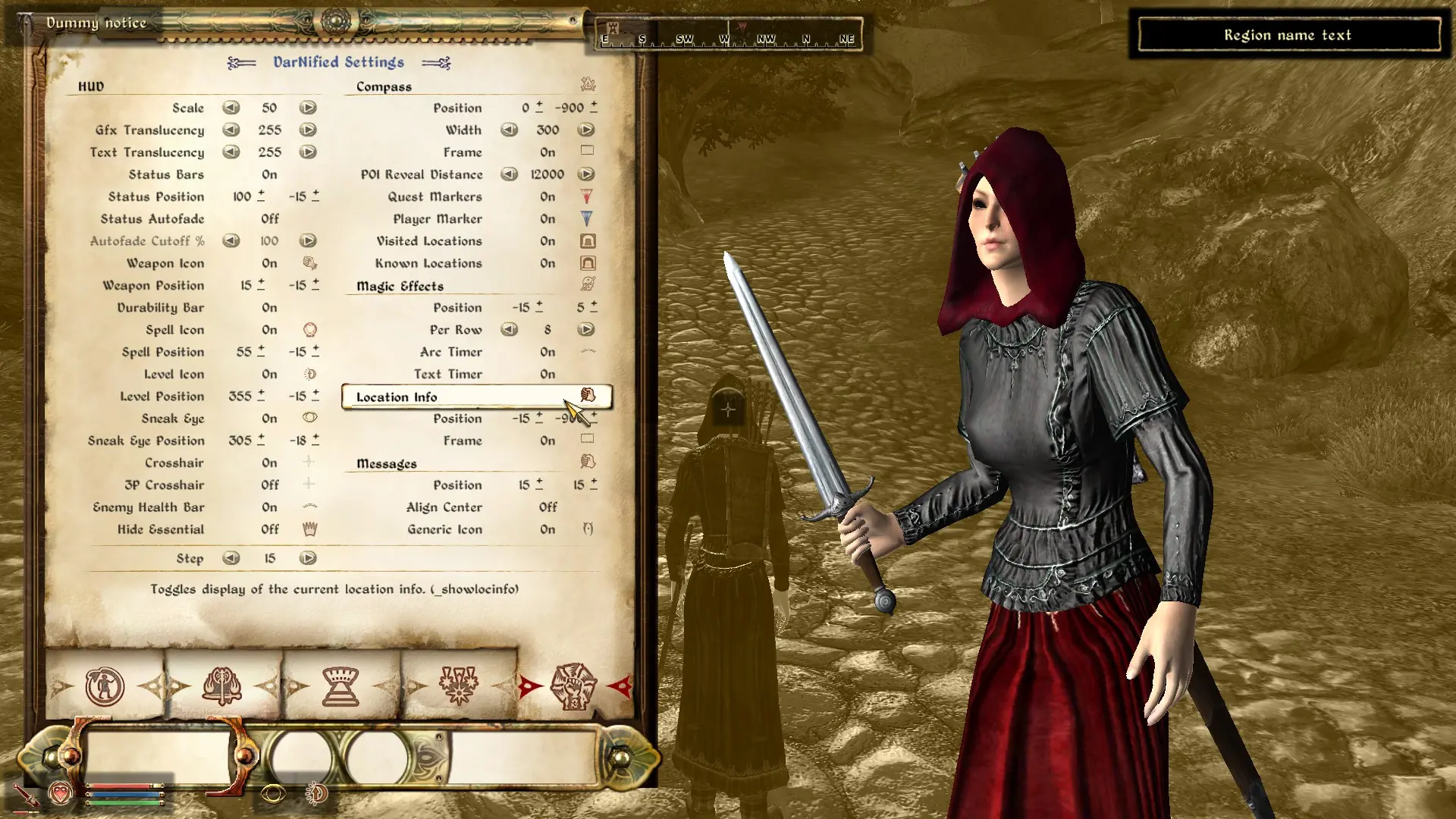
Preview
🔍 Analysis
- 👍 4.1% endorsement rate — high engagement, a strong quality signal
- 🏆 #32 of 80 User Interfaces mods in this game by downloads
📋 About This Mod
Requires DarNified UI <br /> <br />This is a modified XML file that will keep your compass and location fixed to the top half of your screen as they are in Skyrim.
This mod is set up in order to be easily install via NMM There's an alternate version for manual installs
Either way, just overwrite the XML file provided in DarN's mod
This is a small XML tweak for Fallout 3 that moves the compass and location display to the top of the screen, mimicking Skyrim's HUD layout. Requires DarNified UI. With 142 endorsements and last updated in 2014, it's a niche utility for players who prefer that style.
✨ Key Features
📊 Pros & Cons
✅ Pros
- Does exactly what it says—no bloat, just a clean HUD tweak
- Community-tested with 142 endorsements, so it works for others
- Lightweight: just an XML file, no heavy scripts or meshes
⚠️ Cons
- Last updated in 2014—might not play nice with newer mod setups or game patches
- Requires DarNified UI, so you need to install that first
- Only affects compass and location—if you wanted more HUD changes, this won't cover them
For Fallout 3 players who use DarNified UI and want a Skyrim-style HUD layout. If you're tired of the default bottom-corner compass and want it up top, this is a quick fix. Skip if you don't use DarNified UI or prefer the vanilla HUD.
💡 Beginner Tips
- Make sure DarNified UI is installed and working before adding this XML file.
- Back up your original XML file in case you want to revert to the default layout.
- If you're using a mod manager, place the file in the correct folder (usually Data\Menus\Main) to avoid overwriting other HUD mods.
📊 Mod Details
- Game
- Oblivion Mods
- Author
- darkzip
- Version
- 1.0
- Downloads
- 3,434
- Endorsements
- 142
- Category
- User Interfaces
- Created
- 10/7/2014
- Updated
- 10/7/2014
🔧 How to Install Oblivion Mods
Download from Nexus.
📖 Full step-by-step install guide for Oblivion →
Visit the official mod page for specific installation instructions for this mod.
🎮 Need cheat codes or console commands? Check ur gaming wiki for Oblivion commands, item IDs, and more.
Keep browsing — more Oblivion mods await