Harvest Containers
⚪ Last updated 2010⚠️ Install Order · 2 steps
Install in this order, then this mod last — most mods fail to load without their framework and dependencies in place.
Preview
🔍 Analysis
- 👍 2.2% endorsement rate — high engagement, a strong quality signal
- 🏆 #13 of 69 Immersion mods in this game by downloads
📋 About This Mod
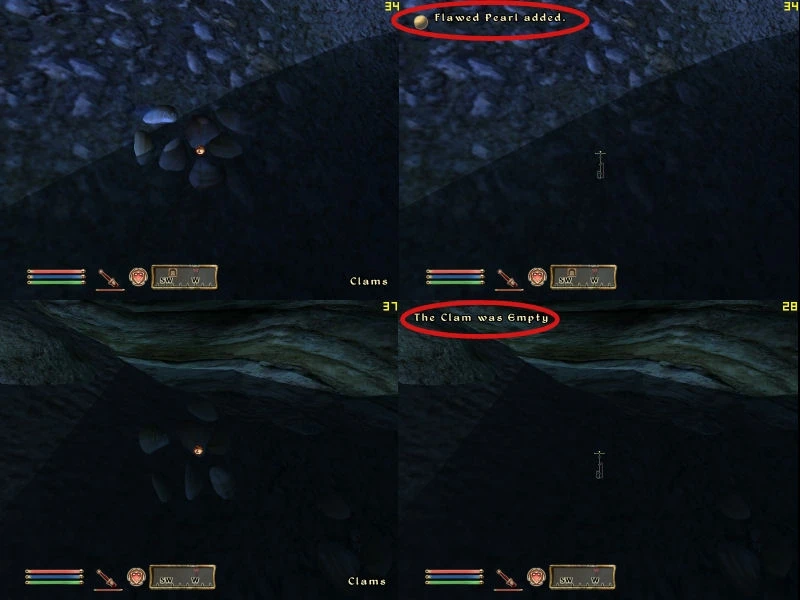
Harvest v0. 99. 10 ************************ Description ********************* Harvest was designed to allow players to easily see which containers they had already searched. Along the way, that goal turned it into a popular mod for realism fans as well. When you search inside a container, its appearance will change. In most cases this means the container will animate open, but there are a few exceptions as explained in the Details section. Most containers can be manually reclosed by activating them again in Sneak Mode. All containers that are flagged to respawn will return to their closed state when the cell is reset (3 game days by default). ********************* What\'s New ********************* 100% of the containers from vanilla Oblivion now have Harvest effects. Yay! See the Details section for information about some of the new additions. All quest bugs that we were aware of have been fixed. Optional experimental add-ons to replace handprints on crates and flat-topped barrels. The harvest effect on containers in player-owned homes is now optional. ********************* Installation for OBMM users ********************* If you use OBMM to install and manage your mods, omod conversion data in included in the archive. To build the omod, just launch OBMM, click \"Create\" at the bottom of the window, and in the new window click \"Add Archive\". Browse to the 7z file you downloaded. You\'ll be asked whether you want to import the omod conversion data. Click Yes. Then just click \"Create omod\". When you install the new omod, you\'ll be given a couple of options with full descriptions. The choices you make at install time are completely reversible if you later change your mind. An readme called \"Harvest Readme.html\" will also be added to your Data folder. This mod can safely be added to a game in progress. Important Note if you\'re upgrading: The main mod filename has changed. The previous file name was \"DEJ Harvest - Containers .esp\" for reasons passing all comprehension. It is now simply \"Harvest.esp\" and will remain so in all future versions for the sake of sanity. Make sure you\'ve removed the old ESP file, since the new one will not overwrite it. ********************* Manual Installation ************************ For those not using OBMM, you can simply extract the 7z file in your Data directory. If you were using a previous version of Harvest, some files will be overwritten. Files from other mods will not be affected. This mod can be safely added to or upgraded in a game in progress. Important Note if you\'re upgrading: The main mod filename has changed. The previous file name was \"DEJ Harvest - Containers .esp\" for reasons passing all comprehension. It is now simply \"Harvest.esp\" and will remain so in all future versions for the sake of sanity. Make sur
Harvest Containers is an immersion mod that changes the appearance of containers after you've searched them, making it easy to track which ones you've already looted. With 2,696 endorsements and 125,023 downloads, it's a popular choice for players who want to avoid re-searching containers and enjoy a more realistic gameplay experience.
✨ Key Features
📊 Pros & Cons
✅ Pros
- Huge community trust with 2,696 endorsements and over 125k downloads.
- Solves a real annoyance—no more re-searching empty containers.
- Adds a subtle realism touch that fits the Immersion category perfectly.
⚠️ Cons
- Last updated in 2010—may not be compatible with current game versions.
- Visual change might be too subtle for some players to notice at a glance.
For players who hate wasting time re-searching containers and want a simple visual cue to track looted areas. Also for immersion enthusiasts who appreciate small realism tweaks. Skip if you're looking for major gameplay overhauls—this is a quality-of-life cosmetic change.
💡 Beginner Tips
- Check if the mod is compatible with your game version, as it hasn't been updated since 2010.
- If you use a mod manager, install it through there to keep track of updates and conflicts.
- Test the mod in a small area first to see if the visual change is noticeable enough for your preference.
📊 Mod Details
- Game
- Oblivion Mods
- Author
- Harvest Team
- Version
- v0.99.10
- Downloads
- 125,023
- Endorsements
- 2,696
- Category
- Immersion
- Created
- 5/6/2006
- Updated
- 6/26/2010
🔧 How to Install Oblivion Mods
Download from Nexus.
📖 Full step-by-step install guide for Oblivion →
Visit the official mod page for specific installation instructions for this mod.
🎮 Need cheat codes or console commands? Check ur gaming wiki for Oblivion commands, item IDs, and more.
Keep browsing — more Oblivion mods await