Evenstars Colourwheel LOD Update
⚪ Last updated 2012⚠️ Install Order · 3 steps
Install in this order, then this mod last — most mods fail to load without their framework and dependencies in place.
Preview
🔍 Analysis
- 👍 2.0% endorsement rate — high engagement, a strong quality signal
- 🏆 #33 of 58 Visuals and Graphics mods in this game by downloads
📋 About This Mod
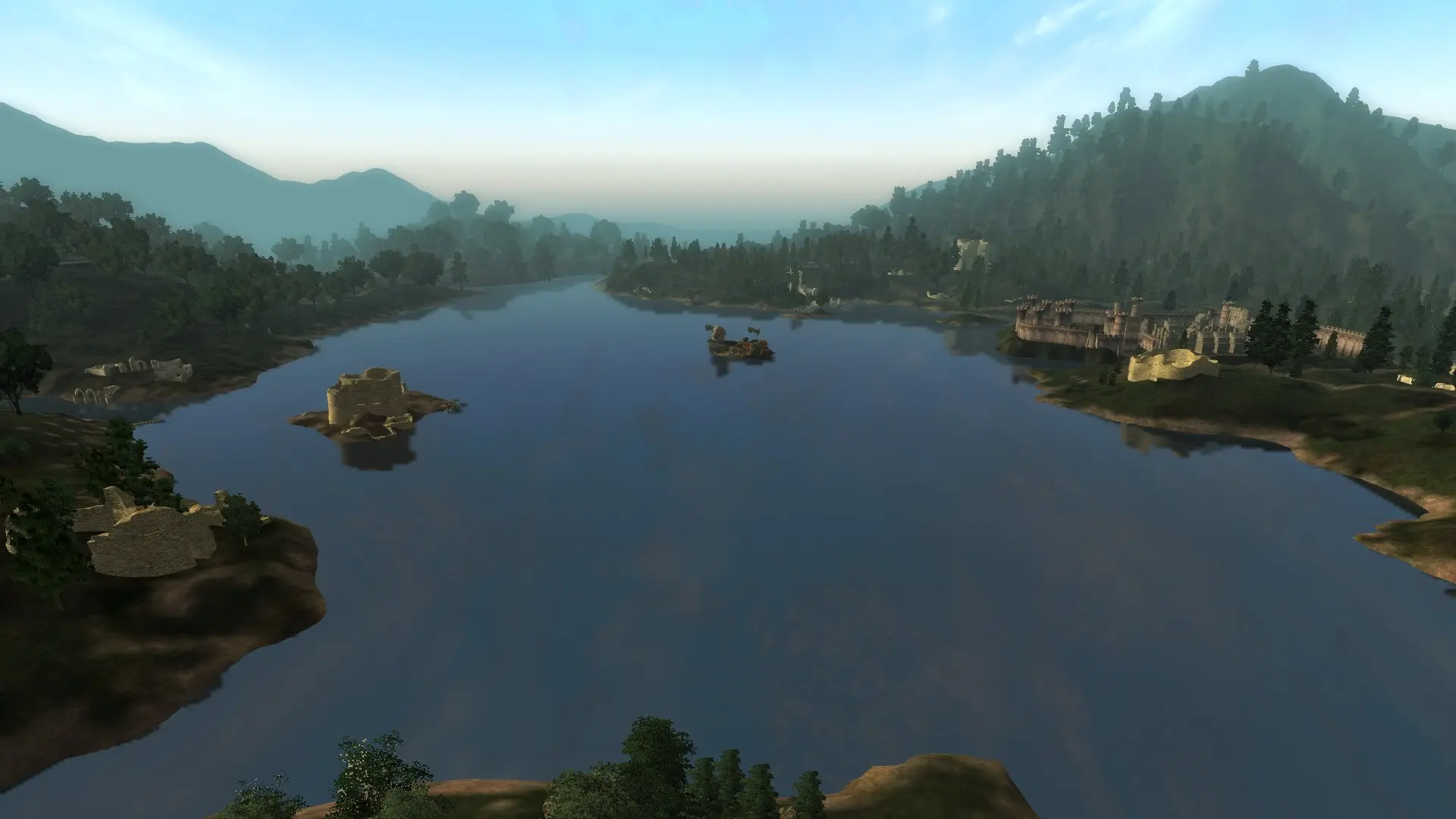
After having played a long time with RAEVWD and QTP3, I had gotten used to low framerates and accepted them as the tradeoff for having pretty scenery. When I recently started a new install, I was happy with the FPS and smoothness of my new vanilla game. But not being able to see the places I was travelling to was very annoying. So I decided I needed my LOD back. Luckily, Colourwheel came along and released a more reduced LOD package. I tried it and was happy with the framerate, but from time to time I encountered annoying neon flashes and reflections. Me wanting the best of both worlds, I decided to track down the cause of these bugs and eliminate them. Took me a good while to trace them as they show up on all LOD, not just the objects that cause them. Along the way I also made some other improvements. For clarification: This mod will not improve your FPS compared to vanilla LOD. It adds more objects that previously could not be seen from afar, thus reducing your framerate. If you were already using another mod that added such objects, chances are good that installing this over it will improve your FPS. You do not have to install Colourwheel\'s LOD project part01 v1. 1 unless you desperately want low poly meshes for near rocks. Everything else is included and improved. Features: Fixed all flashing neon blobs and reflections (as far as I can tell). Removed all tangent spaces for further reduction of mesh sizes. Minor tweaks to UV-mapping of the sheepfold Recalculated normals on Fortruin pieces to reduce the visibility of layers under certain light angles. Deleted all non-LOD rocks. They are reduced compared to the originals, but if you need that, you should probably not be running full LOD. Copied the rocks from the Gold Coast and retextured them to all other regions (that use the same rock meshes). So for every region all rocks from 1150 to 2080 now have _far.nifs. On my GTX 240 I barely noticed the impact of having them enabled. Your results may be different. Added some missing normal/glowmaps and removed alpha channels from a few normalmaps. Requirements: Tes4Lodgen - http://oblivion.nexusmods.com/mods/15781 Required in order to regenerate LOD information to include the new objects. Install ======= I\'ve packaged this mod as a BAIN archive. If you use Wrye Bash to install your mods, select the subpackages you want and install them. If installing manually, unpack the archive to a temporary location. Make a data folder. Copy the contents of each of the subpackages you want to install into the data folder. Finally copy this data folder into your oblivion folder and merge it with the data folder in there. The packages are: 00 Textures - Required 01 Dungeons - Forts, Ayleid ruins and Doomstones 02 Farms & Shacks - Settlements, inns, farms and priories 03 Docks & Ships - As it says. Docks are also used for some bridges. 04 Statues & Shrines - Daedra statues, godstatues and wayshrines of the nine 05 Rocks - All rocks of 1
This mod updates Colourwheel's LOD Project part01 with further improvements, focusing on visual enhancements for distant terrain. With 546 endorsements and nearly 28,000 downloads, it's a community favorite for Skyrim players seeking better LOD quality. Last updated in 2012, it may require compatibility checks with newer game versions.
✨ Key Features
📊 Pros & Cons
✅ Pros
- Solid community backing with 546 endorsements and nearly 28k downloads
- Improves LOD quality, making distant landscapes look sharper and more natural
- Builds on Colourwheel's original project, so it's a trusted enhancement
⚠️ Cons
- Last updated in 2012 — likely outdated for current Skyrim versions, may need patching
- Requires the original Colourwheels LOD Project part01 to work, so it's not standalone
For Skyrim players who want better distant terrain without overhauling their whole game. If you're into visual polish and don't mind tweaking load order, this is a solid pick. Skip if you're on the latest Skyrim version and want guaranteed compatibility — this is an old mod.
💡 Beginner Tips
- Make sure you have the original Colourwheels LOD Project part01 installed first, as this mod is an update to it.
- Use a mod manager like Vortex or Mod Organizer 2 to keep track of file overwrites, especially if you have other LOD mods.
- Check if your Skyrim version is compatible; since this mod is from 2012, you might need to use a compatibility patch for Special Edition or Anniversary Edition.
📊 Mod Details
- Game
- Oblivion Mods
- Author
- Colourwheel and EvenstarGW
- Version
- 1.2
- Downloads
- 27,957
- Endorsements
- 546
- Category
- Visuals and Graphics
- Created
- 5/20/2012
- Updated
- 5/20/2012
🔧 How to Install Oblivion Mods
Download from Nexus.
📖 Full step-by-step install guide for Oblivion →
Visit the official mod page for specific installation instructions for this mod.
🎮 Need cheat codes or console commands? Check ur gaming wiki for Oblivion commands, item IDs, and more.
Keep browsing — more Oblivion mods await