Enhanced Vegetation - Shivering Isles
⚪ Last updated 2017⚠️ Install Order · 3 steps
Install in this order, then this mod last — most mods fail to load without their framework and dependencies in place.
Preview
🔍 Analysis
- 👍 1.2% endorsement rate — high engagement, a strong quality signal
- 🏆 #11 of 33 Environmental mods in this game by downloads
📋 About This Mod
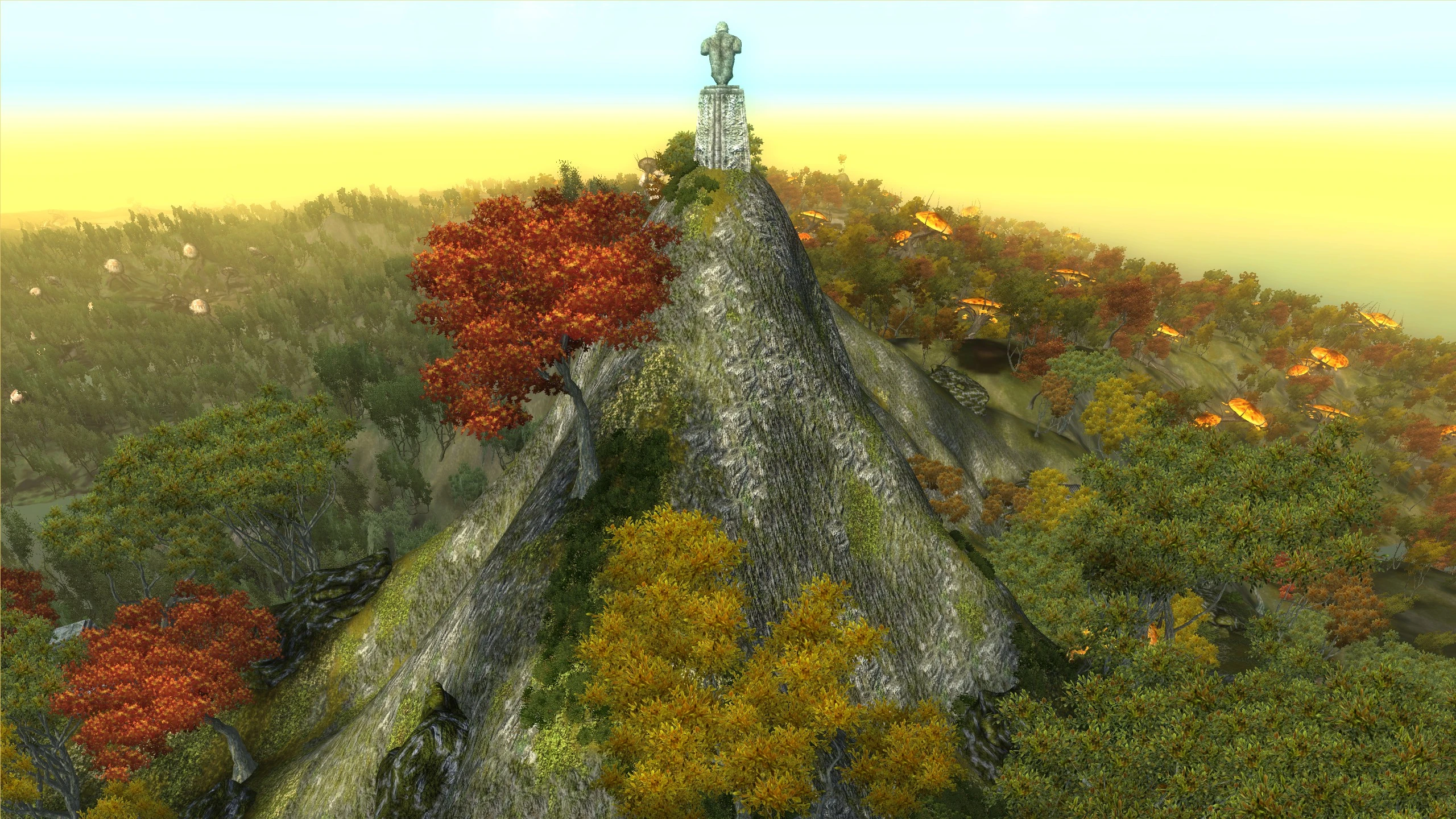
Increases the size of tree/shrub billboards and canopy shadows in the Shivering Isles to 125%/150% for those using Enhanced Vegetation by LprMan.
Enhanced Vegetation changes the size of every tree/shrub in the game by altering the game setting fTreeSizeConversion, but LprMan only included billboard (LOD) changes for the flora in Tamriel. This is very noticeable if you're using the 150% version in the Shivering Isles, since all the tiny little tree billboards will turn into gigantic monster trees as soon as you get close. So basically, I just made this esp to fill in the gap and make sure SI's vegetation will scale properly as well. I'm actually pretty surprised no one else has gotten around to doing it after all this time.
Unlike LprMan's version I didn't include any new textures or alter the grass sway speed for different timescales, I was much lazier about it and just changed the scaling of the already existing billboards along with the trees' shadow canopies. I also didn't make a 110% version since there's not as much of a noticeable difference, but I guess I can make one if someone asks.
So if that wasn't clear, either of the plugins from this mod are compatible with any plugin from LprMan's mod no matter the timescale. Just pick the matching size and you're good to go. I'm not sure what happens with SI's grass if you're using a different timescale, but this won't change anything compared to before. I'd say it's easier to just go with the default timescale (30) and call it a day though.
Installation
Enhanced Vegetation by LprMan - You only need to download the plugin of your choice from here.
Enhanced Vegetation - Darker trunks version by Xtudo - Fixes an issue with LprMan's billboards, I suggest using the normal res textures.
Enhanced Vegetation SI.esp should be fine anywhere in your load order and you can merge the esp into your bashed patch.
New shadows for trees by Obertier
Leave a comment if you have any issues, have fun!
This mod increases the size of tree and shrub billboards and canopy shadows in the Shivering Isles to 125% or 150% for users of Enhanced Vegetation by LprMan. It's a simple compatibility patch that enhances visual density for Oblivion players. With 1,792 endorsements and 150,838 downloads, it's a popular choice for those seeking a more lush environment.
✨ Key Features
📊 Pros & Cons
✅ Pros
- Community favorite with 1,792 endorsements and over 150k downloads
- Simple tweak that makes Shivering Isles feel more lush and overgrown
- Works as a drop-in patch for Enhanced Vegetation users
⚠️ Cons
- Requires Enhanced Vegetation by LprMan to function — not standalone
- Last updated in 2017, so may have compatibility issues with newer mod setups
- Only affects Shivering Isles, not the base game world
For Oblivion players who already use Enhanced Vegetation and want to amp up the greenery in the Shivering Isles. If you're not using that mod, this won't do anything for you. Skip if you prefer vanilla-sized flora or play without mods.
💡 Beginner Tips
- Make sure Enhanced Vegetation is installed first, then drop this patch into your Data folder and enable it in your mod manager.
- If you're using a mod manager like OBMM or Wrye Bash, activate this after Enhanced Vegetation to ensure it overwrites correctly.
- Check the mod's forum page for any user reports about compatibility with other flora overhauls before adding it to a large load order.
📊 Mod Details
- Game
- Oblivion Mods
- Author
- wakkoswami
- Version
- 1
- Downloads
- 150,838
- Endorsements
- 1,792
- Category
- Environmental
- Created
- 1/17/2017
- Updated
- 1/17/2017
🔧 How to Install Oblivion Mods
Download from Nexus.
📖 Full step-by-step install guide for Oblivion →
Visit the official mod page for specific installation instructions for this mod.
🎮 Need cheat codes or console commands? Check ur gaming wiki for Oblivion commands, item IDs, and more.
Keep browsing — more Oblivion mods await