4096X4096 Normal Map-2048X2048 Border Regions-LOD_OMOD
⚪ Last updated 2008⚠️ Install Order · 2 steps
Install in this order, then this mod last — most mods fail to load without their framework and dependencies in place.
Preview
🔍 Analysis
- 👍 2.1% endorsement rate — high engagement, a strong quality signal
- 🏆 #242 of 485 Models And Textures mods in this game by downloads
📋 About This Mod
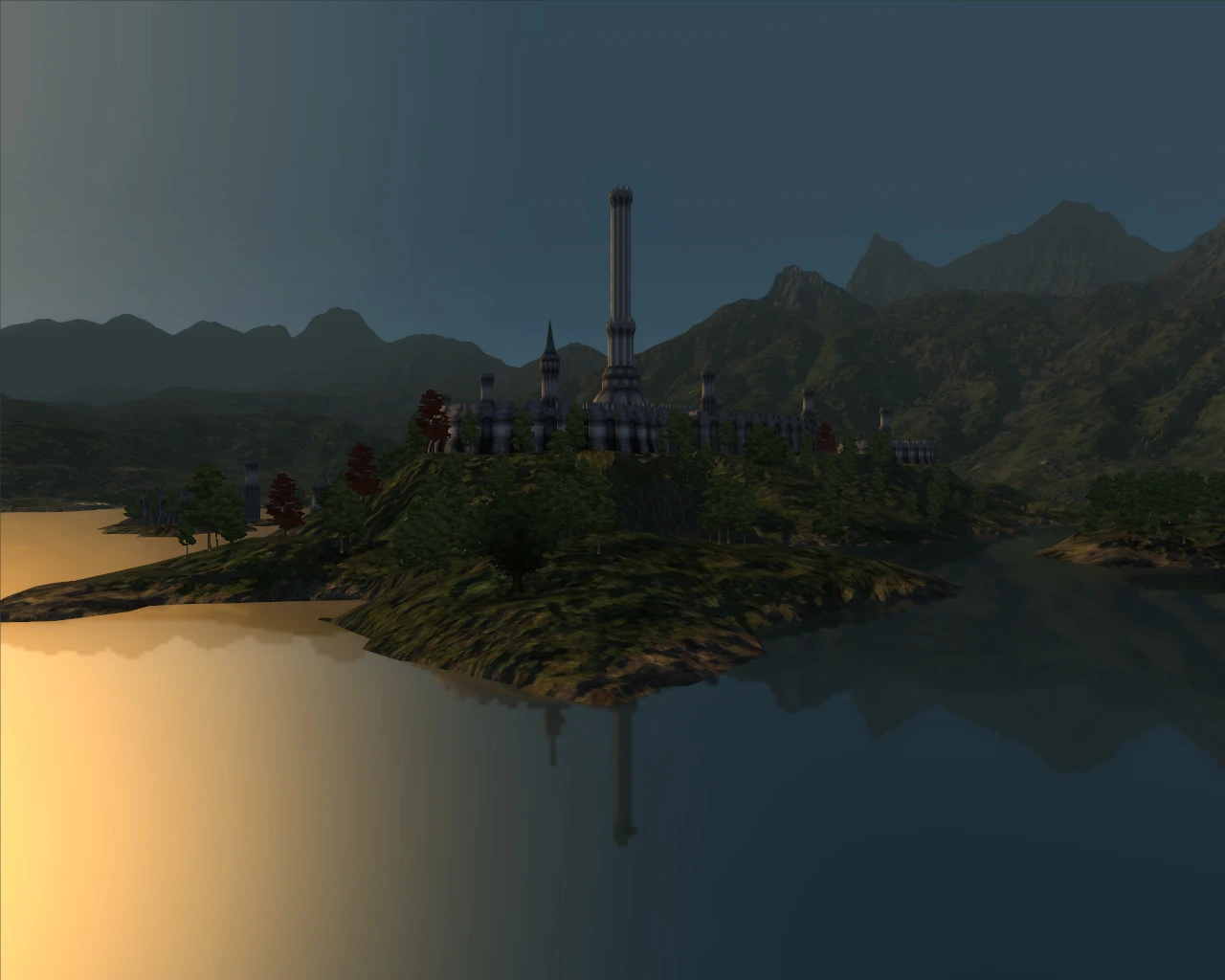
What Does it Do?- Basically, this replaces the original 1024x1024 distant landscape textures into higher resolution 4096x4096 landscape textures. The result is much sharper, and crisper looking terrain in the distance. Description- This is a compilation of Blade9722\'s Landscape LOD 4096x4096 replacement textures, Blade9722\'s Landscape LOD 2048x2048 border regions replacement textures, and Qarl\'s LOD normal maps 4096x4096 compressed. I repeat, I did NOT in any way shape or form create these textures, I simply compiled them into one easy to install OMOD. I did this because I found it sort of a pain to have to hunt down all the different Landscape textures, and then put them all together, this makes it a lot easier. Requirements- Obviously, you need the newest version of Timeslip\'s Oblivion Mod Manager. I recommend only high-end systems use this mod, as it does use up around 276MB of VRAM. Installation- Extract the OMOD file from the downloaded .zip folder to your C:...\\Oblivion\\obmm\\mods folder. Start up OBMM, then double click on the file to activate it. Conflicts- Any other Landscape LOD replacement textures mods that you might have previously installed. Comments- I also recommend installing Koldorn\'s LOD Noise Replacer, I didn\'t include it in the OMOD, because there are 3 different noise choices, and its a matter of opinion on which one looks best. Credits- Thanks to Blade9722 and Qarl for the awesome LOD replacement textures! If you modify this OMOD, please give me credit, thats all. HAVE FUN! :D
This Oblivion mod replaces the original 1024x1024 distant landscape textures with 4096x4096 versions, plus 2048x2048 border regions, for sharper and crisper terrain in the distance. It's a high-resolution texture upgrade for players who want improved visual clarity in exterior areas.
✨ Key Features
📊 Pros & Cons
✅ Pros
- Community favorite with 1,220 endorsements and over 57k downloads
- Noticeably improves distant terrain clarity without overhauling the whole game
- Simple texture replacement—no gameplay changes, just visual polish
⚠️ Cons
- Last updated in 2008—may not be compatible with newer Oblivion versions or mods
- High-resolution textures can strain older GPUs and VRAM
For Oblivion players who want crisper distant landscapes without a full visual overhaul. If you're running a modern PC and care about draw distance quality, this is a quick win. Skip if you're on a low-end system or prefer gameplay-focused mods.
💡 Beginner Tips
- Since this is an OMOD, use Oblivion Mod Manager (OBMM) to install and manage it easily.
- If you're not using OBMM, manually extract the textures to your Data folder, but be aware of load order conflicts with other texture mods.
- Test performance in a grassy area with long sightlines to see if the higher resolution impacts your frame rate.
📊 Mod Details
- Game
- Oblivion Mods
- Author
- Blade9722 and Qarl _ OMOD by BangsBoomstik
- Version
- 1.0
- Downloads
- 57,429
- Endorsements
- 1,220
- Category
- Models And Textures
- Created
- 7/16/2008
- Updated
- 7/17/2008
🔧 How to Install Oblivion Mods
Download from Nexus.
📖 Full step-by-step install guide for Oblivion →
Visit the official mod page for specific installation instructions for this mod.
🎮 Need cheat codes or console commands? Check ur gaming wiki for Oblivion commands, item IDs, and more.
Keep browsing — more Oblivion mods await