TFP - True First Person Camera
🟠 Updated over a year agoPreview
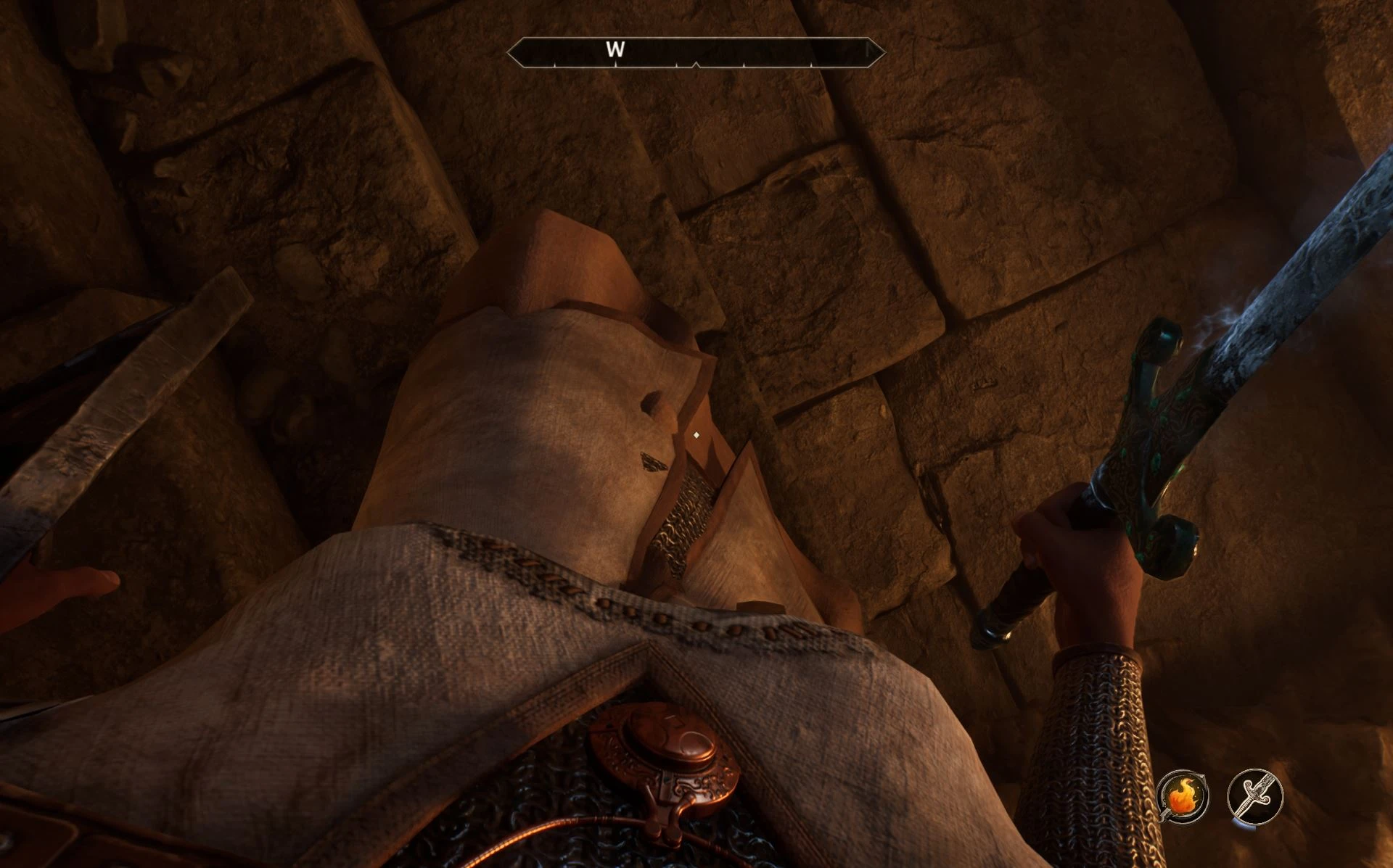
🔍 Analysis
- 👍 1.2% endorsement rate — high engagement, a strong quality signal
- 🏆 #30 of 624 Gameplay mods in this game by downloads
📋 About This Mod
TFP Camera lets you experience gameplay from a true first-person perspective, directly from the head of your character. It includes optional head/helmet hiding, freelook, parallax motion, and camera offset configuration. A must have for
True First Person Camera – See Your Own Body
What This Mod Does
This mod adds a configurable, immersive first-person camera system by utilizing the existing third-person camera via UE4SS.
Play the game in true first person just like in immersive sim titles or ARMA.
Highly Customizable: Adjust the camera position, freelook behavior, FOV, helmet overlays, and movement to perfectly match your character’s body, race, proportions, and gear. Every character is different. This mod is designed to reflect that.
Main Features
✔ Head-Aligned First Person — Camera sits between your character’s eyes for perfect perspective.
✔ Full Body Awareness — Look down and see your own body, arms, legs, and gear.
✔ Immersive Visor Overlays — Unique visor masks for all vanilla helmets/hoods, dynamically swapped on equip.
✔ Freelook Mode — Hold or toggle to look around independently of body facing, with optional parallax (default V).
✔ Custom FOV — Override the default FOV with your Custom FOV while in TFP mode.
✔ Speed Control (optional) — Use the mouse wheel to change your walking/running speed on the fly.
✔ Easy Toggle — Quickly enable/disable on demand using a hotkey.
✔ State Persistence — Remembers your TFP and freelook states between sessions with external .txt file. - No savegame files are touched.
✔ No Intrusive Changes — Does not edit meshes, animations, or core game files. - You can install/uninstall at any time.
✔ Fully Configurable — Adjust camera offsets, freelook behavior, toggle keys, and more.
Having problems to install? See this video by Noha Thacker Gaming:
MgZkf19HMys
The defaukt toggle key is set to: OEM_Plus
This can be different depending on your keyboard layout:
-
[]On QWERTY layouts: it’s usually = or + (not the + key in the numpad, it's the key that shares both + and = symbols on QWERTY keyboard)
[
]On QWERTZ: it may appear as (left to the Return key)[]On AZERTY keyboard it's =
Open the main.lua file with any text editor (like Notepad++). (OblivionRemastered\Binaries\Win64\ue4ss\Mods\FirstPersonMod\Scripts\main.lua)
At the top you'll find the "Configurables" section. There you can rebind the toggle key to one that works best for you. Example:
📊 Mod Details
- Game
- Oblivion Remastered Mods
- Author
- 3AMt
- Version
- v.0.9.8e
- Downloads
- 61,354
- Endorsements
- 729
- Category
- Gameplay
- Created
- 5/18/2025
- Updated
- 9/9/2025
🔧 How to Install Oblivion Rem. Mods
Use Vortex or MO2.
📖 Full step-by-step install guide for Oblivion Rem. →
Visit the official mod page for specific installation instructions for this mod.
🎮 Need cheat codes or console commands? Check ur gaming wiki for Oblivion Rem. commands, item IDs, and more.
Keep browsing — more Oblivion Rem. mods await