Re-Enable Achievements
🟠 Updated over a year agoPreview
🔍 Analysis
- 👍 1.1% endorsement rate — high engagement, a strong quality signal
- 🏆 #147 of 624 Gameplay mods in this game by downloads
📋 About This Mod
This script Re-Enables the achievements on all your current saves, after you e.g. used Console commands
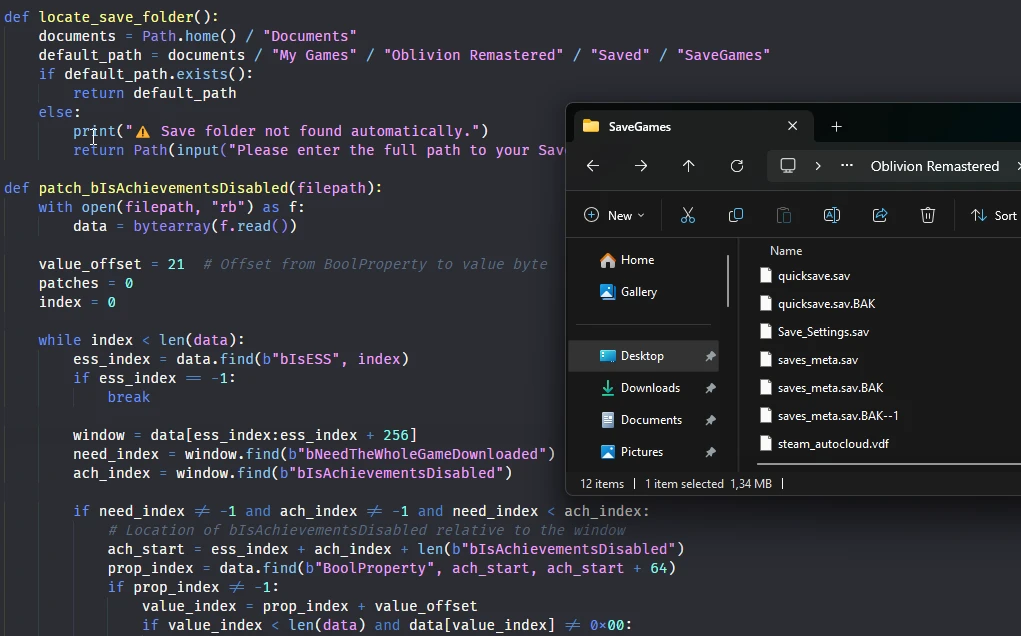
This is a python script that goes through all your save files and re-enables achievements for all of them.
Before you use:
This was the first way to re-enable achievements before we figured out basic modding. There are better alternatives now such ashttps://www.nexusmods.com/oblivionremastered/mods/145
https://www.nexusmods.com/oblivionremastered/mods/125
If you don't mind using mods, use one of those. However, If you are more advanced and do not want to tamper with your game files, use this script.
THIS CANNOT BE USED WITH VORTEX - It's a standalone script!
IMPORTANT:
The script won't prevent them from being disabled again. But you can always re-run it.
You can also use it in combination with https://www.nexusmods.com/oblivionremastered/mods/125 to enable achievements on your existing saves.
Also, it appears this currently does NOT work on the gamepass version.
If you get a virus warning, those are false positives. To make it easier to use, I packed the python script as an EXE so that people don't have to use the Terminal. The code is fully open source (link at the bottom). I talked to nexus about the false detections, so they reviewed it for me and approved it.
Usage:
- Download the ZIP
- Either from the Nexus Download Page
- Or directly from GitHub
- Extract it anywhere
- Run re-enable_achievements.exe
- If prompted, enter path to your saves.
- Usually: "C:\Users\<USERNAME>\Documents\My Games\Oblivion Remastered\Saved\SaveGames"
Or, Usage for Devs (or Linux users):
- Make sure to have Python3 installed.
- Download the script to wherever you want.
- Either from GitHub
- Or from Nexus Mods
- Run it using `python3 re-enable_achievements.py`
- If prompted, enter path to your saves.
- Usually: "C:\Users\<USERNAME>\Documents\My Games\Oblivion Remastered\Saved\SaveGames" - for windows
- Or: "~/.local/share/Steam/steamapps/compatdata/2623190/pfx/drive_c/users/steamuser/Documents/My Games/Oblivion Remastered/Saved/SaveGames" - for Linux
How does it work:
The game stores flags about disable achievements in all save files. There are autosave/quicksave, manual saves and a file called saves_meta.sav (which stores info about all saves). All of these different saves use a different format to handle this achievement flag. e.g. saves_meta:
BoolProperty bNeedTheWholeGameDownloaded
BoolProperty bIsAchievementsDisabled
BoolProperty
📊 Mod Details
- Game
- Oblivion Remastered Mods
- Author
- NullDev
- Version
- 1.2.6
- Downloads
- 11,657
- Endorsements
- 127
- Category
- Gameplay
- Created
- 4/23/2025
- Updated
- 5/9/2025
🔧 How to Install Oblivion Rem. Mods
Use Vortex or MO2.
📖 Full step-by-step install guide for Oblivion Rem. →
Visit the official mod page for specific installation instructions for this mod.
🎮 Need cheat codes or console commands? Check ur gaming wiki for Oblivion Rem. commands, item IDs, and more.
Keep browsing — more Oblivion Rem. mods await