Parallel Universe
🟡 Updated this year⚠️ Install Order · 1 step
Install in this order, then this mod last — most mods fail to load without their framework and dependencies in place.
Preview
🔍 Analysis
- 👍 2.4% endorsement rate — high engagement, a strong quality signal
- 🏆 #22 of 33 Overhauls mods in this game by downloads
📋 About This Mod
Updated to work on Worlds Pt. II
How to install:
- Paste folders into No Man's Sky/GAMEDATA/MODS
- Create a folder called MODS, in case it doesn't exist
Mods are divided into Graphics and Gameplay:
- Graphics: Modify mostly visual stuff, save to use in multiplayer
- Gameplay: Changes how to game generates and control stuff, might not be safe for multiplayer and might be considered cheating in some scenarios
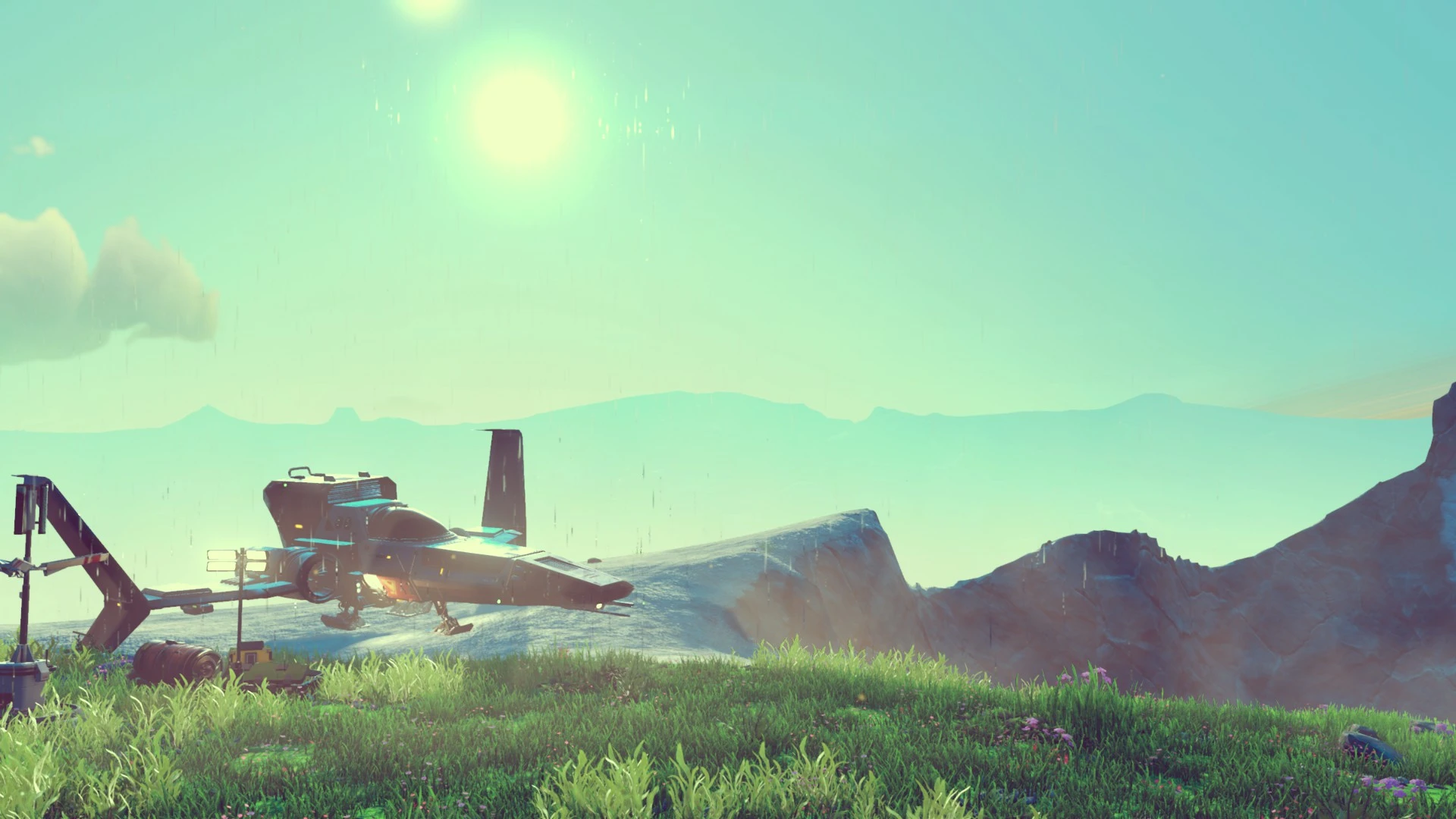
Parallel Universe changes some aspects of NMS while keeping it true to its roots.
This is my personal combination of mods, which I hope some of you might enjoy as well. Some of them are available as separate downloads as well.
Module descriptions:
PU_AdventureCamera - Changes third person camera farther from the player
PU_CleanInventoryColor - Changes icons to have a more neutral background, removes gradiente
PU_ColoredSpace - Adds a lot of possible space colors
PU_Creatures - changes some creature animation speeds and other values, makes agressive creatures more common
PU_DamageOverhaul - Things do more damage, you can stack a lot of upgrades to compensate
PU_FastRecipes - Refining is fast. very fast.
PU_FasterScan - Scaning is fast. very fast.
PU_IncreasedWeatherFog - Planets can have a denser fog, making it closer to NMS 1. 0
PU_LowerMouseSensitivity - Good if you're using a high dpi mouse
PU_MorePlanetaryBuildings - Increase planetary building density, good for on foot exploration
PU_MoreSkyColors - Adds a lot more sky colors and make them more subtle
PU_Multibiome - Adds a lot of biome combinations, same as the same name mod
PU_NoAutoAim - decreases auto aim strenght when playing on controller
PU_PlanetVisuals - Changes a few values on how the planets are rendered, like increasing volumetric fog intensity
PU_PlayerMovement - Changes how the player moves, making the experience a little more grounded
PU_TerrainVariety - Changes how the terrains are generated. This is a combination of changes that I did along the years, it's as varied as I think we can
PU_TorchColor - Changes the torchlight color and intensity.
PU_VintageFilter - Like the good old days
PU_WeaponRebalance - Weapons hit harder and behave differently. Remove burst cap and increased reload time and spread
A lot of files are changed, but all of the mods and EXML, you can navigate through the folders and edit them as you want.
Let me know if you run into any issues!
IF YOU LIKE THIS MOD AND WANT TO SUPPORT ME, WISHLIST MY ACTUAL GAME, MIRO, ON STEAM:
MIRO
Parallel Universe is a modular overhaul for No Man's Sky that combines graphics and gameplay tweaks, including camera adjustments, faster scanning/refining, denser fog, and more biome variety. It's a personal mod pack updated for Worlds Pt. II, with 303 endorsements and 12,379 downloads. Suitable for players wanting a customized experience while keeping the game's core feel.
✨ Key Features
📊 Pros & Cons
✅ Pros
- Modular design means you can pick and choose exactly what you want—no bloat.
- Community-trusted with 303 endorsements and over 12k downloads.
- Updated recently for Worlds Pt. II, so it's current with the latest game version.
⚠️ Cons
- Gameplay modules might be flagged as cheating in multiplayer—use with caution.
- Manual installation requires creating a MODS folder if it doesn't exist, which can be confusing for newcomers.
- No detailed documentation on each module's exact values or potential conflicts with other mods.
For No Man's Sky players who want to tweak both visuals and gameplay without overhauling the entire game. If you're a returning player looking to spice up exploration with denser fog, more buildings, and faster scanning, this is a solid pick. Skip if you prefer pure vanilla or want a single cohesive overhaul rather than a mix of tweaks.
💡 Beginner Tips
- Before installing, back up your save files or at least know how to revert changes—gameplay modules can alter difficulty.
- If you're playing multiplayer, stick to the Graphics folder only to avoid potential cheating flags.
- Check the mod's page for separate downloads if you only want a few modules—this pack is a bundle of many.
📊 Mod Details
- Game
- No Mans Sky Mods
- Author
- trevix
- Version
- 1
- Downloads
- 12,379
- Endorsements
- 303
- Category
- Overhauls
- Created
- 4/18/2020
- Updated
- 5/27/2026
🔧 How to Install No Man\ Mods
Create /MODS/ folder in /GAMEDATA/PCBANKS/. Delete DISABLEMODS.TXT.
📖 Full step-by-step install guide for No Man\ →
Visit the official mod page for specific installation instructions for this mod.
🎮 Need cheat codes or console commands? Check ur gaming wiki for No Man\ commands, item IDs, and more.
Keep browsing — more No Man\ mods await