Loading Screens Replacer New Vegas
⚪ Last updated 2016⚠️ Install Order · 5 steps
Install in this order, then this mod last — most mods fail to load without their framework and dependencies in place.
Preview
🔍 Analysis
- 👍 5.6% endorsement rate — high engagement, a strong quality signal
- 🏆 #10 of 98 User Interfaces mods in this game by downloads
📋 About This Mod
=================================================== Loading Screens Replacer for Fallout 3 New Vegas
Latest Version: 1. 2 Initial Release: 12/11/2013 Author: Lain =================
Fallout 3 Screen Replacer can be found here
- []Description[/] []Installation[/] []Additional Info[/] []Conflicts/Known Issues[/] []Tools Used[/] []Credits[/] []Uninstall[/] []Version History[/]
==================== 1. DESCRIPTION ===============
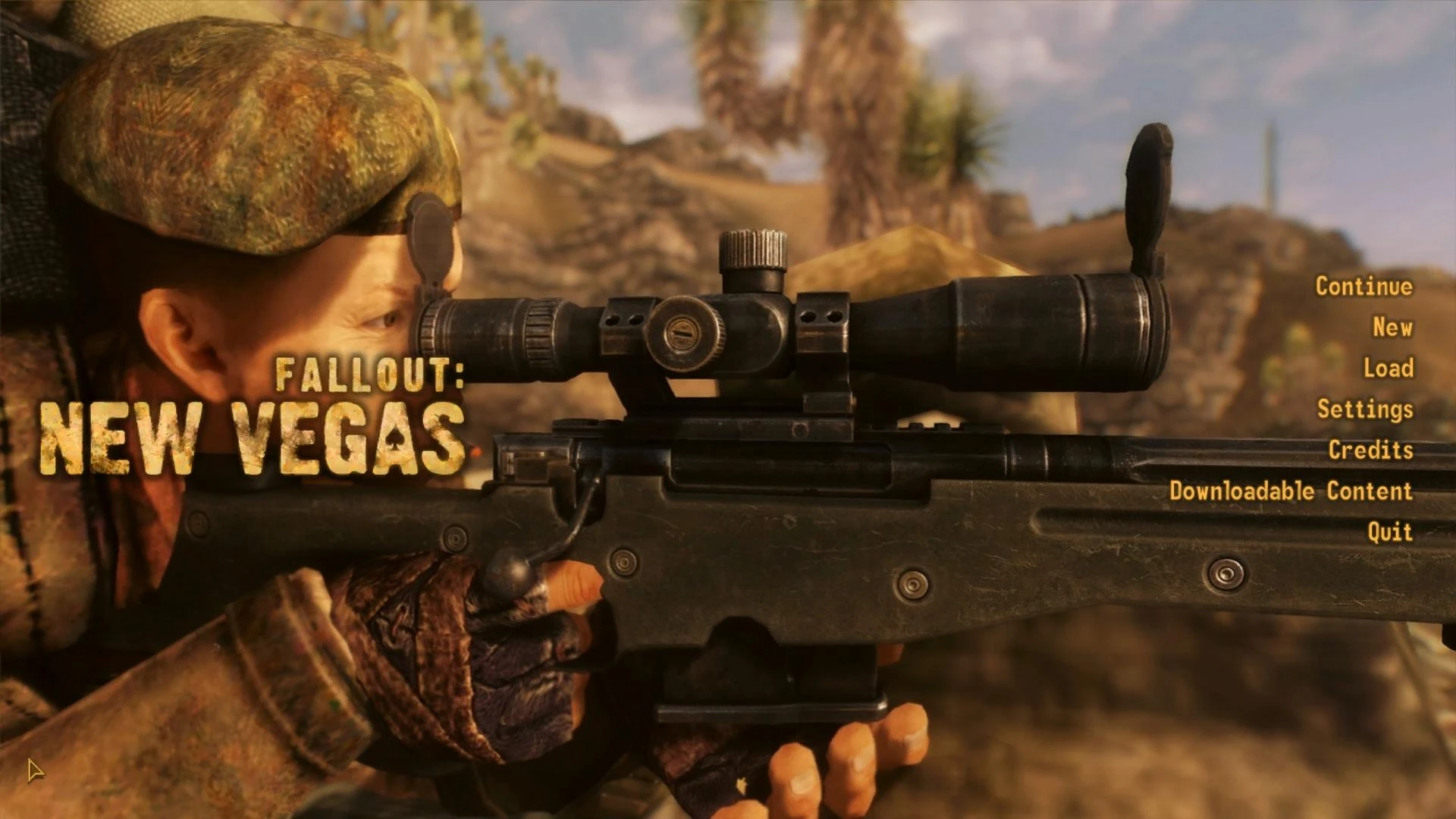
This mod replaces over 40 loading screens with the best suiting images I could find. Everything is wallpaper type material. Clean, high resolution screenshots with no HUD's or any text on screen. No skimpy imagery. The goal is maximum visual quality combined with lore.
The mod only replaces the .dds files without using an .esp therefore should be compatible with everything else.
Two options are available:
- []LoadingScreensReplacerHD (High Definition 1920x1080) [/][]LoadingScreensReplacer (1280x720) [/]
==================== 2. INSTALLATION ===============
- Extract into your Fallout 3 New Vegas folder. Example: "xxx/Program Files (x86)/Bethesda Softworks/Fallout New Vegas/"
- If the mod doesn't work make sure you're using FOMM or ArchiveInvalidation Invalidated
====================== 3. ADDITIONAL INFO ==================
- The mod is very lore friendly!
- All pictures were properly cropped and converted.
- The old foreground, glare and the brighten effects were removed.
================================ 4. CONFLICTS / KNOWN ISSUES ============================
None that I know of.
================== 5. TOOLS USED ==============
Tool name: FO3Archive Purpose: to extract "Fallout - Textures.bsa"
Tool name: DDS Image Viewer Pur
Replaces over 40 loading screens in Fallout: New Vegas with high-quality, lore-friendly, cinematic screenshots. No .esp file required, making it a simple drop-in visual enhancement. Popular with 2,787 endorsements and nearly 50,000 downloads, though last updated in 2016.
✨ Key Features
📊 Pros & Cons
✅ Pros
- Community favorite with 2,787 endorsements and nearly 50k downloads—clearly a well-loved visual upgrade.
- No .esp means zero plugin bloat and no compatibility headaches with other UI mods.
- Lore-friendly and cinematic screenshots keep you immersed while the game loads.
⚠️ Cons
- Last updated in 2016—might not be compatible with the latest game patches or mods that alter loading screens.
- Only covers 40+ screens, so some loading screens will still show the vanilla art.
- No preview images or detailed install instructions in the description, so you're going in blind until you try it.
For Fallout: New Vegas players who want a more immersive, cinematic loading experience without messing with load orders. If you're tired of the same old vanilla loading screens and want a quick visual refresh, this is for you. Skip if you're looking for gameplay changes—this is purely cosmetic.
💡 Beginner Tips
- Since there's no .esp, just drop the files into your Data folder and you're good—no mod manager needed.
- If you use a mod manager like Vortex or MO2, you can still install it as a mod for easy uninstallation.
- Make sure to check if you have other mods that replace loading screens—they might conflict, so pick one.
📊 Mod Details
- Game
- New Vegas Mods
- Author
- Lain
- Version
- 1.2
- Downloads
- 49,732
- Endorsements
- 2,787
- Category
- User Interfaces
- Created
- 12/11/2013
- Updated
- 2/25/2016
🔧 How to Install New Vegas Mods
Download from Nexus.
📖 Full step-by-step install guide for New Vegas →
Visit the official mod page for specific installation instructions for this mod.
🎮 Need cheat codes or console commands? Check ur gaming wiki for New Vegas commands, item IDs, and more.
Keep browsing — more New Vegas mods await