Large Goodsprings Player Home
⚪ Last updated 2015⚠️ Install Order · 5 steps
Install in this order, then this mod last — most mods fail to load without their framework and dependencies in place.
Preview
🔍 Analysis
- 👍 4.2% endorsement rate — high engagement, a strong quality signal
- 🏆 #16 of 74 Buildings mods in this game by downloads
📋 About This Mod
Requirements: none.
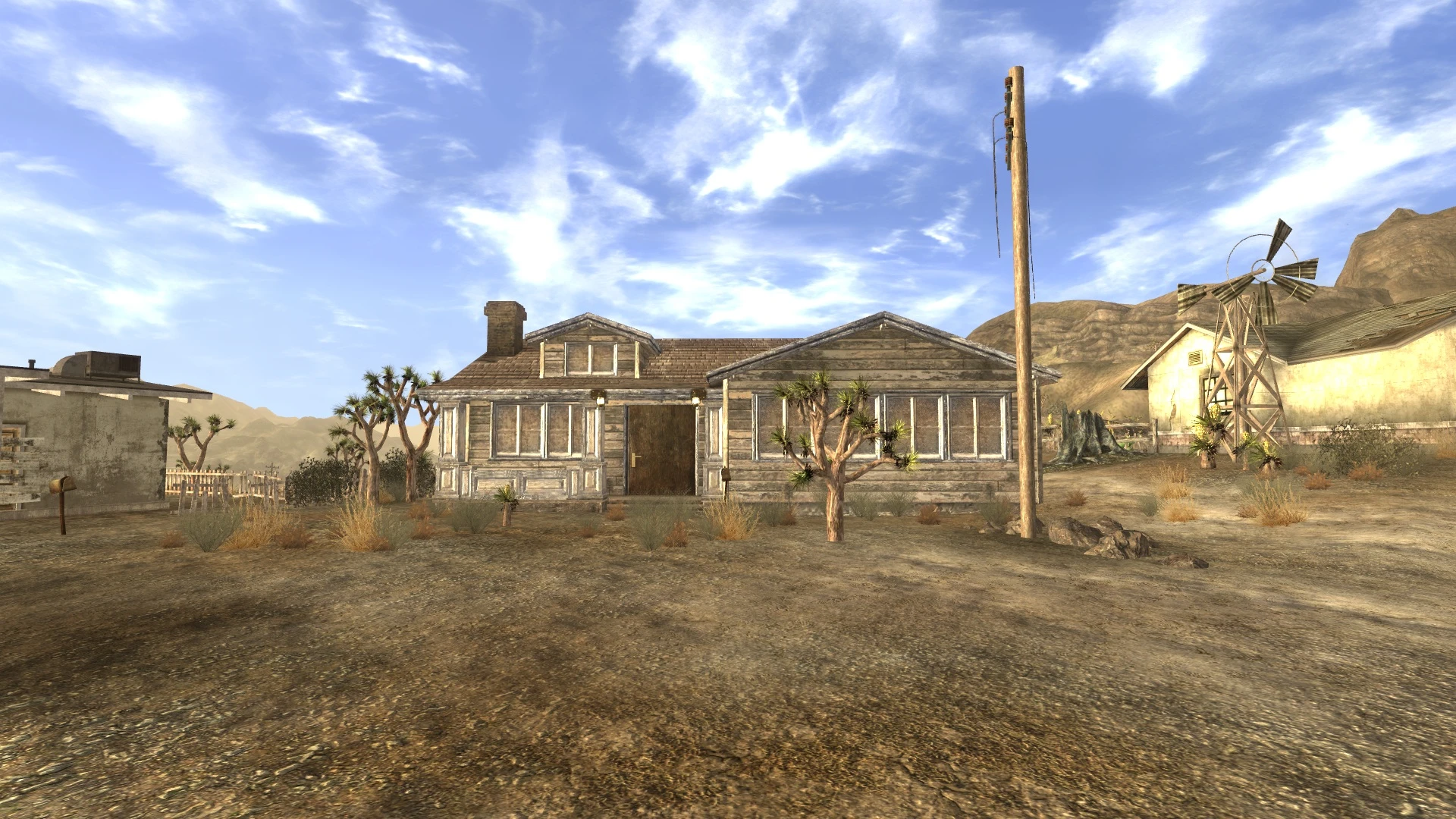
Description: This mod adds a player home to Goodsprings that is using the Doc Mitchell house as a template. I improved the lighting and added plenty of storage.
Features: Sorters for Weapons, Armor, Ammo, Food, Workbench Parts, Ammo Parts, Nuka-Cola Named storage lockers Display Cell for Weapons and Armors Snowglobe Stand My First Infirmary My First Laboratory First Aid Kit Reloading Bench Nuka-cola machine Oven has a campfire script on it. 5 Vendors in the vault Vault area with several rooms Display Walls for Weapons: The normal weapons walls remove the weapons your inventory and places them in containers. Note: if you have more than one of the weapon, the script will remove all weapons of that type. You can recover the extras by choosing Add/Remove Weapons from the Wall Menu. The Unique Weapons Wall checks for the uniques in your inventory and displays them on the wall, so you can keep using the weapons.
Installation: Unzip the rar file and copy the Meshes and Textures folders and LargeGoodspringsPlayerHome.esm into the Data directory in your Fallout New Vegas install folder. You should toggle the archive invalidation in Fallout Mod Manager. If not done already, you will need to go to your fallout.ini file (C:\Users\....\Documents\My Games\FalloutNV\fallout.ini) or Fallout_default.ini in your Steam\steamapps\common\fallout new vegas\Fallout_default.ini and edit the line bLoadFaceGenHeadEGTFiles so it has a value of 1. Run the New Vegas Launcher, click data files and make sure the box next to LargeGoodspringsPlayerHome.esm is checked. Launch the game and enjoy.
Version History: Version 3. 9 Reduced l
This Fallout: New Vegas mod adds a player home in Goodsprings based on Doc Mitchell's house, featuring improved lighting, a sorting terminal, named storage, a vault area, and several vendors. It's a popular choice for players seeking a convenient, feature-rich base in the starting area.
✨ Key Features
📊 Pros & Cons
✅ Pros
- Community favorite with 1,970 endorsements and nearly 47k downloads.
- Sorting terminal and named storage make inventory management a breeze.
- Vendors in the home save you trips to town.
⚠️ Cons
- Last updated in 2015 — may have compatibility issues with modern mod setups.
- Based on Doc Mitchell's house, so it might feel cramped if you're used to larger player homes.
For Fallout: New Vegas players who want a convenient, feature-packed home right in the starting area. If you're tired of hauling loot to Novac or the Lucky 38, this is for you. Skip if you prefer building your own home or want a more immersive, lore-friendly base.
💡 Beginner Tips
- Make sure to load this mod after any mods that alter Goodsprings to avoid conflicts.
- Use a mod manager like Vortex or FOMM to easily install and manage this mod.
- Check the sorting terminal's settings to customize how items are sorted.
📊 Mod Details
- Game
- New Vegas Mods
- Author
- Knight_Phoenix
- Version
- 3.9
- Downloads
- 46,932
- Endorsements
- 1,970
- Category
- Buildings
- Created
- 10/29/2010
- Updated
- 1/1/2015
🔧 How to Install New Vegas Mods
Download from Nexus.
📖 Full step-by-step install guide for New Vegas →
Visit the official mod page for specific installation instructions for this mod.
🎮 Need cheat codes or console commands? Check ur gaming wiki for New Vegas commands, item IDs, and more.
Keep browsing — more New Vegas mods await