Evil Interface-Choose Your Color
⚪ Last updated 2010⚠️ Install Order · 5 steps
1🛠️ NVSE — New Vegas Script Extender Download ↗
2🛠️ 4GB Patcher — FNV 4GB Patcher Download ↗
3🔧 NVAC — New Vegas Anti Crash Download ↗
4🧩 JIP LN — JIP LN NVSE Plugin Download ↗
5🔧 YUP — Yukichigai Unofficial Patch Download ↗
Install in this order, then this mod last — most mods fail to load without their framework and dependencies in place.
Preview
🔍 Analysis
- 👍 4.0% endorsement rate — high engagement, a strong quality signal
- 🏆 #8 of 36 General mods in this game by downloads
📋 About This Mod
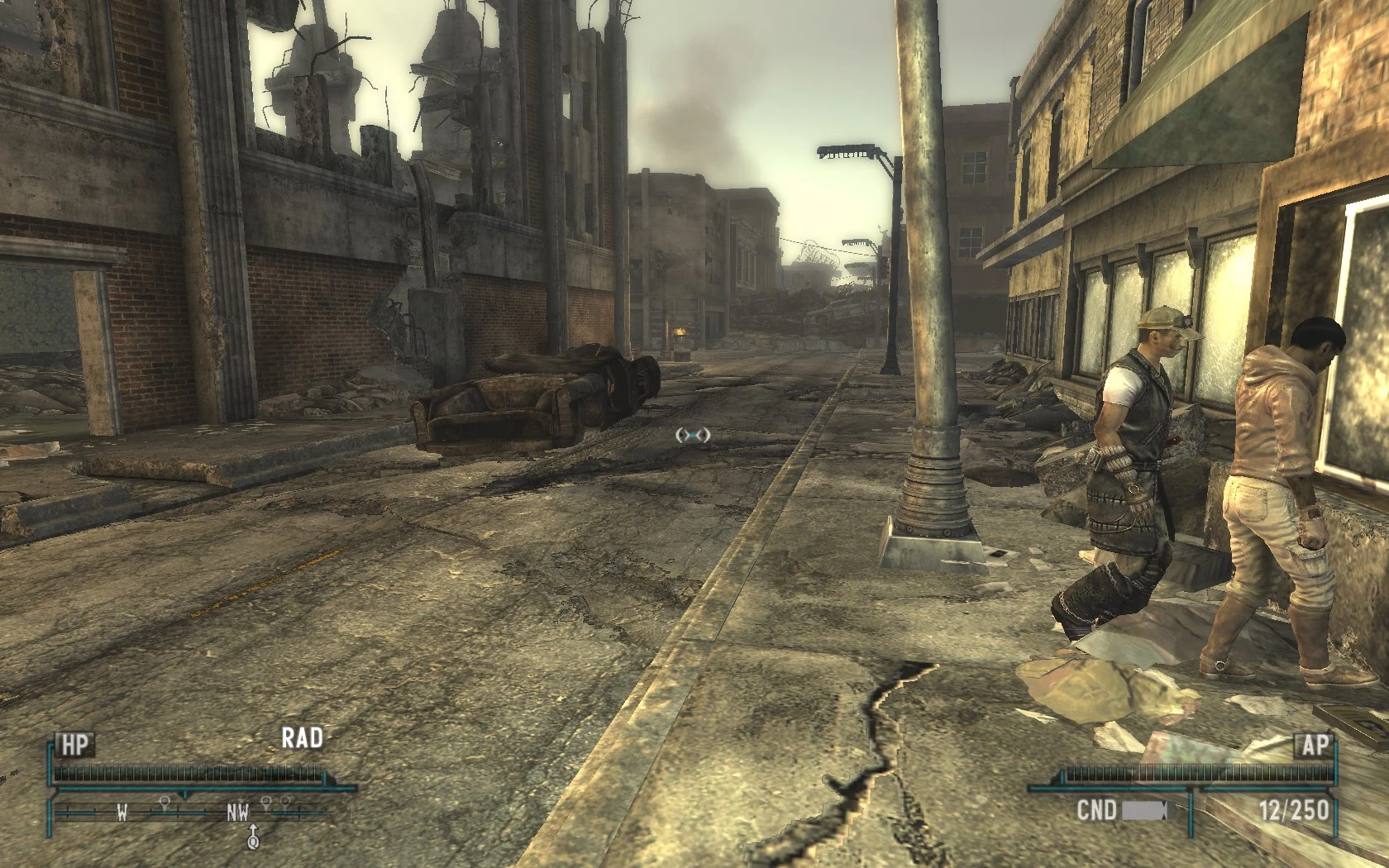
Note: The Screenshot of the blue interface is outdated, the blue color has been fixed. Now it\'s real BLUE!!
Took me some time to do this so please endorse. I take color request, so keep checking back for your favorite colors...lol
Install:
-------------
To install drop the data folder in your Fallout new vegas Directory.
go to: Documents/My Games/FalloutNV
Open: \"FalloutPrefs.ini\"
Find the following line:
uHUDColor=
and now replace the value with, \"4294967040\". Should look like this:
uHUDColor=4294967040
Save and Exit.
Enjoy
🤖 AI-enhanced — based on mod data
Evil Interface-Choose Your Color is a compact UI reskin mod by Diegog5, offering multiple color options for the game interface. With 402 endorsements and over 10,000 downloads, it's a popular choice for players seeking a darker, customizable look. Last updated in 2010, it may not be compatible with current game versions.
✨ Key Features
Provides an 'awesome' interface with multiple color choices
Customizable UI color scheme to suit player preference
📊 Pros & Cons
✅ Pros
- Community favorite with 402 endorsements and 10k+ downloads
- Simple concept: pick your color and go
- Lightweight and likely easy to install
⚠️ Cons
- Last updated in 2010 — may be broken with current game patches
- Only offers color changes, no other UI improvements
🎯 Is This For You?
For players who want a quick, customizable color swap for their UI without overhauling the whole interface. If you're nostalgic for classic mods or just want a fresh look, this might be for you. Skip if you need modern compatibility or deeper UI tweaks.
For players who want a quick, customizable color swap for their UI without overhauling the whole interface. If you're nostalgic for classic mods or just want a fresh look, this might be for you. Skip if you need modern compatibility or deeper UI tweaks.
📦 Install:Easy· Under 1 minute
💡 Beginner Tips
- Check the mod's file structure and place files in the correct game directory (likely Data or Interface folders).
- Since it's from 2010, test in a backup save first to avoid crashes with current version.
- If using a mod manager, ensure it's compatible with old mods or manually install.
📊 Mod Details
- Game
- New Vegas Mods
- Author
- Diegog5
- Version
- 1
- Downloads
- 10,101
- Endorsements
- 402
- Category
- General
- Created
- 10/23/2010
- Updated
- 10/23/2010
🔧 How to Install New Vegas Mods
Download from Nexus.
📖 Full step-by-step install guide for New Vegas →
Visit the official mod page for specific installation instructions for this mod.
🎮 Need cheat codes or console commands? Check ur gaming wiki for New Vegas commands, item IDs, and more.
Keep browsing — more New Vegas mods await