DYNAVISION 3 - Total Visual Enhancement
⚪ Last updated 2023⚠️ Install Order · 5 steps
Install in this order, then this mod last — most mods fail to load without their framework and dependencies in place.
Preview
🔍 Analysis
- 👍 3.6% endorsement rate — high engagement, a strong quality signal
- 🏆 #135 of 441 Gameplay Effects and Changes mods in this game by downloads
📋 About This Mod
PMExx0x8qQw
Background
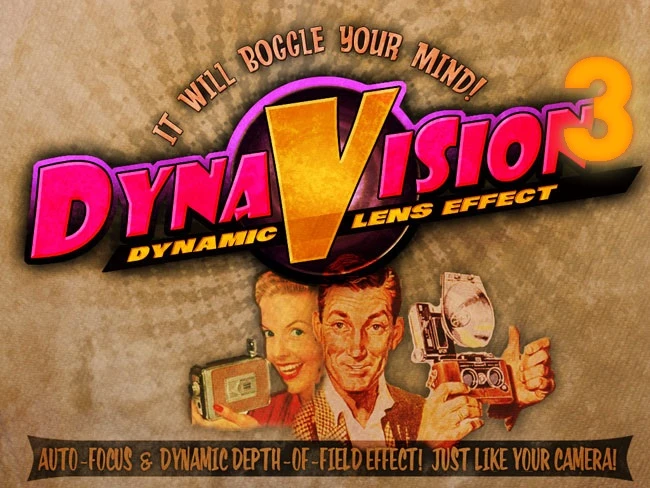
DYNAVISION 3 provides many visual enhancements, including a dynamic depth-of-field and auto-focus effect similar to a camera. In other words, when you're close to something and looking right at it, the subject stays in focus while the background blurs. You can also adjust lighting, add mood filters and even apply film grain. All of this is completely customizable through a user friendly interface.
This mod is an overhauled version of the popular DYNAVISION 2 mod with the following improvements:
Faster and more efficient focusing with gaming in mind
The blur can be soft and slow but when you look at something you see it immediately. All the cinematic effect of DoF without ever feeling you cannot see what you need to see.
Better accuracy and stability
The focus is now sharp and stable. No stutters in the focusing.
Merges the following mods
1. The IMAGINATOR - Visual Control Device
2. CINEMATECH - Film Grains and Styles
3. Directors Chair - Total Visual Control Device.
DYNAVISION 3 combines all of these mods into a single mod that lets you customize all your visual needs from a convenient MCM menu, or a user friendly HUD menu that lets you see your changes in real time.
This mod has extra functionality
When used with One HUD (oHUD) it lets you link DYNAVISION 3s DoF effect and Film Grain to One HUDs 'screenshot mode'. See the video for an example.. However it is not a required file.
Important
1. Make sure you have enabled Depth of Field for your games in the game launcher options. If you don't set that, you won't get depth of field.
2. UNINSTALL any of the old mods before installing this. That is Dynavision2, Imaginator, Cinematech and Directors Chair. They are not needed (or desired) with this mod :)
Installation Lite Version
If you don't need all the other mods and you don't want the nice MCM system you can use the Dynavision 3 - LITE version. Do not use both files at the same time though. Installing that is easy as it is a single ESP file. Just install with NMM or manually.
Installation
1. Install with the Mod Manager of your choice. eg. Vortex or MO2.
2. I highly recommend using UIO - User Interface Organizer to make the film grain elements work. You can manually install the HUD files I suppose, but I do not support that.
Customizing DYNAVISION 3
DYNAVISION 3 comes with a user friendly MCM system and a heads up display MENU. The LITE version has a pipboy item which when equipped opens the menu.
Requirements
This mod absolutely requires xNVSE and JIP LN NVSE Pl
DYNAVISION 3 is a visual overhaul mod for Fallout 4 that adds dynamic depth-of-field and auto-focus effects, along with film grain, lighting tweaks, and mood filters. It's highly popular with over 10,000 endorsements and nearly 300,000 downloads, and all effects are customizable.
✨ Key Features
📊 Pros & Cons
✅ Pros
- Huge community trust with 10,301 endorsements and nearly 300k downloads
- One-stop visual overhaul: depth of field, grain, lighting, and mood filters in one mod
- Customizable effects let you dial in exactly the look you want
⚠️ Cons
- Last updated in January 2023 — may not be fully compatible with the latest Fallout 4 patches
- Visual overhauls can be performance-heavy on mid-range systems
- Requires tweaking to get the perfect balance; default settings might not suit everyone
For Fallout 4 players who want a cinematic, camera-like feel with dynamic focus and film grain. Perfect for screenshot enthusiasts and roleplayers who want a more immersive atmosphere. Skip if you prefer a clean, vanilla look or have a low-end PC.
💡 Beginner Tips
- Use a mod manager like Vortex or Mod Organizer 2 to install and manage DYNAVISION 3 easily.
- Check the mod's in-game configuration options to adjust depth-of-field strength and disable effects you don't want.
- If you experience performance drops, try lowering the depth-of-field quality or disabling film grain.
📊 Mod Details
- Game
- New Vegas Mods
- Author
- MyGoodEye Marcurios and Gopher
- Version
- 2.01
- Downloads
- 288,978
- Endorsements
- 10,301
- Category
- Gameplay Effects and Changes
- Created
- 8/12/2013
- Updated
- 1/8/2023
🔧 How to Install New Vegas Mods
Download from Nexus.
📖 Full step-by-step install guide for New Vegas →
Visit the official mod page for specific installation instructions for this mod.
🎮 Need cheat codes or console commands? Check ur gaming wiki for New Vegas commands, item IDs, and more.
Keep browsing — more New Vegas mods await