Dusty distance
⚪ Last updated 2011⚠️ Install Order · 5 steps
Install in this order, then this mod last — most mods fail to load without their framework and dependencies in place.
Preview
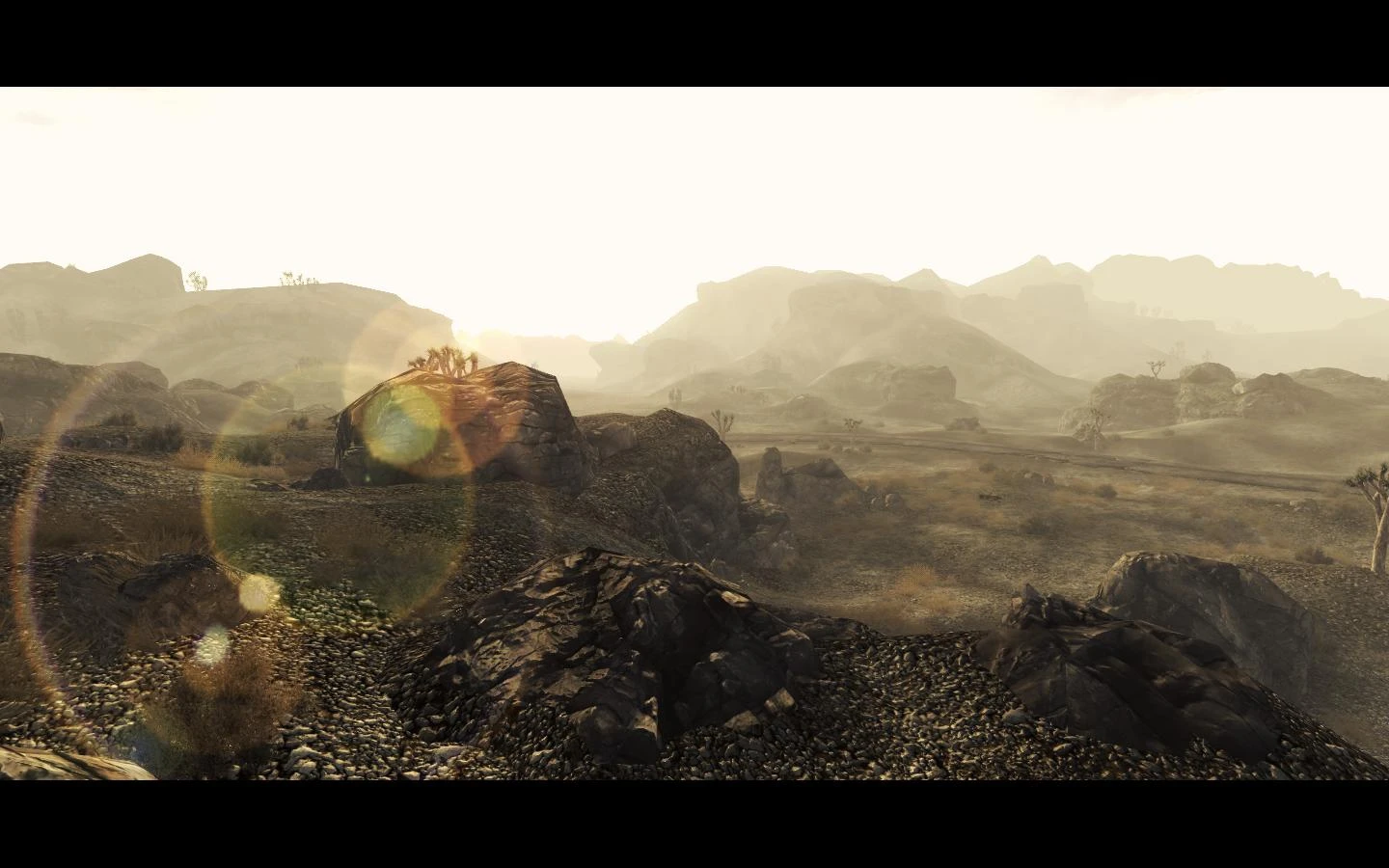
🔍 Analysis
- 👍 3.7% endorsement rate — high engagement, a strong quality signal
- 🏆 #21 of 122 Miscellaneous mods in this game by downloads
📋 About This Mod
This tiny file simply reduces the distance between your character and the in-game fog, hiding the ugly LOD textures without killing your framerate. Inspired by this mod: http://www.fallout3nexus.com/downloads/file.php?id=1293 To install: drop the esp in your data folder, place a checkmark beside the plugin using FOMM or FONV launcher. To uninstall: remove the esp from the data folder. That\'s it There will be conflicts with any other weather mods, so it should be placed near the bottom of your load order to work properly. Mods used for the screen captures: NMC (Awesome) Texture Pack http://www.fallout3nexus.com/downloads/file.php?id=12056 Anime SunGlare http://www.newvegasnexus.com/downloads/file.php?id=35243 Detailed Normals - Texture Pack http://www.newvegasnexus.com/downloads/file.php?id=38196 ENBseries http://www.tesnexus.com/downloads/file.php?id=29578 But i would recommend using Tapiok\'s Enhanced shaders since it does the same and even more http://www.newvegasnexus.com/downloads/file.php?id=34868
Dusty distance is a simple mod that brings the in-game fog closer to the player character. With 1,683 endorsements and 45,682 downloads, it's a popular tweak for those who want a denser, more atmospheric fog effect. Last updated in 2011, it remains a straightforward choice for classic game versions.
✨ Key Features
📊 Pros & Cons
✅ Pros
- Huge download count (45,682) shows it's a go-to for fog tweaks.
- Does exactly what it says—no bloat, just closer fog.
- Over 1.6k endorsements means it's community-approved.
⚠️ Cons
- Last updated in 2011—might not work with newer game patches.
- Only affects fog distance; if you want more visual overhauls, this won't cut it.
For players who want a quick, no-fuss way to increase fog density for a moodier atmosphere. If you're after a full visual overhaul or gameplay changes, skip this—it's purely a fog tweak.
💡 Beginner Tips
- Check if your game version is compatible—this mod is from 2011, so newer patches might break it.
- If you're using a mod manager, drop the file in and activate; otherwise, place it in the game's data folder.
- Test in a foggy area to see the effect immediately—if it's too dense, you can't adjust it, so consider that before installing.
📊 Mod Details
- Game
- New Vegas Mods
- Author
- Ravage
- Version
- 2
- Downloads
- 45,682
- Endorsements
- 1,683
- Category
- Miscellaneous
- Created
- 1/21/2011
- Updated
- 1/23/2011
🔧 How to Install New Vegas Mods
Download from Nexus.
📖 Full step-by-step install guide for New Vegas →
Visit the official mod page for specific installation instructions for this mod.
🎮 Need cheat codes or console commands? Check ur gaming wiki for New Vegas commands, item IDs, and more.
Keep browsing — more New Vegas mods await